
Zakładki
Wybierz tytuł dla tej zakładki.
Zakładka zapisana
| Deweloper: | Saeid Khoorani (1) | ||
| Cena: | * Za darmo Nowa | ||
| Wynik: | 1450 Złoto | ||
| Rankingi: | 0 | ||
| Komentarze: | 0 Opublikuj komentarz | ||
| Listy: | 0 + 0 | ||
| Punkty: | 0 + 0 ¡ | ||
| +1 Punkt | |||
Zrzuty ekranu 10
Reklama
Opis

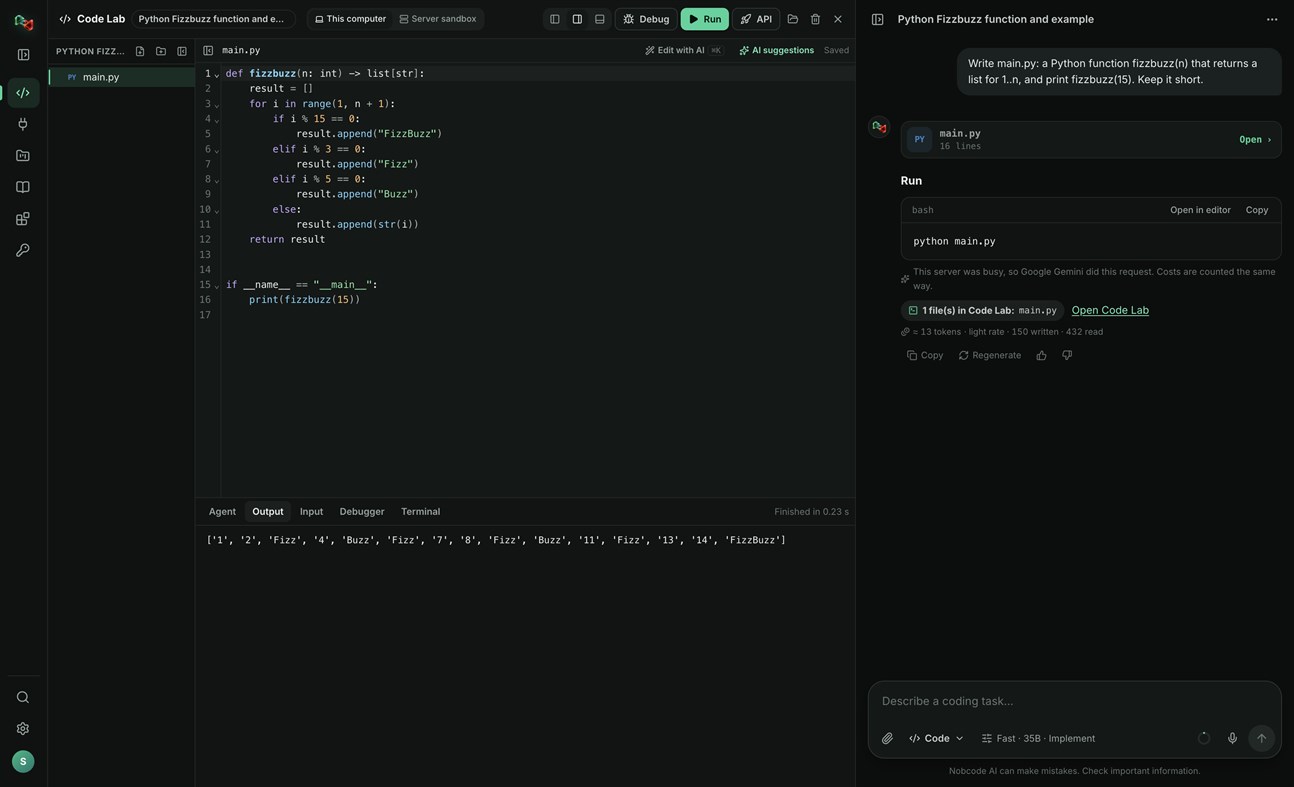
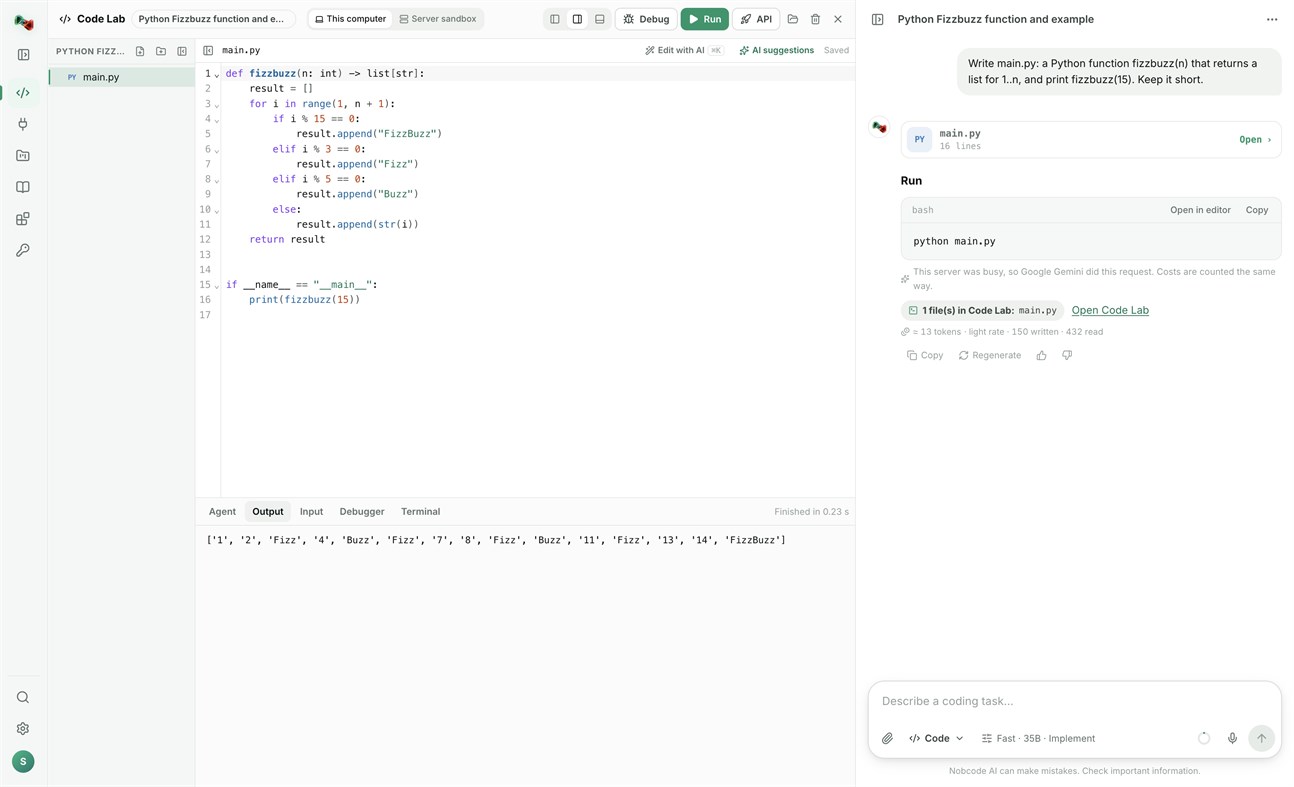
CODE LAB
• Run code locally: Python, JavaScript and TypeScript, Go, C and C++, Rust, Java, C#, PHP, Ruby, shell and PowerShell scripts, and SQL, with your own compilers and interpreters.
• Open a terminal in your project folder.
• Link a folder on your PC: Code Lab and your files stay in sync both ways.
• The AI assistant proposes commands and file changes. Nothing runs or is written without your approval.
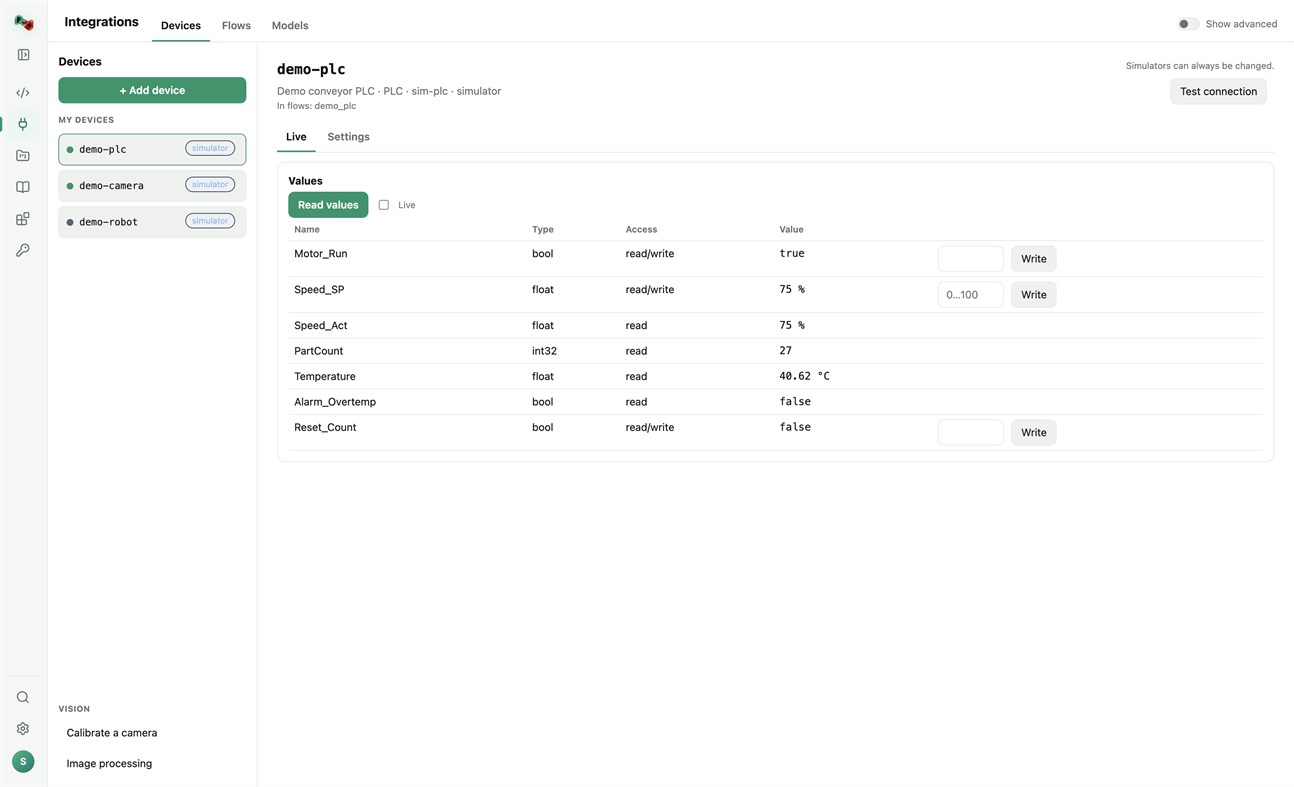
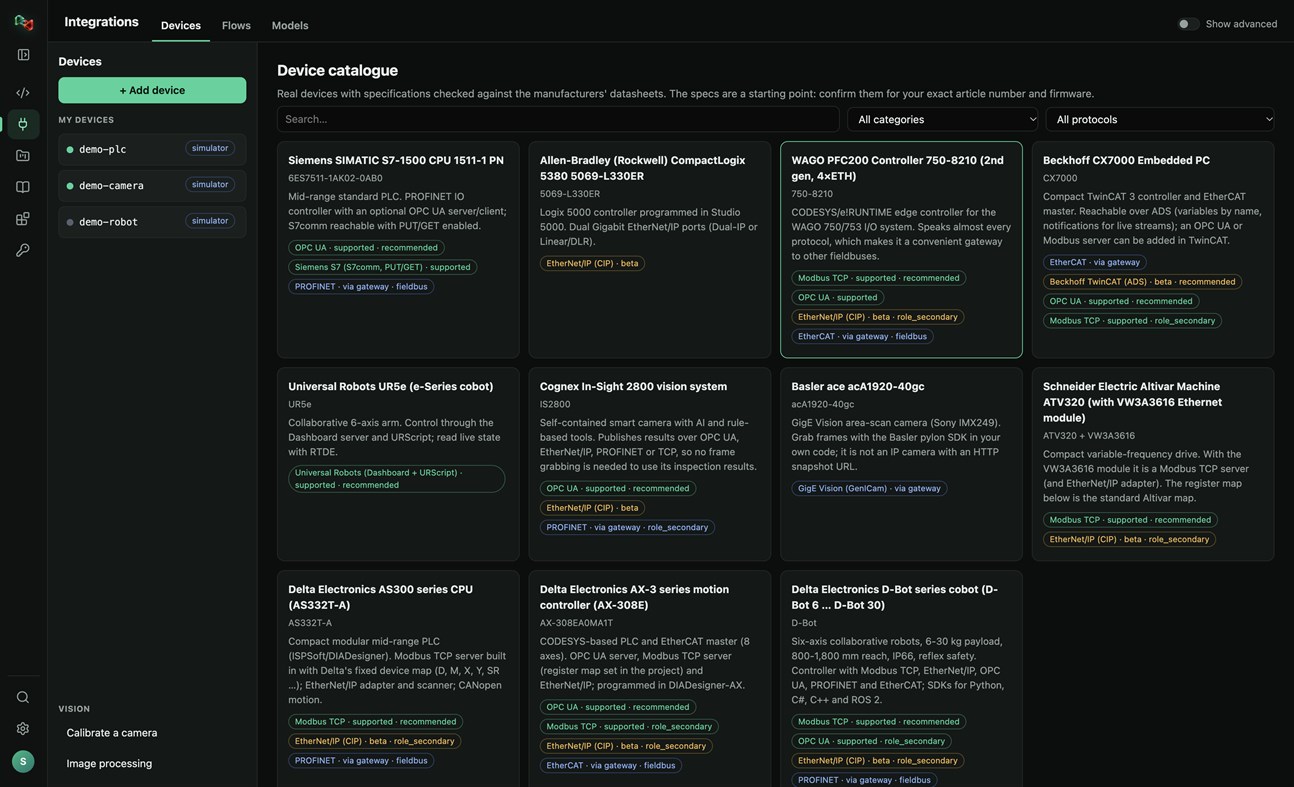
DEVICES: ADD YOUR OWN HARDWARE
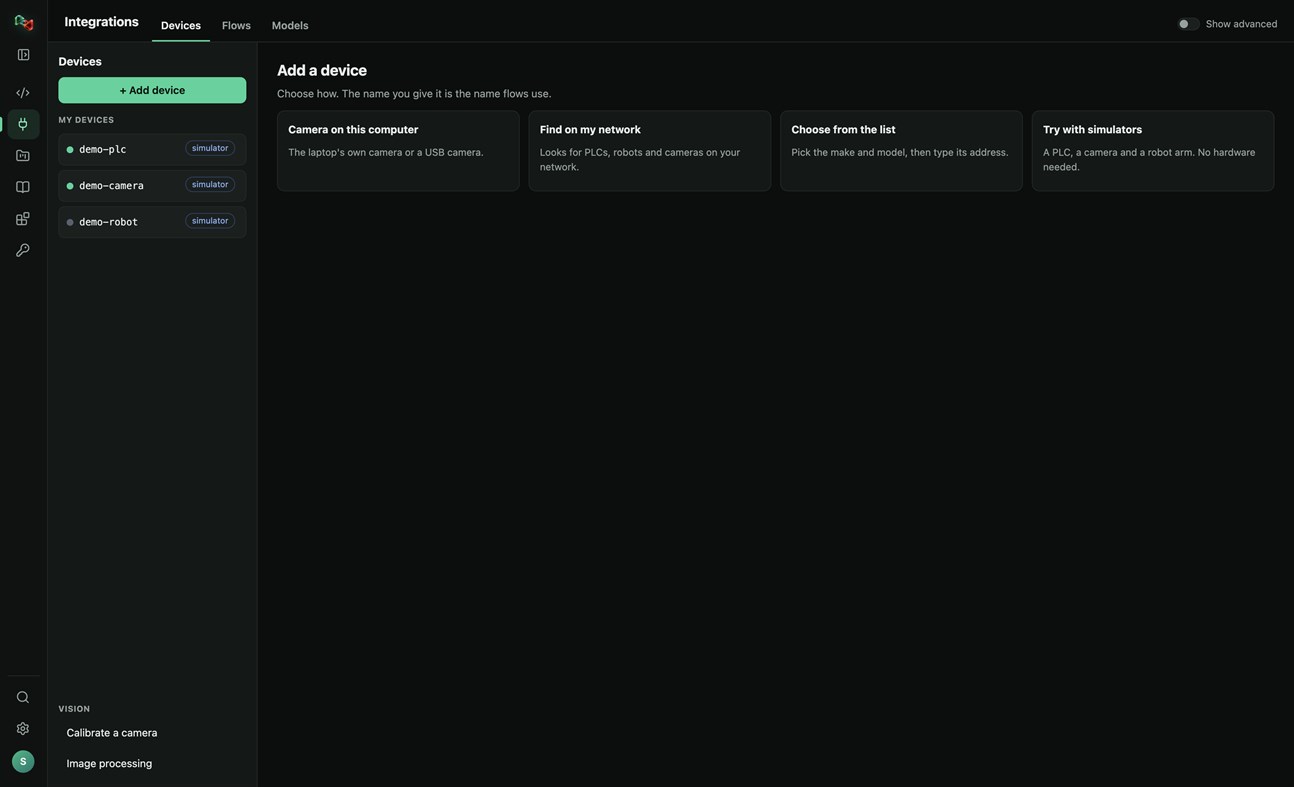
• Add a device in four ways: the camera of this PC or a USB camera, search your network for PLCs, robots and cameras, pick the make and model from a catalogue of real devices, or start with simulators (a PLC, a camera and a robot arm, no hardware needed).
• Connections: OPC UA, Siemens S7 (S7comm), Modbus TCP, Universal Robots, ROS and ROS 2 (rosbridge), IP cameras (HTTP snapshot, MJPEG, RTSP), serial RS-232/RS-485 and CAN through a USB adapter. EtherNet/IP and Beckhoff ADS are in beta.
• Watch live values and read and write tags. Real devices only accept writes and moves after you arm them; stop is always allowed.
• Calibrate a camera and try image processing on its pictures.
• Use your devices from your own code: the Python and JavaScript libraries read and write PLC values, take camera pictures and move robots by the device's name.
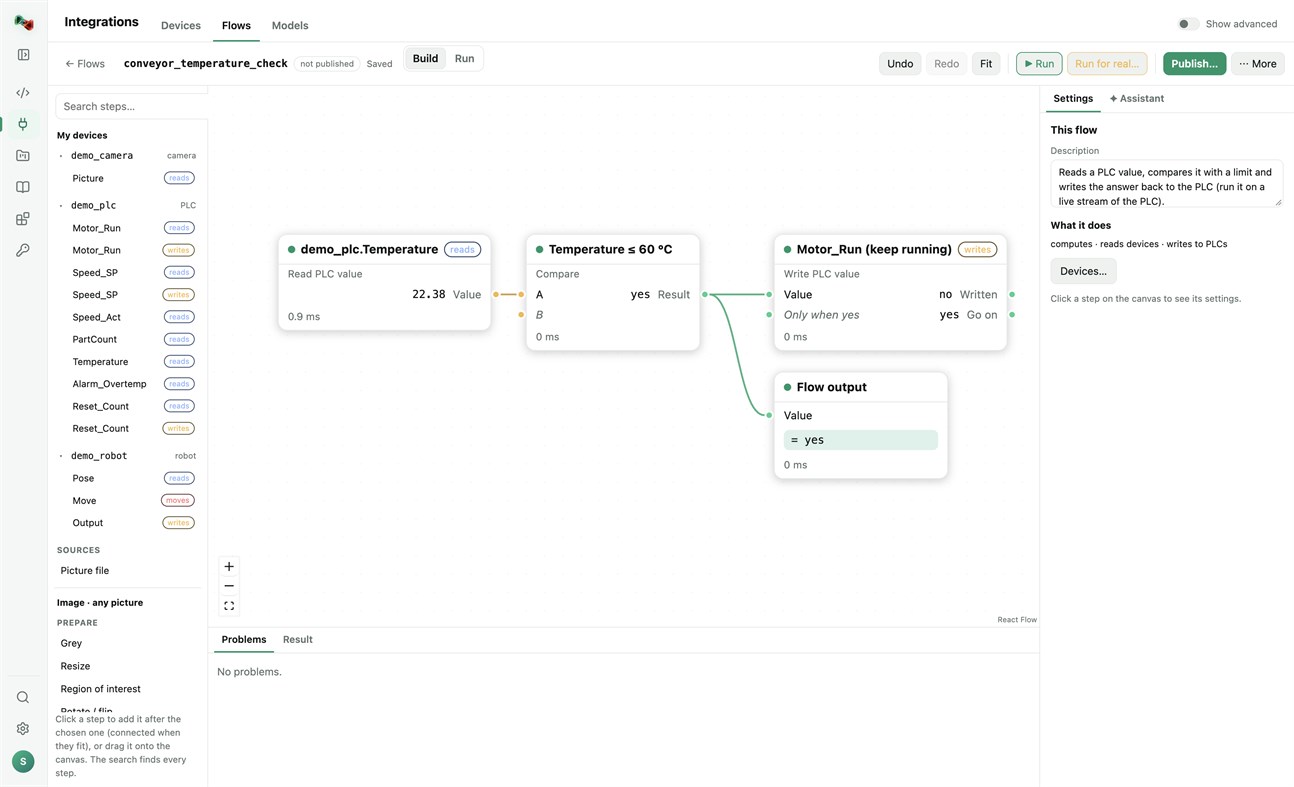
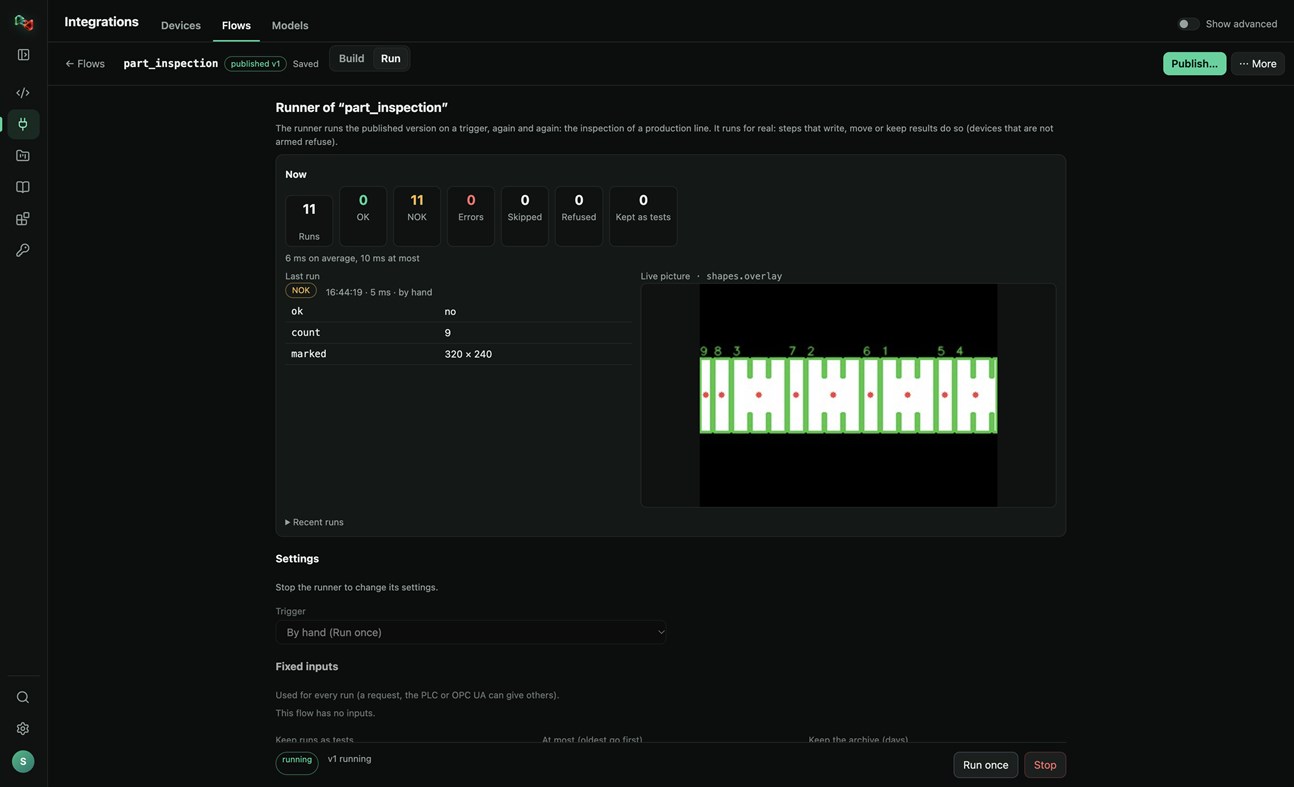
FLOWS: VISION AND AUTOMATION WITHOUT BOILERPLATE
• Build flows in a visual editor: a camera picture or a PLC value, then prepare, find (shapes, circles, known parts, QR codes, barcodes), measure (count, sizes in millimetres), decide (compare, OK/NOK) and act (write a PLC value, move a robot, keep the result).
• Start from a template (inspect parts with a camera, measure parts in millimetres, react to a PLC value) or let the assistant draft the flow.
• Test with a picture, publish versions, and run them on a trigger: by hand, on a timer, PLC handshake, TCP socket, OPC UA or a live stream, with OK/NOK counts and the live picture. Your programs run published flows by name, in any language.
MODELS: TRAIN YOUR OWN OR USE READY ONES
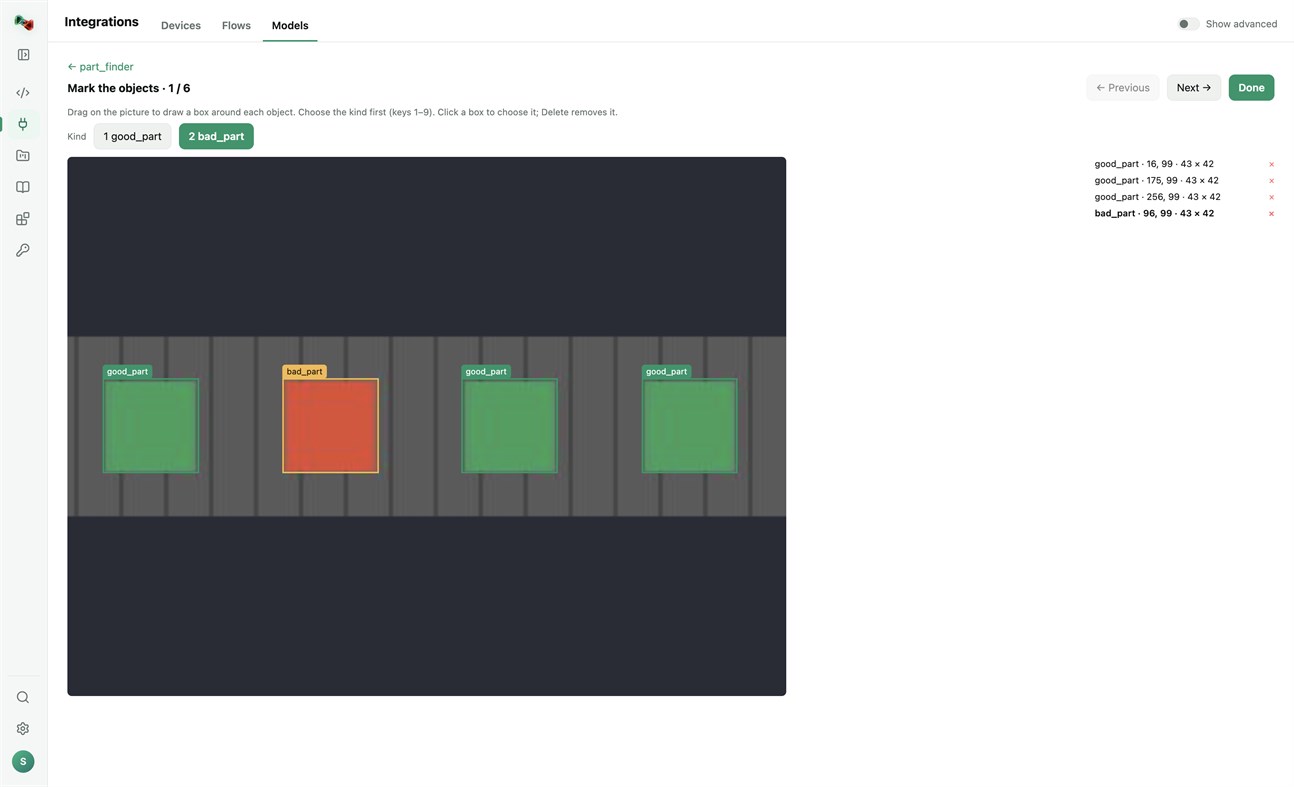
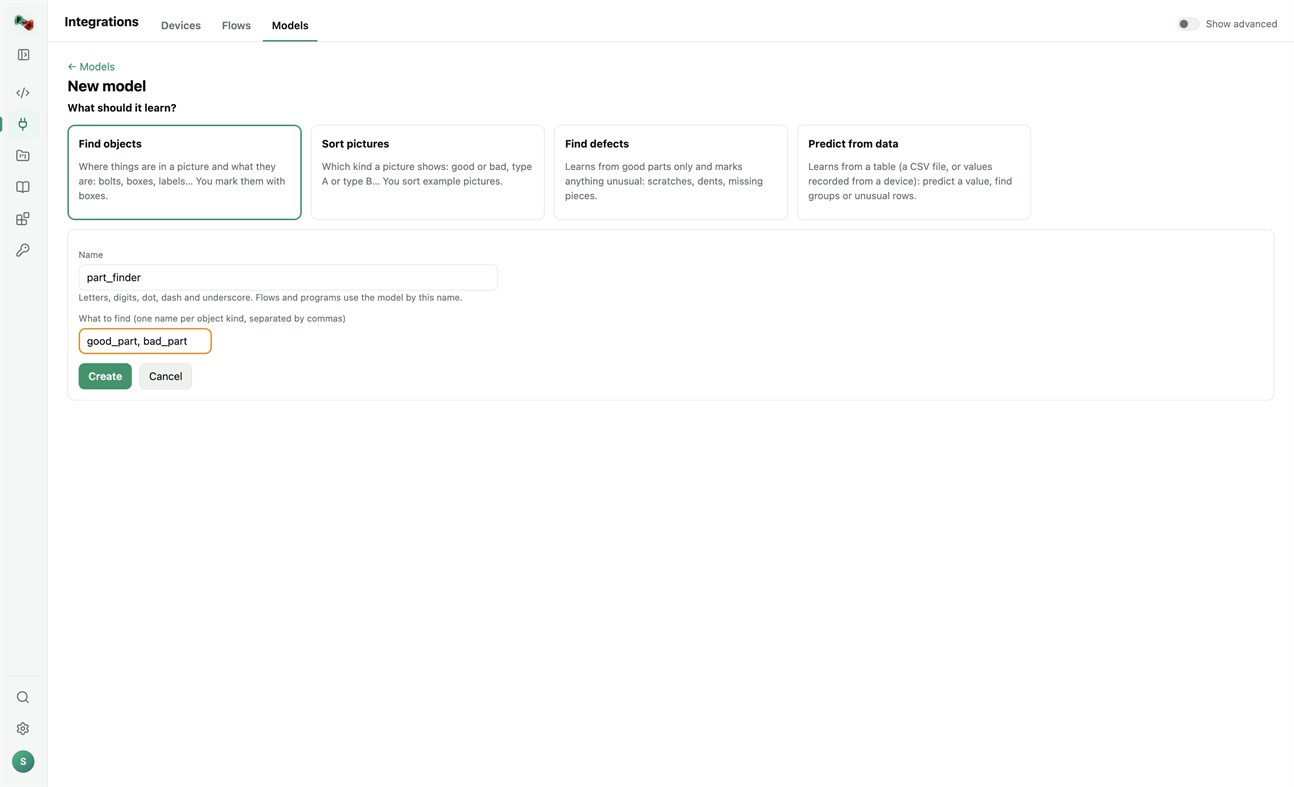
• Train models on this PC's processor; your pictures and tables stay on your computer. Find objects (you mark them with boxes), sort pictures, find defects (learns from good parts only) or predict from data (a CSV file or values recorded from a device). Training needs a one-time download of PyTorch and scikit-learn.
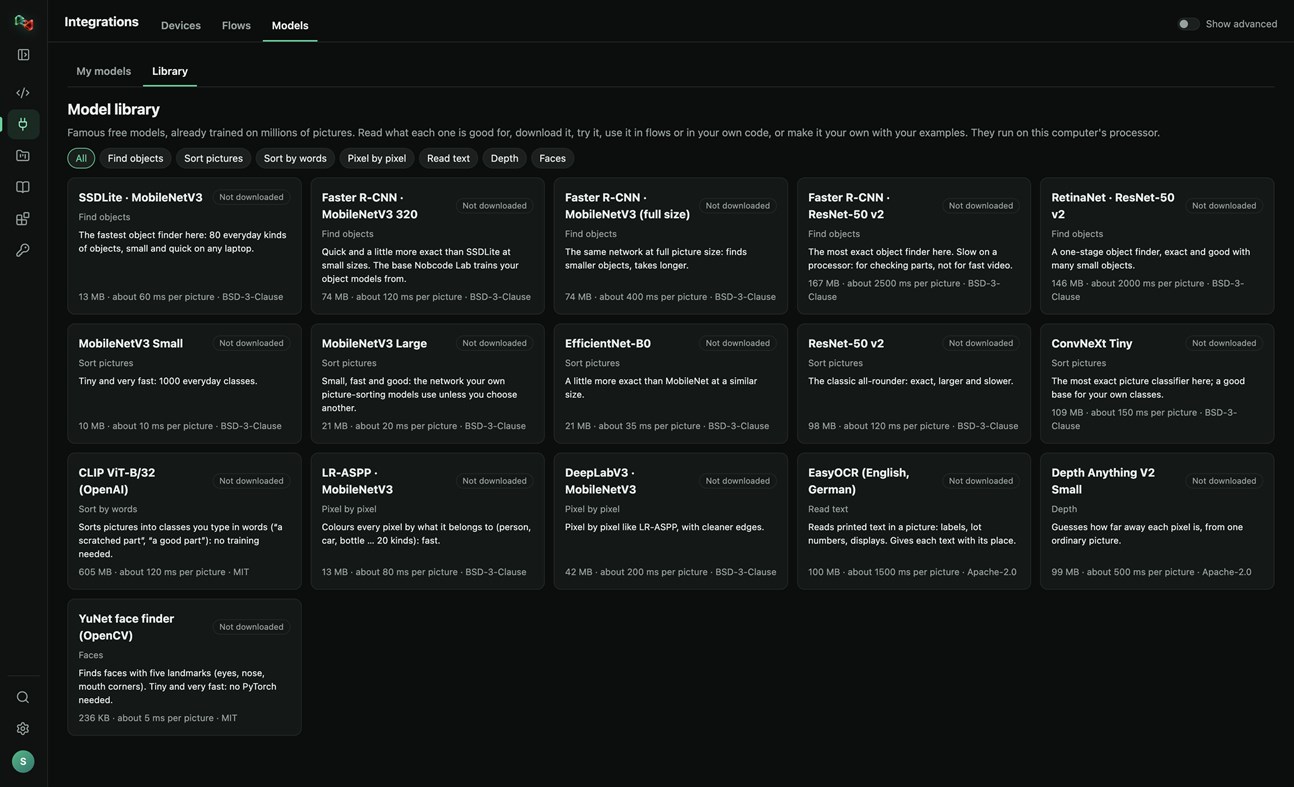
• A library of 16 free pretrained models: find objects, sort pictures, sort by words, pixel-by-pixel segmentation, read text, depth and faces. Read what each one is good for, try it, use it in flows or in your own code, or make it your own with your examples.
RECORDER: SEE WHAT HAPPENED BEFORE A FAULT
• Record the values of your PLCs and robots and the pictures of your cameras. The last 10 minutes to 24 hours stay on this PC.
• Incidents are saved by themselves when an alarm or fault switches on, a flow run is NOK or fails, or a device stops answering. Press Mark incident to save one by hand, with a note.
• Each incident shows what changed first, a replay of the values and pictures, and Where to look first: ranked leads with their evidence, compared with normal operation and with earlier incidents. A lead is not proof of the cause.
• Note what the cause was and what fixed it: the next incident like it shows that as a lead.
• Save an incident as CSV or as a report, or copy it for Code Lab's AI. The Recorder only reads: it never writes to a device or moves anything, and pictures stay on your computer.
Sign in with your browser. The app is made for code and machines: Code Lab with its AI chat, Integrations, Projects and Knowledge. The plain chat, images and 3D are on ai.nobco.de.
Your code runs on your computer, not on our servers, when you choose "This computer". The app keeps only a small local log for troubleshooting and sends no telemetry.
Basic chat works as a guest. Some features need a free Nobcode AI account; Premium plans are available on ai.nobco.de. An internet connection is required.
Od dewelopera ¡
Jesteś deweloperem?
Twoje nowości na górze strony, obserwujący dostaną je mailem
Inne platformy 0
| Nob Code LabWindows Store1K ZłotoWindowsZakupy w aplikacji | Za darmo |
Na razie tylko w tym sklepie.
Historia cen 0
- Aktualna cena: Za darmo
- Minimum: Za darmo
- Maksimum: Za darmo
Monitoruj ceny Dodaj do listy, aby otrzymywać powiadomienia o promocjach e-mailem lub push
Listy 0
-
 Nob Code Lab
Punkty 0
-

- +1 Punkt

Rankingi 0
-
- Twoja ocena
Komentarze 0 ¡
Skomentuj jako pierwszy
Deweloper 1
- Saeid Khoorani
- Obserwujący: 0
- Platformy: Windows Aplikacje (1)
- Promocje: 0
- Listy: 0 + 0
- Punkty: 0 + 0 ¡
- Rankingi: 0
- Komentarze: 0
- Filmy: 0
- RSS: Subskrybuj
Co nowego
- Wersja: PC
- Ostatnia aktualizacja:
- New in 1.1.3: the Recorder (Integrations → Recorder). Record your devices' values and camera pictures; incidents are saved on alarms, NOK runs and lost connections, and each one shows what changed first and where to look first. New Nobcode logo.
Dodatkowe informacje
- Data wydania:
- Kategoria:
Aplikacje na platformę Windows›Narzędzia programistyczne - System operacyjny:
PC - Rozmiar:
169 Mb - Obsługiwane języki:
Angielski,Niemiecki - Klasyfikacja treści:
EVERYONE - Windows Store Ocena: ¡
0 - Witryna internetowa:
 https://ai.nobco.de/desktop/
Wynik AppAgg
1450
Szacowany wynik AppAgg dla
Nob Code Lab
Deweloper: Saeid Khoorani
1450 Złoto
Wyższy wynik zwykle oznacza lepsze rezultaty w zakresie wskaźników śledzonych przez AppAgg.
Na podstawie: popularności · ocen użytkowników · świeżości · promocji · danych sklepów · aktywności społeczności
Przeliczane codziennie na podstawie aktualnych danych AppAgg.
Odznaka na stronę:  Skopiowano!
Podsumowanie
Nob Code Lab Krótki URL: Skopiowano!- Windows Store
Na AppAgg możesz śledzić aplikację „Nob Code Lab” od Saeid Khoorani, przeznaczoną na platformę Windows. Kategoria: Narzędzia programistyczne. Wynik AppAgg: 1450 (Złoto). Punkty AppAgg aplikacji — potwierdzone: 0; pośrednie: 0. Listy publiczne z tą aplikacją: 0. Użytkownicy, którzy zapisali ją na listach prywatnych: 0. Użytkownicy AppAgg nie ocenili jeszcze tej aplikacji. Potwierdzone punkty rejestrują przejścia do sklepu zalogowanych użytkowników AppAgg. Punkty pośrednie opierają się na danych sklepów. Dwa liczniki pokazują liczbę publicznych list i użytkowników, którzy zapisali aplikację lub grę na listach prywatnych. Aplikacja ukazała się po raz pierwszy . Ostatnia aktualizacja aplikacji: . Aplikacja jest obecnie dostępna bezpłatnie. Aplikacja jest dostępna w następujących językach: Angielski, Niemiecki. Sprawdź historię cen, dodaj aplikację do listy lub obserwuj dewelopera. Śledź przyszłe oferty i aktualizacje aplikacji przez kanał RSS. AppAgg nie przechowuje ani nie dystrybuuje tej aplikacji. Wszystkie znaki towarowe, logo i zrzuty ekranu związane z aplikacją należą do ich właścicieli.
Może Ci się również spodobać
- Aplikacje na platformę Windows
- Nowe Aplikacje na platformę Windows
- Promocje Aplikacje na platformę Windows
- Popularne Aplikacje na platformę Windows
- Rankingi Aplikacje na platformę Windows
- Komentarze Aplikacje na platformę Windows
- Listy Aplikacje na platformę Windows
- Punkty Aplikacje na platformę Windows
Ostatnio oglądane
Użytkownicy AppAgg ¡Więcej →
Zadania tygodniaZaloguj się, aby co tydzień dostawać 3 zadania i XP za nie.

