
Zapisane
Wybierz nazwę, która będzie wyświetlana w menu Zapisane.
Gotowe!
| Programista: | Sindre Sorhus (55) | ||
| Cena: | $4.00 | ||
| Rankingi: | 0 | ||
| Komentarze: | 0 Opublikuj komentarz | ||
| Listy: | 1 + 4 | ||
| Punkty: | 4 + 0 ¡ | ||
| +1 Punkty | |||
Opis

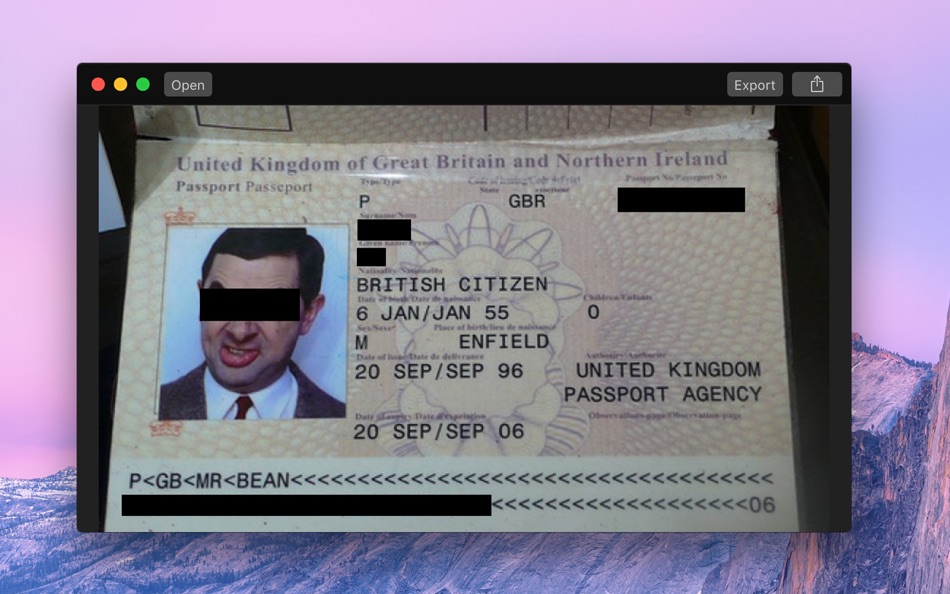
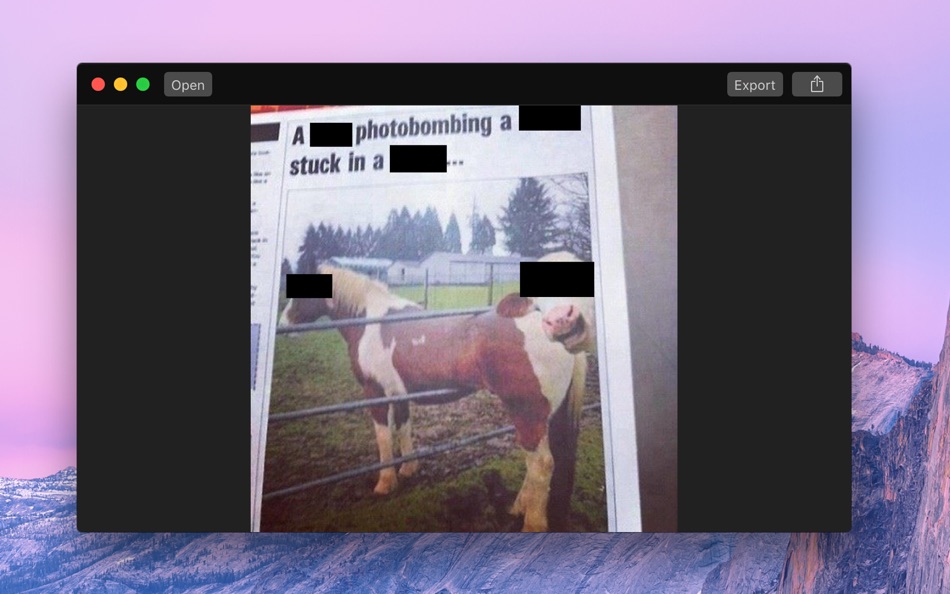
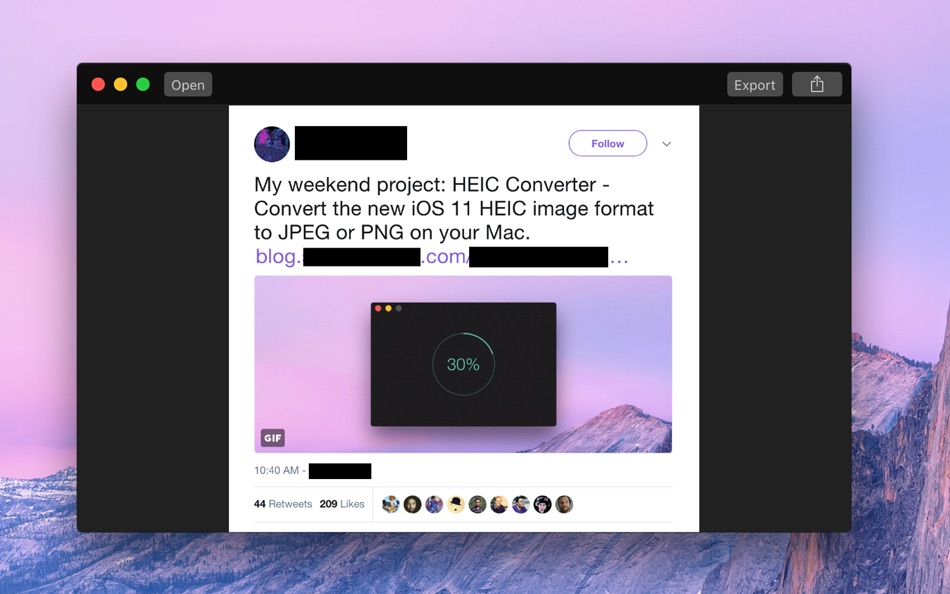
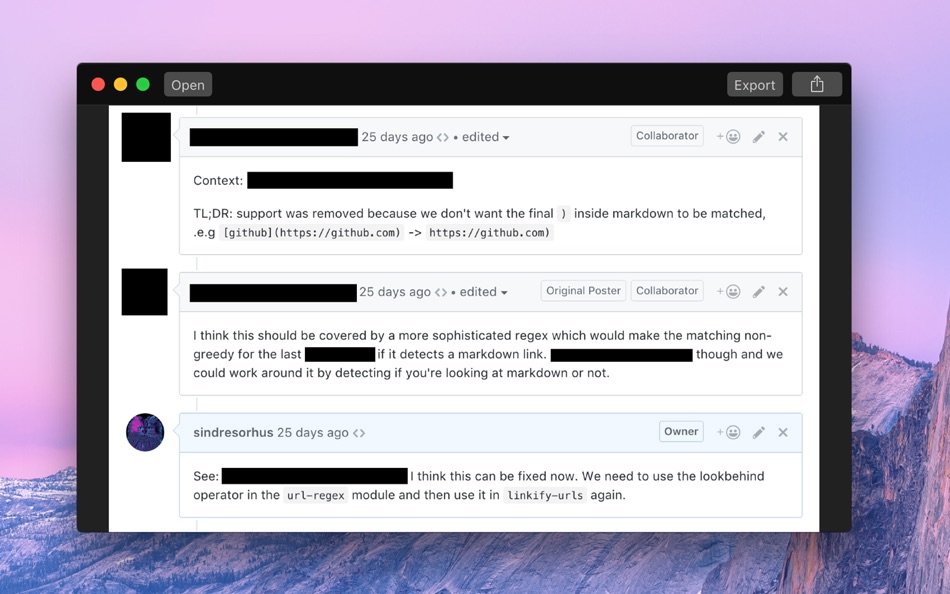
This can be useful when you want to post a screenshot or photo on the web that contains some information you don't want to be revealed.
It also removes all metadata, like when and where a photo was captured.
Black Out is intentionally simple. It doesn't have the ability to resize or rotate the black boxes. It's meant as a tool to quickly redact some sensitive information, not to perfect an image. If need something more advanced, you can use Preview or any other graphics editor.
NOTE: Black Out does not and will not support multi-page PDFs. You can open such PDFs, but only the first page will be used.
■ Getting Started
Either:
- Drag and drop an image onto the window
- Drag and drop an image on the Dock icon
- Click the Open button and choose an image
- Right-click an image in Finder and choose Black Out in the "Open With" menu
- Paste in an image from another app or Finder (Click "Paste" in the "Edit" menu or press Command+V)
Then click and drag to create black boxes over the parts of the image you want to hide. You can move a box around by dragging it. When you’re happy with the result, click the Export button to save your new redacted image. You can also copy the redacted image (Click "Copy" in the "Edit" menu or press Command+C) for use in another app, or paste it into a directory in Finder.
You can export to PNG, JPEG, or HEIC.
Tip: Black Out comes with a Quick Action. To use it, right-click an image in Finder, select “Quick Action › Customize…”, enable the Black Out extension, and then go back to the “Quick Action” menu item.
■ Frequently Asked Questions
‣ Does it support PDF?
You can open a PDF document, but it will only load the first page and you have to export it as an image. It's almost impossible to reliably export redacted PDFs.
‣ Can you support blurring and pixelation?
Blurring and pixelation are intentionally not supported as they can sometimes be reversed (Search for "blurring sensitive" on Google). The only reliable way to redact something is to put a black box over it.
‣ I can already do this in the Preview app!
You can do this in any graphics app. The point of this app is to make the task super easy to do. Most graphics apps, like Preview, Pixelmator, and Photoshop, preserve metadata, which means you could accidentally leak information like the capture location. Black Out strips out all metadata. Black Out also comes with a Quick Action extension, which lets you redact an image directly from Finder, Mail, Notes, and other apps supporting that.
■ Support
Click the “Send Feedback” button in the “Help” menu in the app.
Zrzuty ekranu
Ad
Historia cen
- Aktualna cena: $4.00
- Minimalna: Bezpłatny
- Maksymalna: $27.99
Monitoruj ceny
Nowości
- Wersja: 2.7.0
- Ostatnia aktualizacja:
- - The app now requires macOS 26. You can get the last macOS 15 compatible version from the app's website.
Dodatkowe informacje
- Data wydania:
- Kategoria:
macOS Aplikacje›Graphics & Design - System operacyjny:
macOS,macOS 26.0 i nowsze - Rozmiar:
4 Mb - Obsługiwany język:
English - Ocena treści:
4+ - Mac App Store Ocena:
0 - Witryna internetowa:
 https://sindresorhus.com/black-out
Programista
- Sindre Sorhus
- Platformy: iOS Aplikacje (21) macOS Aplikacje (34)
- Listy: 19 + 19
- Punkty: 222 + 2,111 ¡
- Rankingi: 1 (2)
- Komentarze: 0
- Zniżki: 0
- Filmy: 0
- RSS: Subskrybuj
Listy (1)
- Black Out

Punkty (4)
-

- 3,017 Alan
- +1
-
- 794 Rocky4812
- +1
-
- 62 Wierzciu
- +1
-
- 11,403 Simon Chan
- +1




Rankingi (0)
0 ☹️
Komentarze (0)
Skomentuj jako pierwszy 🌟
«Black Out». Platforma: macOS. Kategoria: Graphics & Design. Deweloper: «Sindre Sorhus». Pierwsze wydanie: . Ostatnia aktualizacja: . Aktualna cena: $4.00. Najniższa zarejestrowana cena: $0.00 (). Najwyższa odnotowana cena: $27.99 (). Ten tytuł nie otrzymał jeszcze ocen ani recenzji w serwisie AppAgg. Listy: publiczne 1, prywatne 4. Śledzone punkty: potwierdzone 4, pośrednie 0. Dostępne języki: English. AppAgg śledzi historię cen, oceny i opinie użytkowników «Black Out». Śledź przyszłe rabaty i aktualizacje za pośrednictwem RSS. AppAgg nie hostuje aplikacji ani nie dystrybuuje oprogramowania. Wszystkie znaki towarowe, logo i zrzuty ekranu należą do ich odpowiednich właścicieli.
Black Out Krótki URL: Skopiowano!- 🌟 Udostępnij
- Mac App Store
Podobne
-
- Cut-Out
- macOS Aplikacje: Graphics & Design Przez: Boudewijn Krijger
- $7.99
- Listy: 0 0 0
- Punkty: 0 + 0 Wersja: 2.0.0 Cut-Out makes creating cut-outs available for everyone, even if you don't have Photoshop. Load a picture with a color or grey/white backdrop, and Cut-Out will automatically create a ... ⥯
-
- iCutout - Cut Out Images
- macOS Aplikacje: Graphics & Design Przez: 永康 李
- * Bezpłatny
- Listy: 0 0 0
- Punkty: 1 + 0 Wersja: 9.5.6 Cutting out images becomes easier. 1. About Eraser Tool The eraser tool operates in roughly the same way as the brush tool, but instead of changing the pixels in the stroke to the ... ⥯
-
- Pixen
- macOS Aplikacje: Graphics & Design Przez: Furnace Creek Software LLC
- * Bezpłatny
- Listy: 1 + 2 0 0
- Punkty: 16 + 0 Wersja: 6.1.2 Pixen is a native pixel art editor designed for working with low-resolution raster art, such as those 8-bit sprites found in old-school video games. Pixen packs all the tools pixel ... ⥯
-
- Art Text 4 - AI Graphic Design
- macOS Aplikacje: Graphics & Design Przez: Belight Software, ltd
- * Bezpłatny
- Listy: 3 + 3 0 0
- Punkty: 9 + 0 Wersja: 4.5.9 Design eye-catching text based graphics, logos, postcards and greetings with Art Text - a graphic design app that powers up typography and lettering in your desktop publishing, social ... ⥯
-
- SVGViewer - Converter
- macOS Aplikacje: Graphics & Design Przez: Abdusodik Saidov
- * Bezpłatny
- Listy: 1 + 1 0 0
- Punkty: 14 + 0 Wersja: 1.6 SVGViewer can be used to open SVG graphics files, display image preview and convert opened them into other file formats as .jpg, .tiff, .png, pdf. SVGViewer supports all types of SVG ... ⥯
-
- Super Vectorizer Pro:AI Vector
- macOS Aplikacje: Graphics & Design Przez: 秀英 朱
- $9.99
- Listy: 2 + 3 0 0
- Punkty: 2 + 0 Wersja: 2.3.3 Super Vectorizer Pro is a professional image vector tracing converter that automatically traces image lines and converts bitmap images like JPEG, GIF and PNG to clean, scalable vector ... ⥯
-
- Typeface 4
- macOS Aplikacje: Graphics & Design Przez: Floor Steeg
- * Bezpłatny
- Listy: 1 + 2 0 0
- Punkty: 8 + 0 Wersja: 4.3.0 Typeface is a beautiful font manager that helps you pick the perfect font for your designs. Effortlessly organize your library with flexible tags and improve your design workflow by ... ⥯
-
- Vernissage Pro - Mockup Studio
- macOS Aplikacje: Graphics & Design Przez: min60 s.r.o.
- $4.99
- Listy: 0 + 2 0 0
- Punkty: 6 + 0 Wersja: 1.5.0 Vernissage mockup generator, wraps app screenshots in great looking device mockups. share your app designs with clients or colleagues via Email or iMessage create screens for online ... ⥯
-
- HyperDither
- macOS Aplikacje: Graphics & Design Przez: Tinrocket, LLC
- $9.99
- Listy: 0 + 1 0 0
- Punkty: 5 + 0 Wersja: 3.0.2 HyperDither gives your photos the textured, stippled look of early desktop publishing and multimedia. Whether black-and-white, grayscale, or color, HyperDither delivers rich, velvety ... ⥯
-
- Artstudio Pro - Desktop
- macOS Aplikacje: Graphics & Design Przez: Lucky Clan
- $9.99
- Listy: 2 + 2 0 0
- Punkty: 3 + 0 Wersja: 5.2.9 Introducing Artstudio Pro, the most powerful painting and photo editing app available for both macOS and iOS . The successor to our famous ArtStudio app has been redesigned bringing ... ⥯
-
- Vector Q
- macOS Aplikacje: Graphics & Design Przez: Luis Rivas
- * Bezpłatny
- Listy: 0 + 1 0 0
- Punkty: 4 + 0 Wersja: 1.6 The Vector Graphics Editor from the Creators of Imaengine for iOS. Vector Queue is a powerful and easy-to-use Vector Editor and Vectorizer in one solution. Real time vectorization with ⥯
-
- Photo GUN lite
- macOS Aplikacje: Graphics & Design Przez: Max Schlee
- Bezpłatny
- Listy: 0 0 0
- Punkty: 1 + 0 Wersja: 1.25 Stop Wasting Hours on Repetitive Photo Editing Every photographer knows the pain: you've captured hundreds of perfect shots, but now you face hours of tedious, mind-numbing editing. ... ⥯
-
- Photo Focus & Splash Color Pro
- macOS Aplikacje: Graphics & Design Przez: 仕涛 张
- Bezpłatny
- Listy: 0 + 1 0 0
- Punkty: 1 + 0 Wersja: 3.1.6 Add depth to your photos by focusing on a subject and adding many effects (lens blur, black and White, Classic ) to the background. Custom the effect as background for you focusing on ... ⥯
-
- SOCSS
- macOS Aplikacje: Graphics & Design Przez: toshifumi niwa
- Bezpłatny
- Listy: 0 + 1 0 0
- Punkty: 8 + 0 Wersja: 1.6.6 SOCSS is a powerful feature-packed 2D vector drawing software, so that it can be used for Drawing, Landscape design, Newsletters, Brochures, Graphs & Charts, fine Illustrations, Office ⥯
Może ci się spodobać również
Ostatnio oglądane
Ostatnia aktualizacja:
Operatory wyszukiwania dostępne w AppAggu