
ที่บันทึกไว้
เลือกชื่อที่จะแสดงในเมนูที่บันทึกไว้ของคุณ
เสร็จแล้ว
| ผู้พัฒนา: | Anatole Schaff (1) | ||
| ราคา: | $1.99 | ||
| การจัดอันดับ: | 0 | ||
| ความเห็น: | 0 โพสต์ความคิดเห็น | ||
| รายการ: | 1 + 0 | ||
| แต้มแล: | 0 + 0 ¡ | ||
| Mac App Store | |||
คำอธิบาย

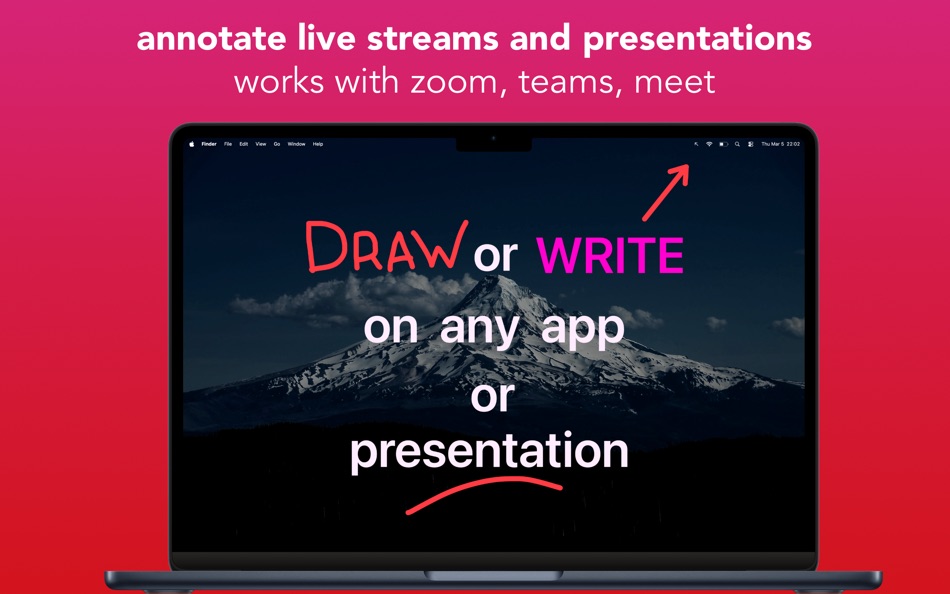
Designed with input from teachers, sales engineers, and professional presenters, DemoPro is all about ease of use and impact. No gimmicks, no clutter. Get instant access to the essential tools every presenter needs.
DemoPro has no visible interface in order not to distract your audience.
Every feature is just a keystroke away, so your audience never sees you fumbling through toolbars or menus.
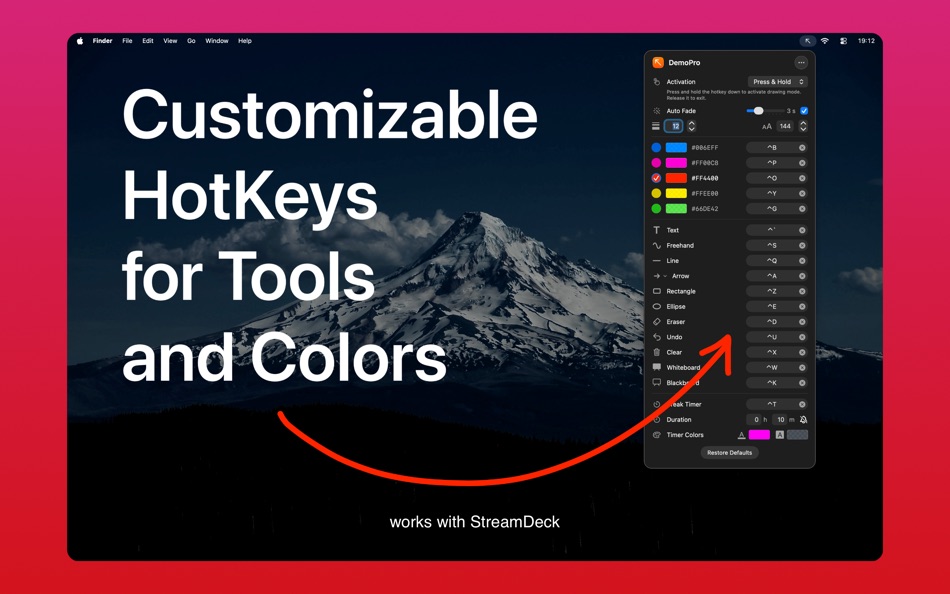
There is a customizable hotkey for every tool, color preset, and even for the countdown timer.
ANNOTATE INSTANTLY ON ANY APP
• No matter what's on your screen, just press a hotkey to activate the annotation tool of your choice (freehand, line, arrow, rectangle, ellipse, or text)
• Draw over PowerPoint, Google Slides, Keynote, web pages, or even live video, as you present
• Clear annotations with a hotkey or let them Auto-Fade like invisible ink
• Works with Zoom, Meets, Teams, and OBS Studio
• 5 color presets that can be customized
• Supports multiple screens
• Choose between two activation modes: hold the hotkey down to annotate, or press it once to activate annotation mode and once again to turn it off
• Can be controlled with Stream Deck via hotkeys
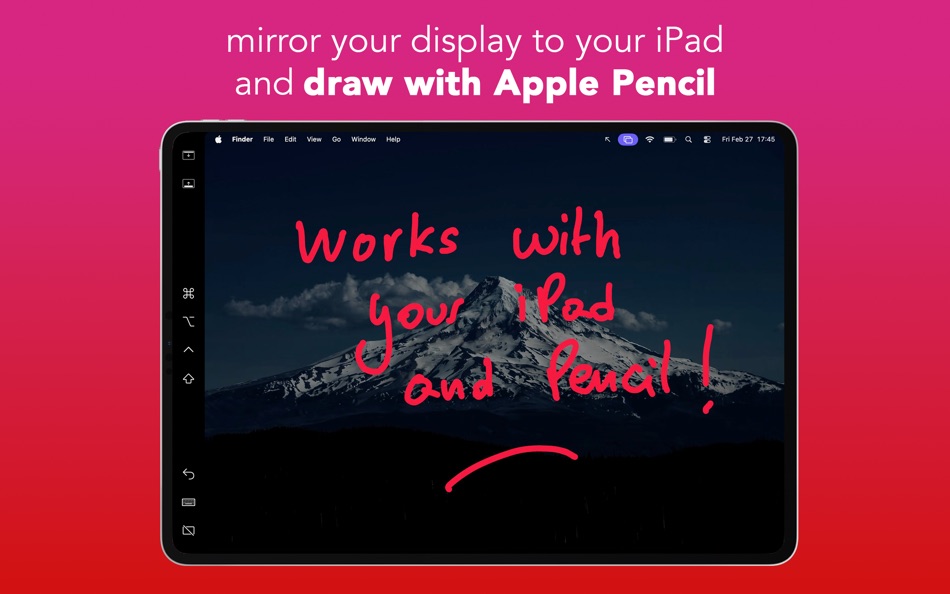
• Supports iPad and Apple Pencil when using Sidecar in mirror mode
STAY ON SCHEDULE WITH THE BREAK TIMER
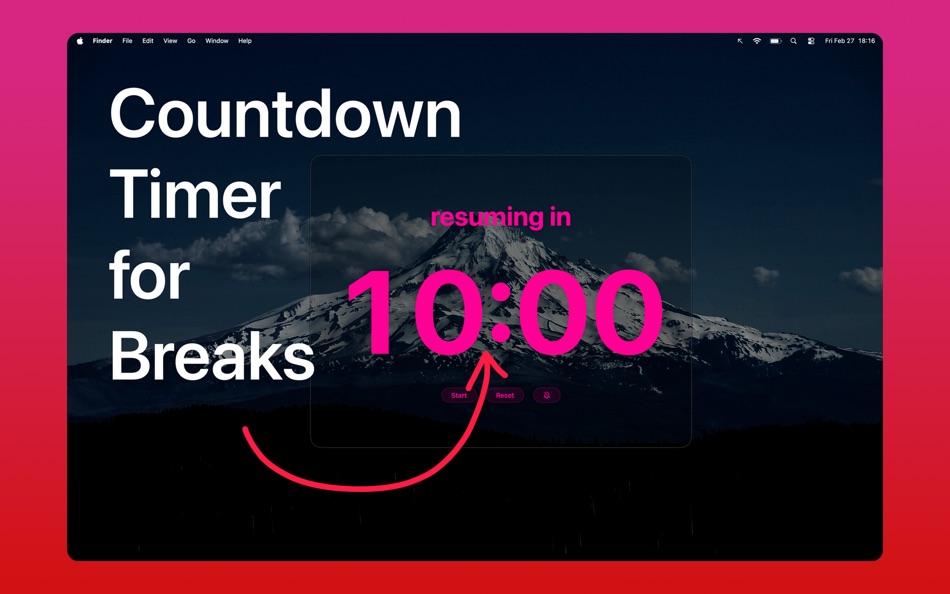
• Display a countdown timer during breaks to keep sessions on track
• Customize the message, size, color, and even use a transparent background
• Enable an optional chime when time is up
WHITEBOARD AND BLACKBOARD MODES
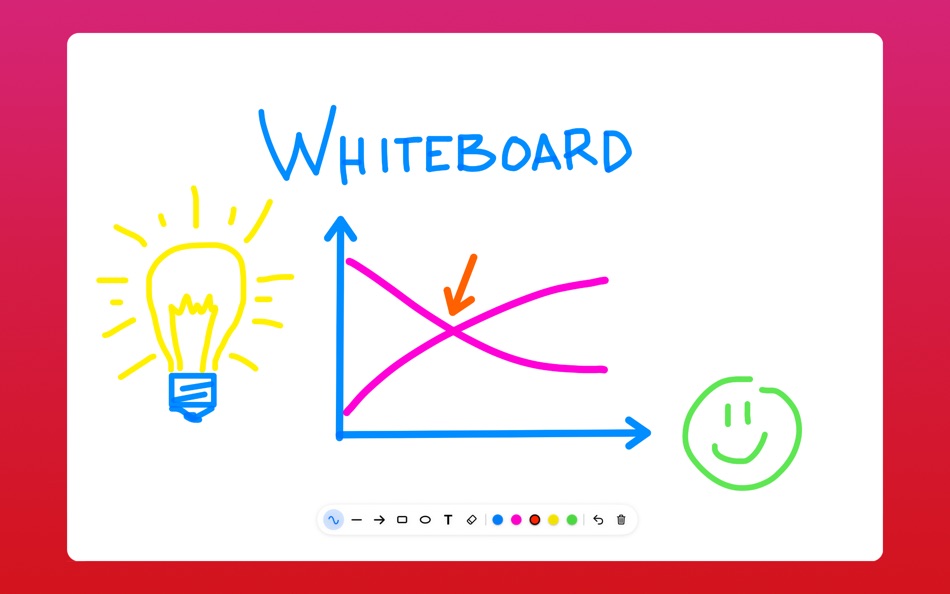
• Instantly cover the screen with a whiteboard or blackboard for drawing or illustrating concepts
• The board is saved automatically so you can pick-up where you left off
• On multi-screen setups, the board appears only on the screen under your cursor, so you can still view your notes privately
SECURE. FAST. RELIABLE
• DemoPro can’t see or capture what you do in other apps
• Built natively for macOS, DemoPro runs without slowing down your computer
DemoPro does not include Zoom, Screenshot, or Pointer Highlight functions as they are built-in macOS.
See the FAQ on www.demoproapp.com for more details.
Ad
ภาพหน้าจอ
ประวัติราคา
- วันนี้: $1.99
- ต่ำสุด: $0.99
- มากที่สุด: $1.99
ติดตามราคา
มีอะไรใหม่
- เวอร์ชัน: 2.2
- อัปเดต:
- Version 2.0 adds macOS Tahoe optimization, a text tool, an auto-fade effect, a timer chime, an improved whiteboard saved across sessions, smoother lines, new localizations
Version 2.1 adds arrow direction control, an ellipse tool, and hex code color specifications
Version 2.2 adds an eraser
Please continue sharing your feedback to help make DemoPro the best tool for teachers, solution consultants, and professional presenters.
My goal: keep DemoPro simple, secure, and reliable, while giving you the best tools to communicate effectively and without distracting your audience.
If you enjoy DemoPro, please consider writing an App Store review. It greatly helps spread the word. Thank you!
ข้อมูลเพิ่มเติม
- วันที่วางจำหน่าย:
- หมวดหมู่:
macOS แอป›ประสิทธิภาพการผลิต - ระบบปฏิบัติการ:
macOS,macOS 14.0 และสูงกว่า - ขนาด:
1 Mb - ภาษาที่สนับสนุน:
English,French,German,Japanese,Portuguese,Spanish - การจัดประเภทเนื้อหา:
4+ - Mac App Store คะแนนโดย:
0 - เว็บไซท์:
 https://www.demoproapp.com
ผู้พัฒนา
- Anatole Schaff
- แพลตฟอร์ม: macOS แอป (1)
- รายการ: 1 + 0
- แต้มแล: 0 + 0 ¡
- การจัดอันดับ: 0
- ความเห็น: 0
- ลดราคา: 0
- วิดีโอ: 0
- RSS: ติดตาม
รายการ (1)
- DemoPro - Screen Annotation

แต้มแล (0)
0 ☹️
การจัดอันดับ (0)
0 ☹️
ความเห็น (0)
เป็นคนแรกที่แสดงความเห็น 🌟
«DemoPro - Screen Annotation». แพลตฟอร์ม: macOS. หมวดหมู่: ประสิทธิภาพการผลิต. ผู้พัฒนา: «Anatole Schaff». การเปิดตัวครั้งแรก: . อัปเดตล่าสุด: . ราคาปัจจุบัน: $1.99. ราคาต่ำสุดที่บันทึกไว้: $0.99 (). ราคาสูงสุดที่บันทึกไว้: $1.99 (). ชื่อนี้ยังไม่ได้รับการให้คะแนนหรือบทวิจารณ์บน AppAgg รายการ: สาธารณะ 1, ส่วนตัว 0. ภาษาที่ใช้ได้: English, French, German, Japanese, Portuguese, Spanish. AppAgg ติดตามประวัติราคา การให้คะแนน และคำติชมของผู้ใช้ «DemoPro - Screen Annotation». ส่วนลดและอัปเดตในอนาคต: RSS. AppAgg ไม่ได้โฮสต์แอปพลิเคชันหรือแจกจ่ายซอฟต์แวร์ เครื่องหมายการค้า โลโก้ และภาพหน้าจอทั้งหมดเป็นของเจ้าของที่เกี่ยวข้อง
DemoPro - Screen Annotation URL แบบสั้น: คัดลอกแล้ว!- 🌟 แชร์
- Mac App Store
คล้ายกัน
-
- Inkora - Pro Screen Annotator
- macOS แอป: ประสิทธิภาพการผลิต โดย: Sapan Das
- * ฟรี
- รายการ: 0 + 1 0 0
- แต้มแล: 3 + 0 เวอร์ชัน: 1.1 Inkora is a smart screen annotation overlay for macOS that helps you explain clearly right on top of any application. Draw, highlight, add shapes, and place text while keeping your ... ⥯
-
- Record It Pro-Screen Recorder
- macOS แอป: ประสิทธิภาพการผลิต โดย: Build to Connect, Inc.
- $19.99
- รายการ: 1 + 0 0 0
- แต้มแล: 2 + 0 เวอร์ชัน: 1.7.7 Record It is a light, practical and professional application that performs well in recording screen and sound activity. The tool enables you to capture everything that happens on your ... ⥯
-
- Presentify - Screen Annotation
- macOS แอป: ประสิทธิภาพการผลิต โดย: Ram Patra
- $14.99
- รายการ: 0 + 1 5 (1) 0
- แต้มแล: 1 + 0 เวอร์ชัน: 7.2.1 A macOS menu bar app that helps you give better presentations, online classes, or video tutorials by letting you annotate any screen, highlight your cursor, and more. You can annotate ... ⥯
-
- Screen Recorder by Omi
- macOS แอป: ประสิทธิภาพการผลิต โดย: JingZhi He
- * ฟรี
- รายการ: 0 + 1 0 0
- แต้มแล: 10 + 0 เวอร์ชัน: 1.3.29 Screen Recorder for Mac is a powerful tool that allows you to quickly and easily capture your computer screen in high-quality video format. With just one click, you can record the full ⥯
- Ad
-
- Screen Mirror: Cast Anywhere
- macOS แอป: ประสิทธิภาพการผลิต โดย: Erik Wegener
- $2.99
- รายการ: 0 + 0 0 0
- แต้มแล: 0 + 0 เวอร์ชัน: 1.4 Screen Mirror makes your screen accessible on any device in your network that has a web browser. Simply start Screen Mirror and open the URL on your other device, and you will see a ... ⥯
-
- Pro Mouse
- macOS แอป: ประสิทธิภาพการผลิต โดย: Alec Summers
- $3.99
- รายการ: 0 + 0 0 0
- แต้มแล: 0 + 0 เวอร์ชัน: 1.10 Present like a Pro! Have your audience follow your every click. Highlight what matters by DRAWING anywhere with Pro Mouse. Clear your drawings at a click of a button. With the ... ⥯
-
- Screen Bandit for Mac OS X
- macOS แอป: ประสิทธิภาพการผลิต โดย: Milos Rankovic
- ฟรี
- รายการ: 0 + 0 0 0
- แต้มแล: 0 + 0 เวอร์ชัน: 1.0 Ever wondered why floating windows do not really float? With Screen Bandit anything can be made to actually float, glide, hover, move out of your way, yet remain always visible. To see ⥯
-
- Screen Barcode Detector
- macOS แอป: ประสิทธิภาพการผลิต โดย: Masaharu Tsukamoto
- $0.99
- รายการ: 0 + 1 0 0
- แต้มแล: 4 + 0 เวอร์ชัน: 1.0.1 Screen Barcode Detector is an application that scans QR and barcode displayed on the screen. How to use Launch this application and display a QR or barcode on the screen, and it will ... ⥯
-
- Pro Everything
- macOS แอป: ประสิทธิภาพการผลิต โดย: 晨 王
- * ฟรี
- รายการ: 0 + 0 0 0
- แต้มแล: 5 + 0 เวอร์ชัน: 1.3.23 Pro Everything(the app) is a professional efficient software that quickly finds the files you need based on file name information, Similar to Everything on Windows, help you save time ... ⥯
-
- Screen Tint
- macOS แอป: ประสิทธิภาพการผลิต โดย: FIPLAB Ltd
- $2.99
- รายการ: 0 + 1 0 0
- แต้มแล: 0 + 0 เวอร์ชัน: 1.0.6 Screen Tint is a handy utility app that is designed to reduce the brightness of your Mac s screen, proving particularly useful for users with sensitive eyes and for those that wish to ... ⥯
-
- Screen-Record
- macOS แอป: ประสิทธิภาพการผลิต โดย: 育平 姚
- $4.99
- รายการ: 0 + 0 0 0
- แต้มแล: 1 + 0 เวอร์ชัน: 3.1 Screen-Record is a powerful screen record app. It can screen record and support edit the video. Select Area Auto-identify windows, menus etc Magnifying glass help you accurate select ... ⥯
-
- Screen Recorder - Pro Lite
- macOS แอป: ประสิทธิภาพการผลิต โดย: Alessandro Gimenes Ferri
- $2.99
- รายการ: 0 + 1 0 0
- แต้มแล: 8 + 0 เวอร์ชัน: 4.68 Record your screen, camera, and mic together or separately perfect for tutorials, actions, and seamless PiP. Capture Screen and Camera, Together or Separately! Elevate your content ... ⥯
-
- Screen Mirror to TV & Device
- macOS แอป: ประสิทธิภาพการผลิต โดย: Raymond NG
- * ฟรี
- รายการ: 1 + 0 0 0
- แต้มแล: 3 + 0 เวอร์ชัน: 2.3.4 Mirror your Mac's screen to multiple devices simultaneously with virtually zero-second delay! You can mirror your Mac's screen to multiple devices simultaneously. Any digital device ... ⥯
-
- Screen Size Tools
- macOS แอป: ประสิทธิภาพการผลิต โดย: 君 许
- * ฟรี
- รายการ: 0 + 1 0 0
- แต้มแล: 1 + 0 เวอร์ชัน: 5.6 Introducing Screen Size Tools, the ultimate utility app designed to enhance your Mac experience with a suite of powerful and convenient features. Whether you're a multitasker, a ... ⥯