
ที่บันทึกไว้
เลือกชื่อที่จะแสดงในเมนูที่บันทึกไว้ของคุณ
เสร็จแล้ว
| ผู้พัฒนา: | Appsolutely Apps (1) | ||
| ราคา: | * ฟรี | ||
| การจัดอันดับ: | 0 | ||
| ความเห็น: | 0 โพสต์ความคิดเห็น | ||
| รายการ: | 1 + 0 | ||
| แต้มแล: | 0 + 1,866 (4.6) ¡ | ||
| Windows Store | |||
คำอธิบาย

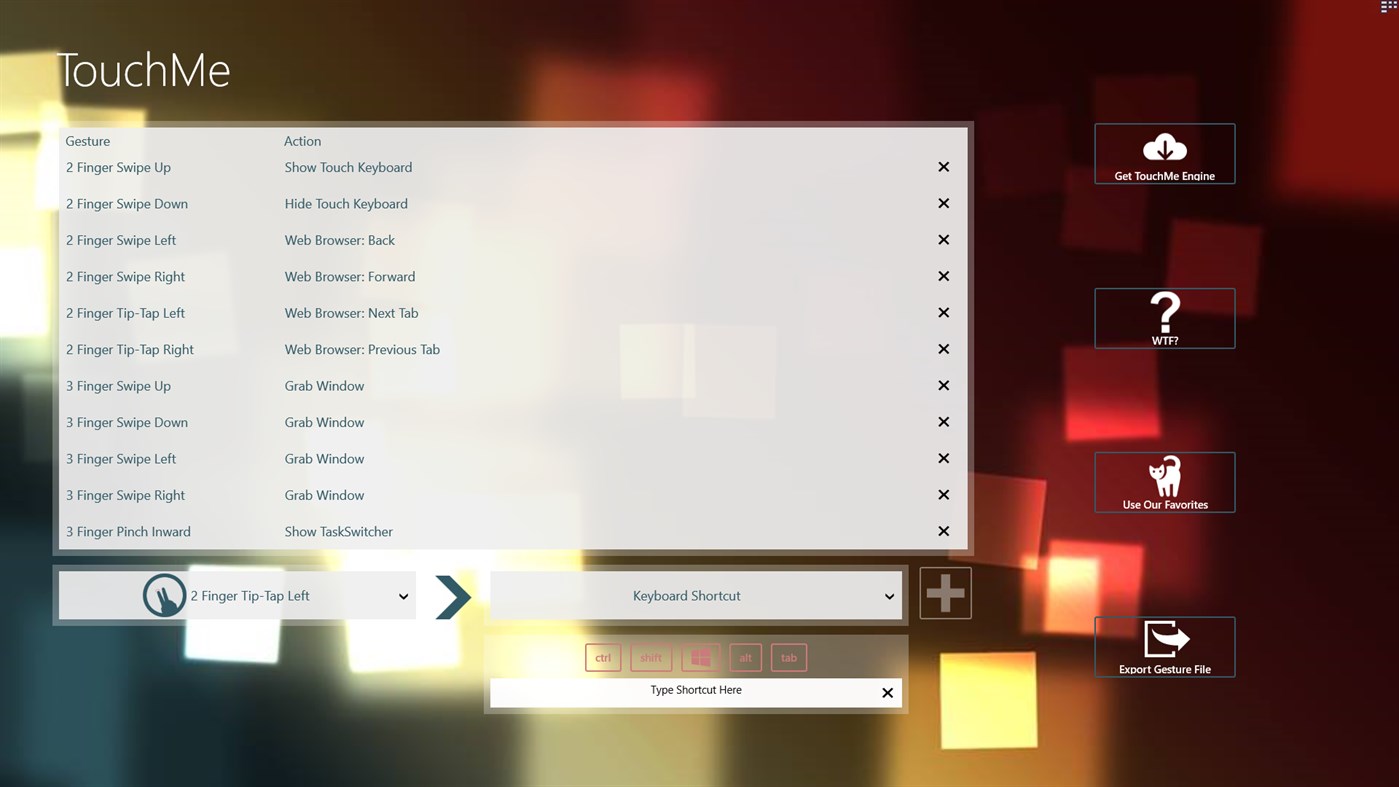
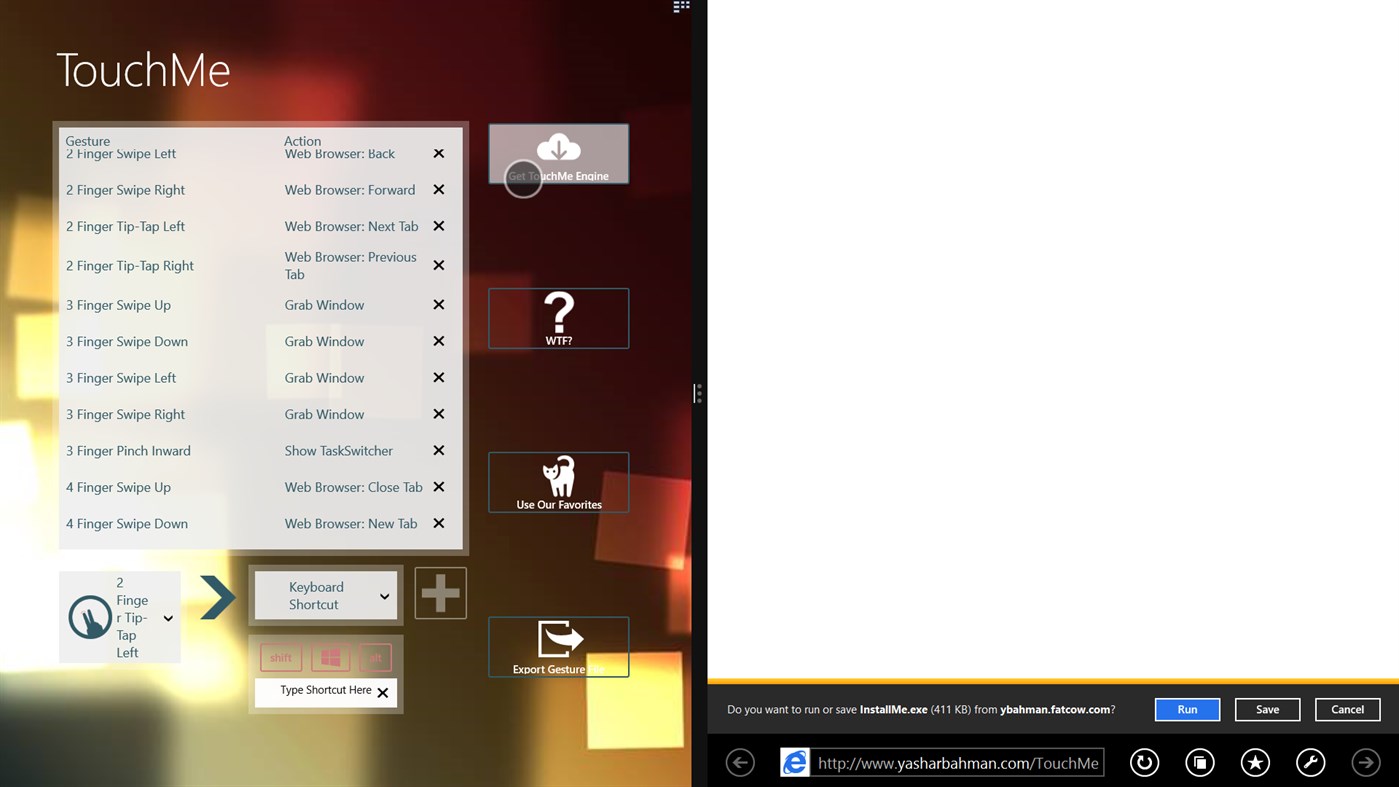
The sole purpose of TouchMe Gesture Studio is to enable you to create, edit, and export a customized gesture file and that’s it! This app does not and never will contain the gesture engine that actually brings those gestures to life. However, there is a convenient link within the app to obtain the engine. The engine is free to use for 32 days, after that you can either purchase a full license for the engine or continue to use it for free for up to 3 gestures.
****
TouchMe allows you to customize your own gestures for your touchscreen!
Touchscreens have improved the way we all interact with our computers, by using TouchMe Gesture Studio, you can create, edit, and export custom gesture files to take things one step further!
Gestures available include:
• 2/3/4/5 Finger Swipe Up/Down/Left/Right
• 3/4/5 Finger Pinch In/Out
• 2/3/4/5 Finger TipTap Left/Right
• 2/3/4/5 Finger Rotate Clockwise/Counter Clockwise
Actions currently available:
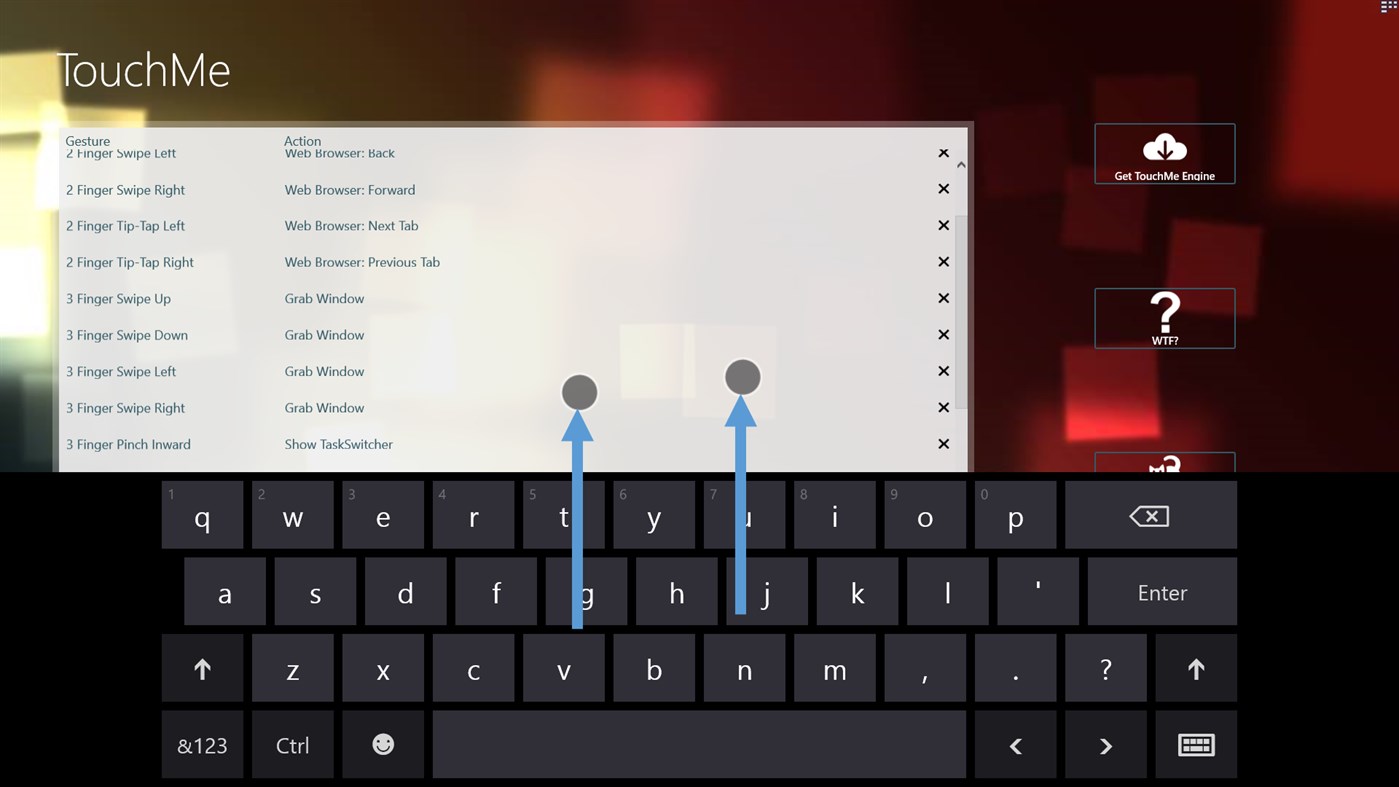
• Show/Hide Touch Keyboard
• Increase/Decrease Volume
• Increase/Decrease Brightness
• Open/Close/Switch Browser Tabs
• Show the TaskBar
• Sleep, hibernate, Sign Out, Lock, Shut down, and Restart
• Mimic Keyboard Shortcut (note: some system shortcuts like ALT+TAB or CTRL+ALT+DELETE or WIN+D cannot be automated in Windows 8.1 =[ )
• Etc…
**** IMPORTANT NOTE *****
It isn't possible for me to reply to your reviews which makes getting additional debugging info difficult. Instead, submit your feedback or ideas to me directly at TouchMeTechnologies@outlook.com.
Disclaimer: The sole purpose of TouchMe Gesture Studio is to enable you to create, edit, and export a customized gesture file and that’s it! This app does not and never will contain the gesture engine that actually brings those gestures to life! However, there is a convenient link within the app to obtain the engine.
Thanks to Justin Gardner (www.JustinJGardner.com) for the UI concepts and design!
Follow me on Twitter @YasharBahman to get the latest status updates!
Ad
ภาพหน้าจอ
ประวัติราคา
-
* การซื้อภายในแอพ - วันนี้: ฟรี
- ต่ำสุด: ฟรี
- มากที่สุด: ฟรี
ติดตามราคา
มีอะไรใหม่
- เวอร์ชัน: PC
- อัปเดต:
ข้อมูลเพิ่มเติม
- วันที่วางจำหน่าย:
- หมวดหมู่:
Windows แอป›การตั้งค่าส่วนบุคคล - ระบบปฏิบัติการ:
PC - ขนาด:
95 Mb - ภาษาที่สนับสนุน:
English - การจัดประเภทเนื้อหา:
MATURE 17+ - Windows Store คะแนนโดย:
4.6(1,866) - X: YasharBahman
- เว็บไซท์:
 http://www.YasharBahman.com
ผู้พัฒนา
- Appsolutely Apps
- แพลตฟอร์ม: Windows แอป (1)
- รายการ: 1 + 0
- แต้มแล: 0 + 1,866 ¡
- การจัดอันดับ: 0
- ความเห็น: 0
- ลดราคา: 0
- วิดีโอ: 0
- RSS: ติดตาม

แต้มแล (0)
0 ☹️
การจัดอันดับ (0)
0 ☹️
ความเห็น (0)
เป็นคนแรกที่แสดงความเห็น 🌟
«TouchMe Gesture Studio». แพลตฟอร์ม: Windows. หมวดหมู่: การตั้งค่าส่วนบุคคล. ผู้พัฒนา: «Appsolutely Apps». การเปิดตัวครั้งแรก: . อัปเดตล่าสุด: . ราคาปัจจุบัน: ฟรี. ชื่อนี้ยังไม่ได้รับการให้คะแนนหรือบทวิจารณ์บน AppAgg รายการ: สาธารณะ 1, ส่วนตัว 0. ร้านค้า: Windows Store. คะแนนร้านค้า: 4.6. โหวต: 1,866. ภาษาที่ใช้ได้: English. AppAgg ติดตามประวัติราคา การให้คะแนน และคำติชมของผู้ใช้ «TouchMe Gesture Studio». ส่วนลดและอัปเดตในอนาคต: RSS. AppAgg ไม่ได้โฮสต์แอปพลิเคชันหรือแจกจ่ายซอฟต์แวร์ เครื่องหมายการค้า โลโก้ และภาพหน้าจอทั้งหมดเป็นของเจ้าของที่เกี่ยวข้อง
TouchMe Gesture Studio URL แบบสั้น: คัดลอกแล้ว!- 🌟 แชร์
- Windows Store
คล้ายกัน
-
- backiee - Wallpaper Studio 10
- Windows แอป: การตั้งค่าส่วนบุคคล โดย: Good2Create
- * ฟรี
- รายการ: 8 + 3 0 0
- แต้มแล: 19 + 6,603 (4.1) เวอร์ชัน: PC One of the most popular wallpaper apps in the Microsoft Store: Live wallpapers, interactive widgets, and powerful features! Refresh your Windows desktop with stunning and diverse ... ⥯
-
- Custom Desktop Kit - Aesthetic themes & wallpapers
- Windows แอป: การตั้งค่าส่วนบุคคล โดย: Aiphoria.Studio
- * ฟรี
- รายการ: 0 + 0 0 0
- แต้มแล: 11 + 2,089 (4.3) เวอร์ชัน: PC Customizing your desktop is a perfect way to express your personality, create a visually captivating workspace and enhance productivity. Whether you prefer a classic style or retro, ... ⥯
-
- Live Wallpaper 3
- Windows แอป: การตั้งค่าส่วนบุคคล โดย: Giantapp Studio
- ฟรี
- รายการ: 0 + 1 0 0
- แต้มแล: 3 + 216 (4.7) เวอร์ชัน: PC LiveWallpaper 3 by Giantapp , effortlessly set videos, GIFs, and images as wallpapers; a minimalist open-source wallpaper software. The community version is preliminarily available, ... ⥯
-
- Live Wallpaper Engine Plus
- Windows แอป: การตั้งค่าส่วนบุคคล โดย: Frant Coolson Efficient Studio
- $0.89
- รายการ: 0 + 1 0 0
- แต้มแล: 2 + 374 (4.8) เวอร์ชัน: PC Enrich your desktop wallpaper through the real-time wallpaper engine APP, supporting videos, music, pictures and more. ⥯
- Ad
-
- Start Sidebar
- Windows แอป: การตั้งค่าส่วนบุคคล โดย: KS.STUDIO
- $0.99
- รายการ: 0 + 1 0 0
- แต้มแล: 2 + 0 เวอร์ชัน: PC The classic Windows sidebar provides a variety of widgets and is constantly increasing! The sidebar can provide you with various conveniences, such as viewing time and date, weather ... ⥯
-
- Colour Matrix
- Windows แอป: การตั้งค่าส่วนบุคคล โดย: Eggiverse Studio
- ฟรี
- รายการ: 0 + 0 0 0
- แต้มแล: 1 + 1 (5.0) เวอร์ชัน: PC This is an app that provides you with Wallpaper and Lock screen paper in a unique way. Use your favorite picture or just pure color and spread lovely patterns or characters. Then you ... ⥯
-
- Aesthetic Desktop Themes - HD Wallpapers & Widgets
- Windows แอป: การตั้งค่าส่วนบุคคล โดย: Simpledio LLP
- * ฟรี
- รายการ: 1 + 0 0 0
- แต้มแล: 20 + 1,773 (4.1) เวอร์ชัน: PC Personalize your digital workspace with a diverse collection of aesthetic wallpapers, customizable desktop themes, unique folder icons, and functional desktop widgets for complete ... ⥯
-
- Cactus Flowers
- Windows แอป: การตั้งค่าส่วนบุคคล โดย: Microsoft Corporation
- ฟรี
- รายการ: 0 + 1 0 0
- แต้มแล: 1 + 44 (4.8) เวอร์ชัน: PC Look but don't touch - these 18 images of delicate flowers on prickly cacti are for Windows 10 Themes. These images are to be used as desktop wallpaper only. ⥯
-
- Neon Clock Widget Pro
- Windows แอป: การตั้งค่าส่วนบุคคล โดย: Husky Estudio Soft
- $0.99
- รายการ: 1 + 0 0 0
- แต้มแล: 1 + 7 (2.7) เวอร์ชัน: PC Neon Clock Widget Pro is an app that displays the time with neon lighting effects. You can customize it to show only the time or include the date and day, adding a stylish and unique ... ⥯
-
- Modern Winver
- Windows แอป: การตั้งค่าส่วนบุคคล โดย: TorchGM
- ฟรี
- รายการ: 0 + 0 0 0
- แต้มแล: 2 + 71 (4.7) เวอร์ชัน: PC A modern and more functional replacement for the About Windows screen, providing details on Windows and your PC. Modern Winver lets you quickly view information about your system, the ... ⥯
-
- 4K Wallpapers & Backgrounds - Space Wallpapers
- Windows แอป: การตั้งค่าส่วนบุคคล โดย: Shambhus Temptation
- $2.99
- รายการ: 0 + 1 0 0
- แต้มแล: 0 + 38 (4.4) เวอร์ชัน: PC Wallpaper App that helps your screen and device look refreshing with beautiful & selected - 4K Space & Universe Wallpapers Features: ️ Collection of 220+ 4K Wallpapers of Space, ... ⥯
-
- Live Earth: Indian Ocean
- Windows แอป: การตั้งค่าส่วนบุคคล โดย: Daniel Lam
- * ฟรี
- รายการ: 0 + 0 0 0
- แต้มแล: 0 + 30 (4.2) เวอร์ชัน: PC From the developer of Live Earth: Pacific, comes a sister app for another part of the world. 1080p and 4K "live" satellite imagery updated every hour and offset to compensate for your ... ⥯
-
- Screensaver
- Windows แอป: การตั้งค่าส่วนบุคคล โดย: woomar
- $1.49
- รายการ: 0 + 0 0 0
- แต้มแล: 0 + 2 (1.0) เวอร์ชัน: PC Premium screensavers with many customization that include: -Snow Effect. -Rain Effect. -Butterfly Effect. -Binary Rain Effect. -plus a Bonus Rectangles effect ! Big thanks to Pixabay ... ⥯
-
- Monotype Handwriting Font Pack
- Windows แอป: การตั้งค่าส่วนบุคคล โดย: Monotype, Inc.
- $1.99
- รายการ: 0 + 0 0 0
- แต้มแล: 0 + 3 (5.0) เวอร์ชัน: PC Add a personal touch to your documents or projects using this expressive set of fonts that look hand-lettered. There are four different handwriting fonts that provide a casual and ... ⥯