
ที่บันทึกไว้
เลือกชื่อที่จะแสดงในเมนูที่บันทึกไว้ของคุณ
เสร็จแล้ว
| ผู้พัฒนา: | Xerox Corp (2) | ||
| ราคา: | ฟรี | ||
| การจัดอันดับ: | 0 | ||
| ความเห็น: | 0 โพสต์ความคิดเห็น | ||
| รายการ: | 9 + 2 | ||
| แต้มแล: | 50 + 1,024 (4.2) ¡ | ||
| +1 แต้มแล | |||
คำอธิบาย

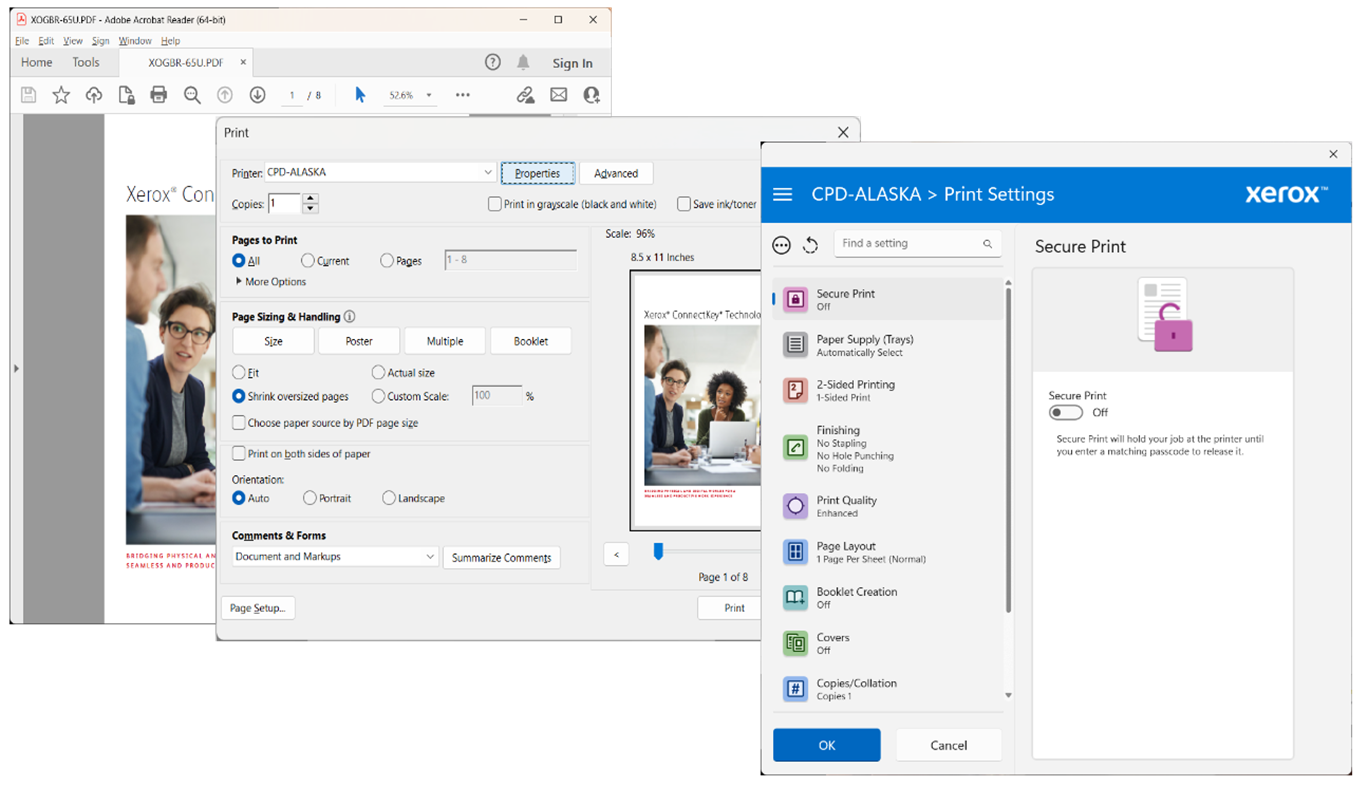
ภาพหน้าจอ
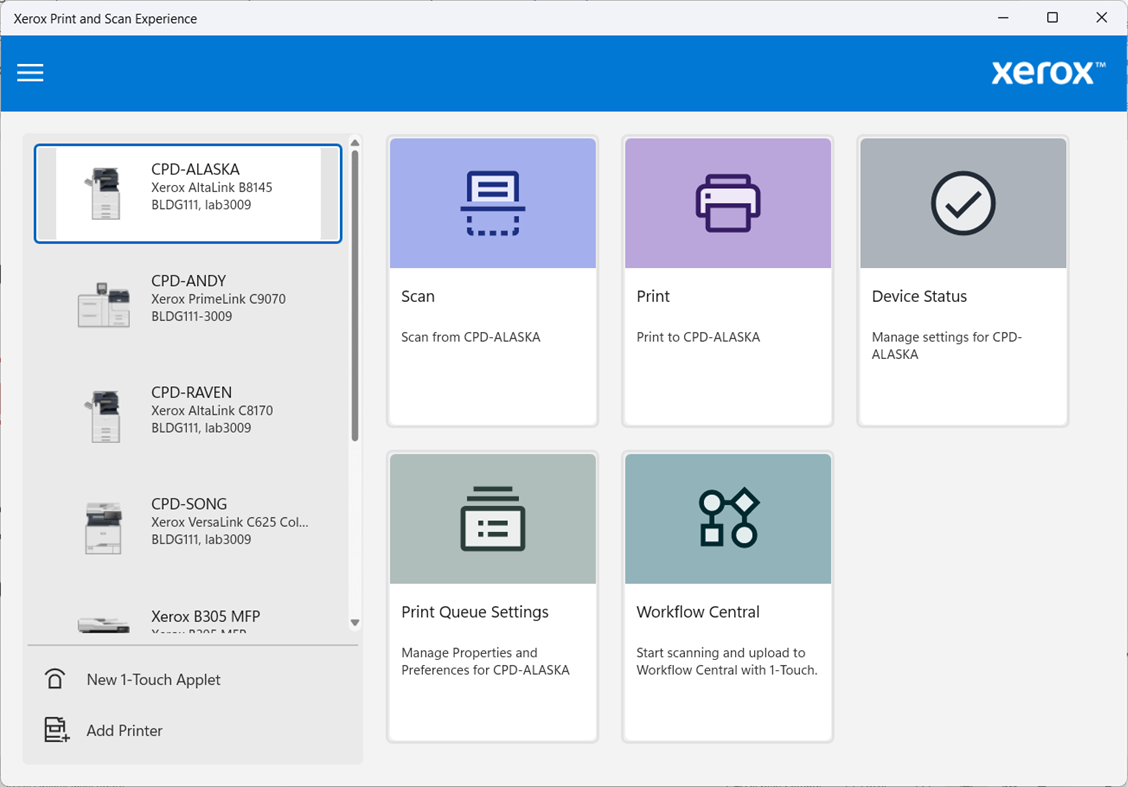
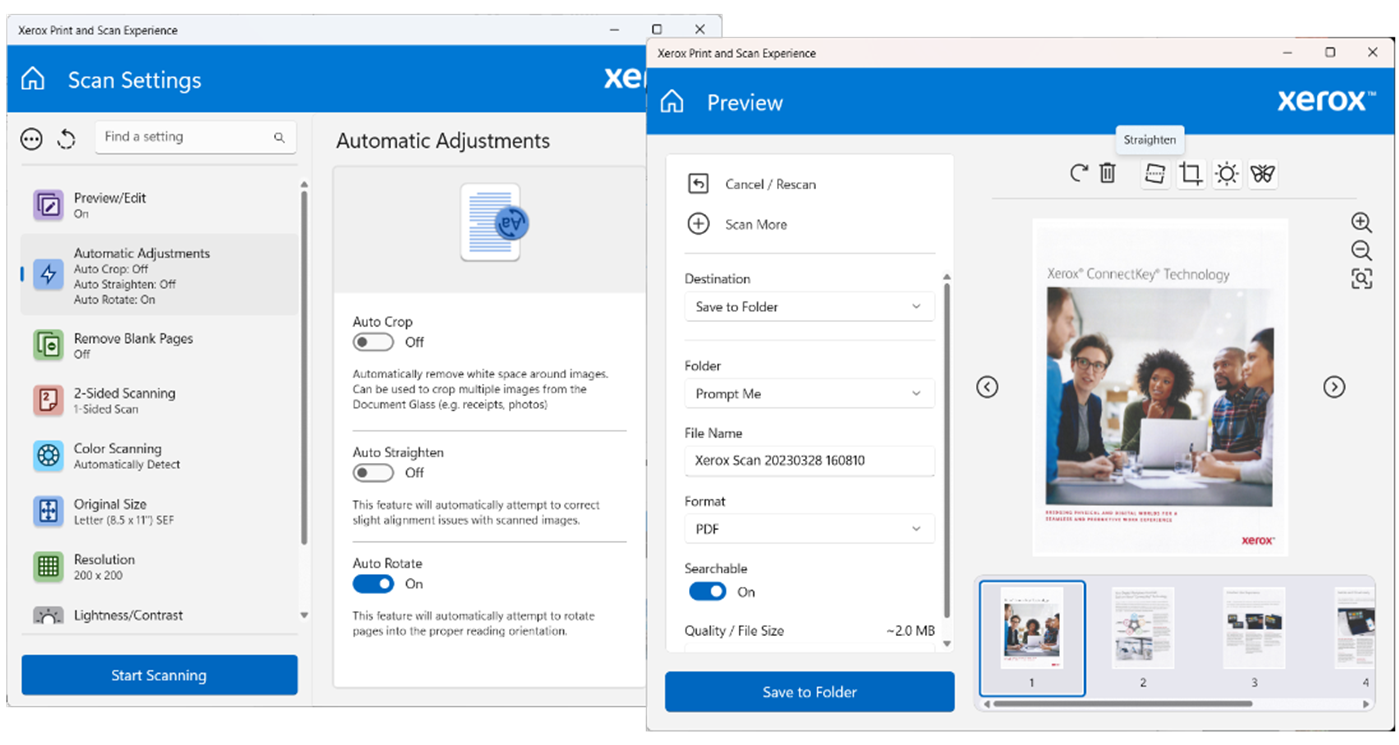
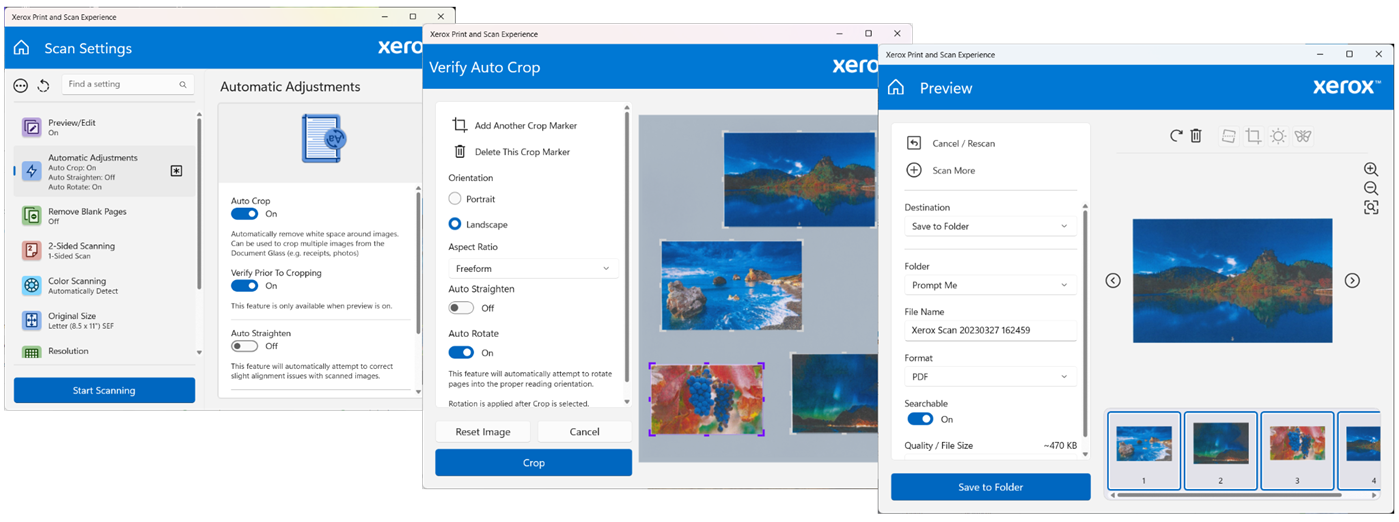
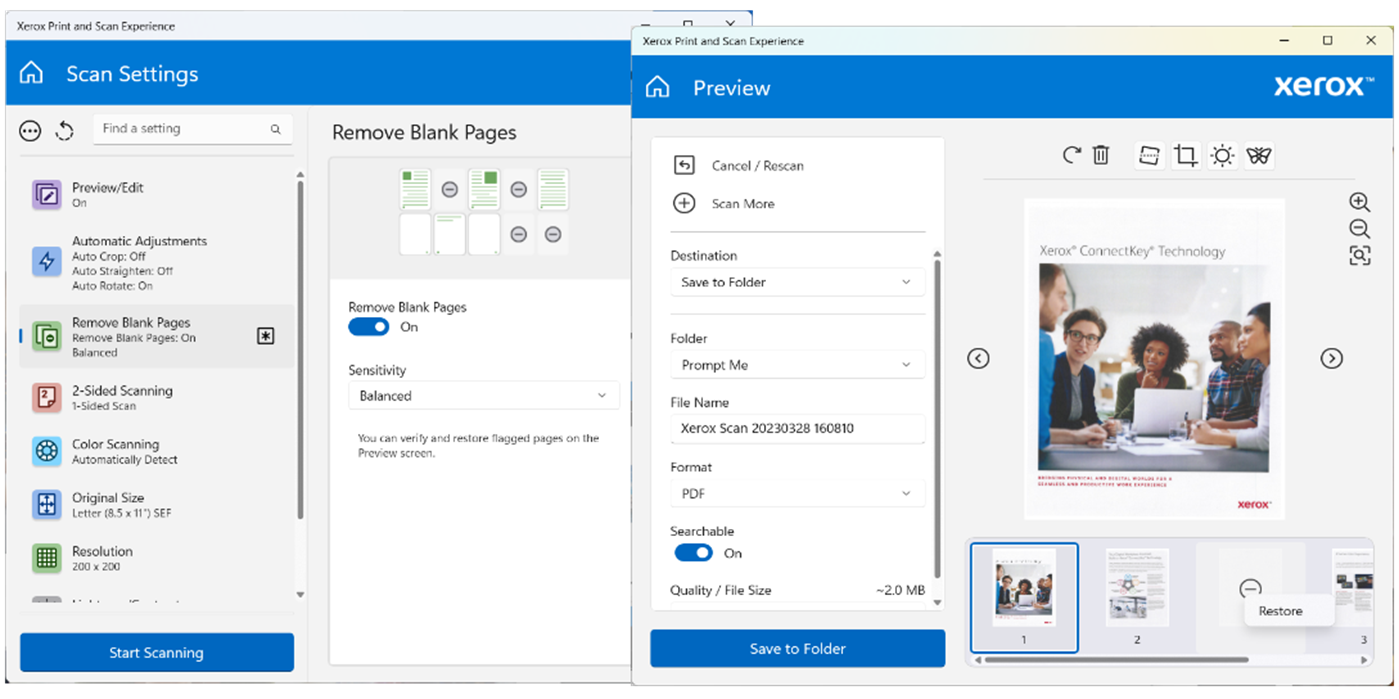
ประวัติราคา
- ราคาปัจจุบัน: ฟรี
- ต่ำสุด: ฟรี
- มากที่สุด: ฟรี
ติดตามราคา
Ad
ข้อมูลเพิ่มเติม
- วันที่วางจำหน่าย:
- หมวดหมู่:
Windows แอป›เครื่องมือและอรรถประโยชน์ - ระบบปฏิบัติการ:
PC - ขนาด:
77 Mb - ภาษาที่สนับสนุน:
Arabic,Bulgarian,Catalan,Chinese,Croatian,Czech,Danish,Dutch,English,Finnish,French,German,Greek,Hebrew,Hungarian,Italian,Japanese,Korean,Norwegian,Polish,Portuguese,Romanian,Russian,Spanish,Swedish,Turkish,Ukrainian - การจัดประเภทเนื้อหา:
EVERYONE - Windows Store คะแนนโดย:
4.2(1,024) - เว็บไซท์:
 http://www.xerox.com
มีอะไรใหม่
- เวอร์ชัน: PC
- อัปเดต:
ผู้พัฒนา
- Xerox Corp
- แพลตฟอร์ม: Windows แอป (2)
- รายการ: 9 + 2
- แต้มแล: 50 + 1,041 ¡
- การจัดอันดับ: 0
- ความเห็น: 0
- ลดราคา: 0
- วิดีโอ: 0
- RSS: ติดตาม
รายการ (9)
- Xerox Print and Scan Experience



แต้มแล (50)
-

- 1 Екатерина Геращенко
- +1
-
- 1 Anton Natalenko
- +1
-
- 1 Анатолий Бесмельцев
- +1
-
- 1 Олег Маркин
- +1
-
- 1 Lee Lu
- +1
-
- 1 Владимир Остапчук
- +1


การจัดอันดับ (0)
0 ☹️
ความเห็น (0)
เป็นคนแรกที่แสดงความเห็น 🌟
«Xerox Print and Scan Experience». แพลตฟอร์ม: Windows. หมวดหมู่: เครื่องมือและอรรถประโยชน์. ผู้พัฒนา: «Xerox Corp». การเปิดตัวครั้งแรก: . อัปเดตล่าสุด: . ราคาปัจจุบัน: ฟรี. ชื่อนี้ยังไม่ได้รับการให้คะแนนหรือบทวิจารณ์บน AppAgg รายการ: สาธารณะ 9, ส่วนตัว 2. จุดที่ติดตาม: ยืนยันแล้ว 50, ทางอ้อม 1,024. ร้านค้า: Windows Store. คะแนนร้านค้า: 4.2. โหวต: 1,024. ภาษาที่ใช้ได้: Arabic, Bulgarian, Catalan, Chinese, Croatian, Czech, Danish, Dutch, English, Finnish, French, German, Greek, Hebrew, Hungarian, Italian, Japanese, Korean, Norwegian, Polish, Portuguese, Romanian, Russian, Spanish, Swedish, Turkish, Ukrainian. AppAgg ติดตามประวัติราคา การให้คะแนน และคำติชมของผู้ใช้ «Xerox Print and Scan Experience». ส่วนลดและอัปเดตในอนาคต: RSS. AppAgg ไม่ได้โฮสต์แอปพลิเคชันหรือแจกจ่ายซอฟต์แวร์ เครื่องหมายการค้า โลโก้ และภาพหน้าจอทั้งหมดเป็นของเจ้าของที่เกี่ยวข้อง
Xerox Print and Scan Experience URL แบบสั้น: คัดลอกแล้ว!- 🌟 แชร์
- Windows Store
คล้ายกัน
-
- Scan Navigator
- Windows แอป: เครื่องมือและอรรถประโยชน์ โดย: Dmitrijs Volkovs
- * $3.99
- รายการ: 0 0 0
- แต้มแล: 0 + 2 (3.0) เวอร์ชัน: PC Scan Navigator is an easy to use scanning program which enables you to scan, save and print images and documents. The scanned documents can be saved as various image formats, ... ⥯
-
- Scan my Band
- Windows แอป: เครื่องมือและอรรถประโยชน์ โดย: ceriboo
- ฟรี
- รายการ: 0 0 0
- แต้มแล: 0 เวอร์ชัน: PC Scan my Band is an application without ads or in app purchase! Scan my Band allows to upload barcode ( Code39 only). With this application you can create inifinite bar codes which ... ⥯
-
- Scan Document to PDF
- Windows แอป: เครื่องมือและอรรถประโยชน์ โดย: Some Media Apps
- * ฟรี
- รายการ: 0 + 1 0 0
- แต้มแล: 2 + 1,453 (4.7) เวอร์ชัน: PC What's New: Version 3.0 improves OCR and adds batch scanning support. Scan Document to PDF allows you to quickly and easily scan documents and convert them to professional PDFs. ... ⥯
-
- Experience Index System Assessment Tool
- Windows แอป: เครื่องมือและอรรถประโยชน์ โดย: barbez.eu
- ฟรี
- รายการ: 1 + 1 0 0
- แต้มแล: 3 + 75 (4.3) เวอร์ชัน: PC About the app This app uses the WinSAT component that still exist under the hood in Windows. This Experience Index System Assessment Tool is a replacement for the graphical user ... ⥯
-
- Scan Folder
- Windows แอป: เครื่องมือและอรรถประโยชน์ โดย: Orlando2014
- ฟรี
- รายการ: 0 0 0
- แต้มแล: 0 + 4 (4.3) เวอร์ชัน: PC The Scan folder helps you quickly and easily scan files and folder in you PC. ⥯
-
- Scan as PDF
- Windows แอป: เครื่องมือและอรรถประโยชน์ โดย: CK Softwareentwicklung
- $14.49
- รายการ: 0 0 0
- แต้มแล: 0 + 9 (4.9) เวอร์ชัน: PC With the little helper you can scan a document with one click and save it as a PDF. Alternatively, the scanned pages can also be saved as an image file, e.g. be saved as JPG or PNG. ... ⥯
-
- KYOCERA Print Center
- Windows แอป: เครื่องมือและอรรถประโยชน์ โดย: KYOCERA Document Solutions Inc
- * ฟรี
- รายการ: 65 + 3 0 5 (1)
- แต้มแล: 204 + 154 (4.0) เวอร์ชัน: PC KYOCERA Print Center is a utility app for KYOCERA printers that share a network connection with computers or tablets running on Windows 10 or later. With this app, you can do the ... ⥯
-
- One Scan QR Code
- Windows แอป: เครื่องมือและอรรถประโยชน์ โดย: CSTRSK
- * ฟรี
- รายการ: 0 0 0
- แต้มแล: 0 + 7 (1.9) เวอร์ชัน: PC Scan QR codes easily with One Scan QR Code. Open the app and scan QR codes and see the message in code. Scan also: QR-Code, EAN-13, Data Matrix, PDF417, RSS 14, RSS Expanded, Code 39, ... ⥯
-
- TA/UTAX Print Center
- Windows แอป: เครื่องมือและอรรถประโยชน์ โดย: TA Triumph-Adler GmbH
- ฟรี
- รายการ: 17 + 3 0 0
- แต้มแล: 37 + 9 (3.7) เวอร์ชัน: PC TA/UTAX Print Center is a utility app for TA/UTAX printers that share a network connection with computers or tablets running on Windows 10 or later. With this app, you can do the ... ⥯
-
- Canon PRINT
- Windows แอป: เครื่องมือและอรรถประโยชน์ โดย: Canon Inc.
- ฟรี
- รายการ: 1 + 3 0 0
- แต้มแล: 10 + 12,176 (4.7) เวอร์ชัน: PC Canon PRINT (previously Canon Inkjet Smart Connect) is an application to help you make full use of your printer's functions. Canon PRINT offers the following features. - Simple ... ⥯
-
- Samsung Printer Experience
- Windows แอป: เครื่องมือและอรรถประโยชน์ โดย: HP Inc.
- ฟรี
- รายการ: 7 + 1 0 0
- แต้มแล: 15 + 707 (2.8) เวอร์ชัน: PC Samsung Printer Experience is an application that lets users manage and control Samsung printers and MFPs. With this free application's simple user interface, users can easily scan and ⥯
-
- Doc Scan PDF Scanner
- Windows แอป: เครื่องมือและอรรถประโยชน์ โดย: better app
- * ฟรี
- รายการ: 0 0 0
- แต้มแล: 0 + 6,129 (4.6) เวอร์ชัน: PC Doc Scan is designed to scan documents and pictures and save them in the format you want easily! No matter which brand of scanner & printer you are using, Any Scan could make it work ... ⥯
-
- Windows Scan
- Windows แอป: เครื่องมือและอรรถประโยชน์ โดย: Microsoft Corporation
- ฟรี
- รายการ: 1 + 1 0 0
- แต้มแล: 3 + 7,504 (3.3) เวอร์ชัน: PC If you have a scanner, this app makes it easy to scan documents and pictures and save them where you'd like. Whether you're scanning a photo from the flatbed or scanning multiple pages ⥯
-
- KONICA MINOLTA Print Experience
- Windows แอป: เครื่องมือและอรรถประโยชน์ โดย: KONICA MINOLTA INC
- ฟรี
- รายการ: 1 0 0
- แต้มแล: 4 + 24 (1.7) เวอร์ชัน: PC This is a print settings application exclusively for Konica Minolta's MFP/Printer. You can configure detailed print settings when printing from Windows Store apps using V4 Universal ... ⥯