
| Programista: | Windows Notifications (2) | ||
| Cena: | Bezpłatny | ||
| Rankingi: | 0 | ||
| Opinie: | 0 Napisać recenzję | ||
| Komentarze: | 0 Opublikuj komentarz | ||
| Listy: | 1 + 0 | ||
| Punkty: | 0 + 78 (4.8) ¡ | ||
| Windows Store | |||
Opis

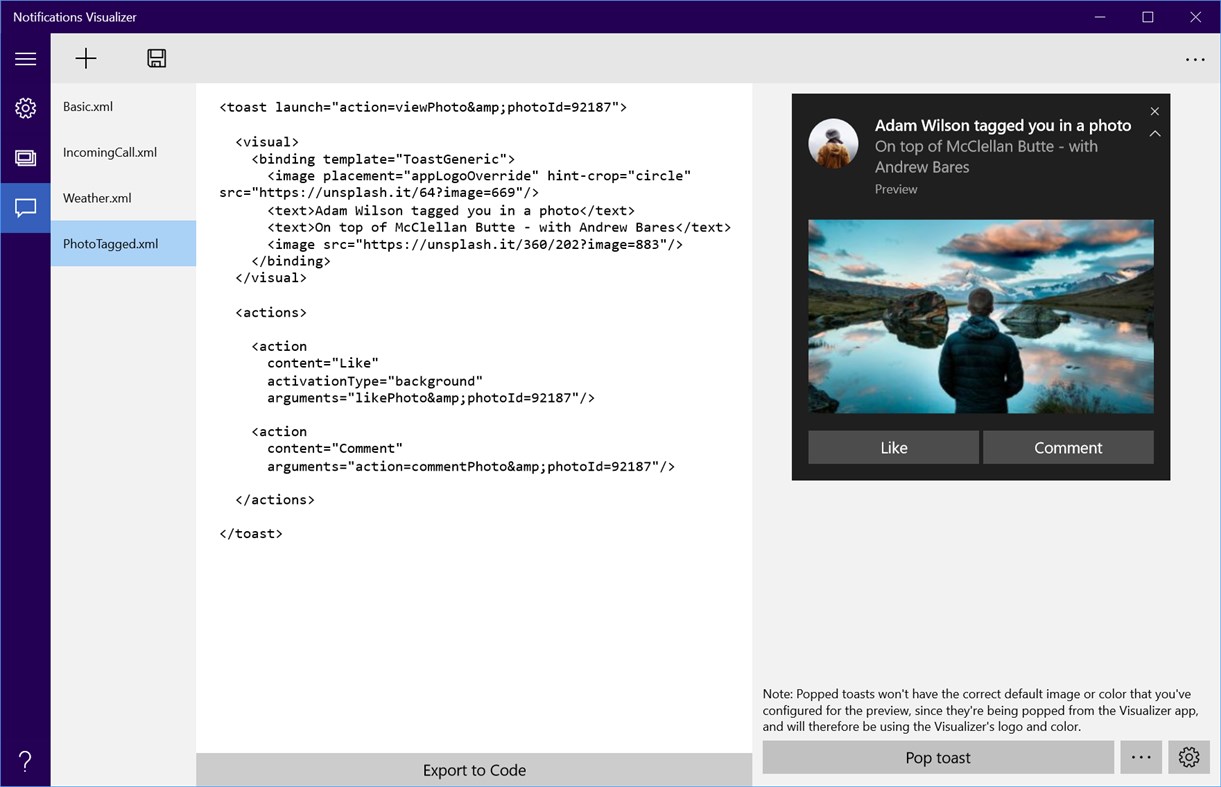
The app provides instant visual previews of your tile or toast while editing, similar to Visual Studio's XAML editor/design view. Your payload is also checked for errors, ensuring you create a valid payload.
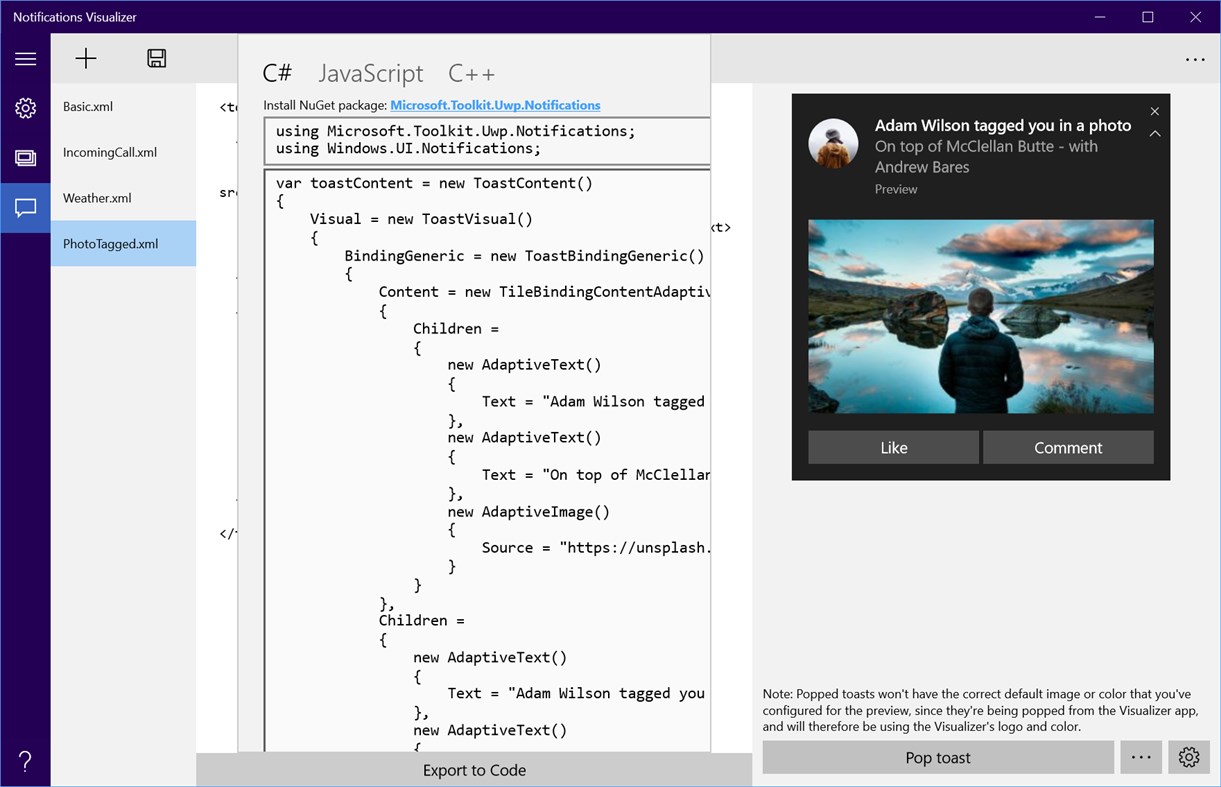
Developers will find Notifications Visualizer useful when they are looking at adding live tiles to their app. The Visualizer provides an easy way to create and test adaptive tile payloads, without having to edit and deploy your own app. Once you've created a payload with the perfect visual results, you can then integrate that payload into your own app (for generating notification payloads from code, check out NotificationsExtensions).
Notifications Visualizer comes pre-loaded with a number of sample payloads to showcase what's possible with adaptive.
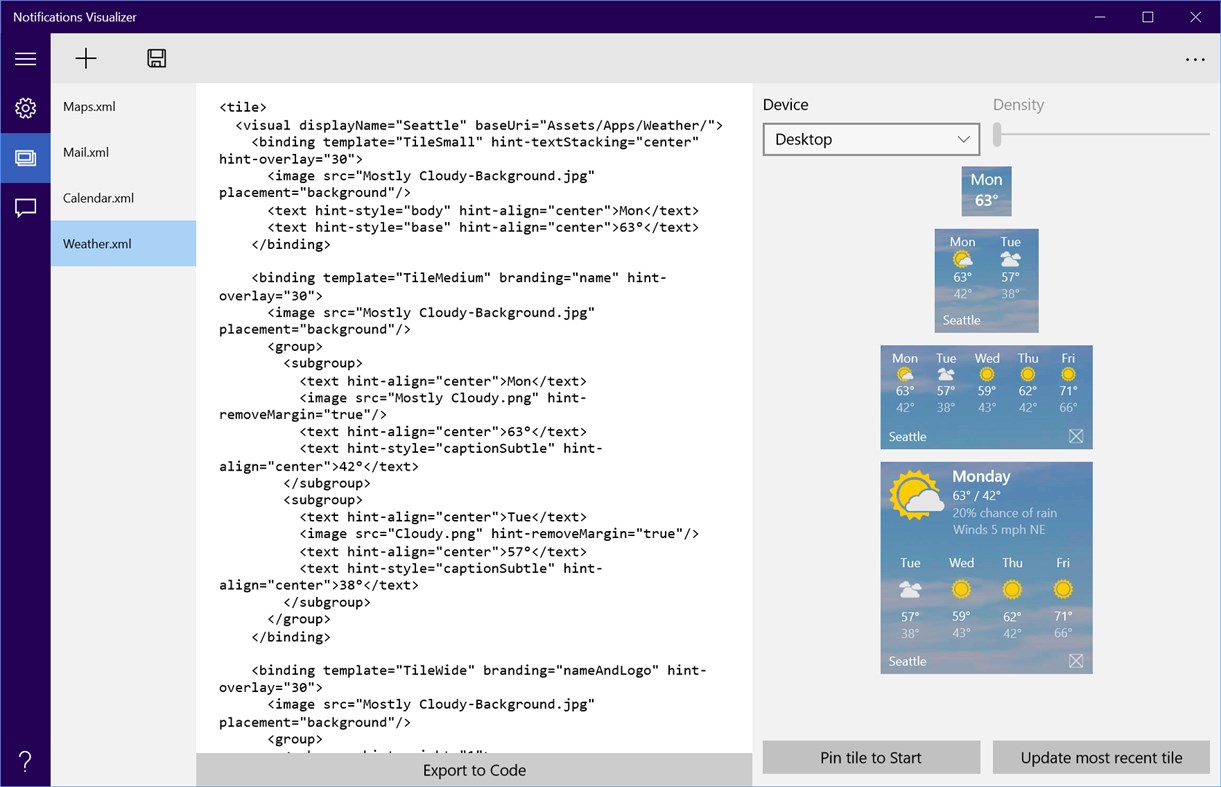
With the Visualizer, you can experiment with all the different text options, groups/subgroups, background images, etc. And you can even see how the tile "adapts" to different devices, like tablets or phones, where more content can be displayed. After you've made changes, you can save your updated payload to a file for future use.
Plus, you can even flip between builds 10240 and 10586 to instantly see how your tile behaves on the two different versions!
Note: The Visualizer is a replication of Start, and is not 100% accurate (and also does not support some payload properties like baseUri). Pin the tile to Start to verify your tile looks as expected.
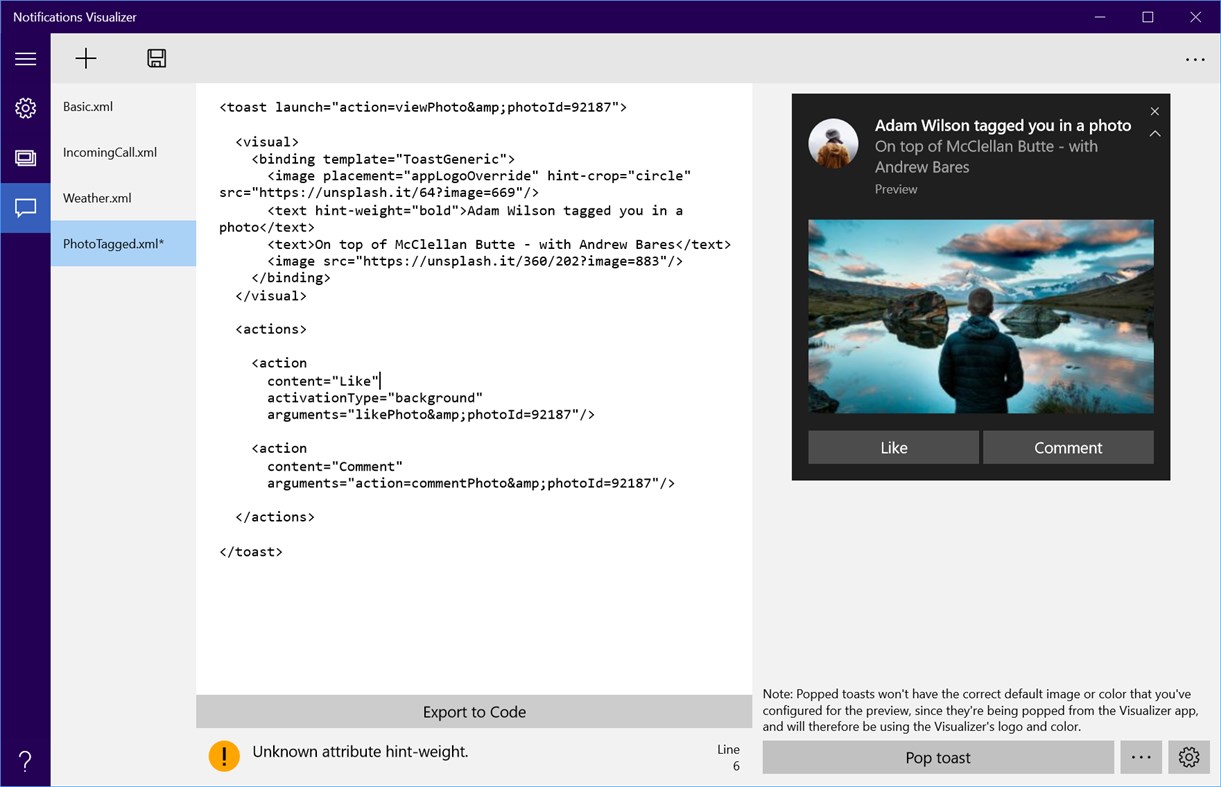
The editor also provides real-time errors and warnings. For example, your payload must be less than 5 KB in size (a platform limitation). The Visualizer will warn you if your payload exceeds that. It will also give you warnings about incorrect attribute names or values, helping you debug why your tile isn't appearing correctly.
You can also control base tile properties like display name, color, logos, and ShowName properties. And you can set a badge value too. All of these options help you instantly understand how your tile properties and tile notification payloads interact, and the results they produce.
Ad
Zrzuty ekranu
Historia cen
- Dziś: Bezpłatny
- Minimalna: Bezpłatny
- Maksymalna: Bezpłatny
Monitoruj ceny
Nowości
- Wersja: PC
- Zaktualizowano:
Komentarze (0)
Skomentuj jako pierwszy 🌟
Programista
- Windows Notifications
- Platformy: Windows Aplikacje (2)
- Listy: 1 + 0
- Punkty: 0 + 79 ¡
- Rankingi: 0
- Opinie: 0
- Komentarze: 0
- Zniżki: 0
- Filmy: 0
- RSS: Subskrybuj
Punkty (0)
0 ☹️
Rankingi (0)
0 ☹️
Listy (1)
- Notifications Visualizer

Opinie (0)
Bądź pierwszą osobą, która napisze recenzję 🌟
Dodatkowe informacje
- Wersja: PC
- Kategoria:
Windows Aplikacje›Narzędzia programistyczne - System operacyjny:
HoloLens,Mobile,PC,Surface Hub,Xbox - Rozmiar:
24 Mb - Obsługiwany język:
English - Ocena treści:
EVERYONE - Windows Store Ocena:
4.8(78) - Zaktualizowano:
- Data wydania:
Kontakty
- Witryna internetowa:
 http://blogs.msdn.com/b/tiles_and_toasts/
«Notifications Visualizer». Platforma: Windows. Kategoria: Narzędzia programistyczne. Deweloper: «Windows Notifications». Pierwsze wydanie: . Ostatnia aktualizacja: . Aktualna cena: bezpłatnie. Ten tytuł nie otrzymał jeszcze ocen ani recenzji w serwisie AppAgg. Listy: publiczne 1, prywatne 0. Sklep: Windows Store. Ocena sklepu: 4.8. Głosy: 78. Dostępne języki: English. AppAgg śledzi historię cen, oceny i opinie użytkowników «Notifications Visualizer». Śledź przyszłe rabaty i aktualizacje za pośrednictwem RSS. AppAgg nie hostuje aplikacji ani nie dystrybuuje oprogramowania. Wszystkie znaki towarowe, logo i zrzuty ekranu należą do ich odpowiednich właścicieli.
Notifications Visualizer Krótki URL: Skopiowano!- 🌟 Udostępnij
- Windows Store
Ad
Podobne
-
- Code Graph
- Windows Aplikacje: Narzędzia programistyczne Przez: 淹死的鱼ysdy44
- Bezpłatny
- Listy: 0 + 1 Rankingi: 0 Opinie: 0
- Punkty: 2 + 2 (5.0) 0 Wersja: PC Code Graph is a reference relationship visualizer that finds all the .csproj (C# project) files in a folder and draws the reference relationships between them. ⥯
-
- Wifi Scanner and Network Monitor
- Windows Aplikacje: Narzędzia programistyczne Przez: Docco Labs
- Bezpłatny
- Listy: 0 + 1 Rankingi: 0 Opinie: 0
- Punkty: 0 + 15 (4.7) 0 Wersja: PC Wi-Fi Network Monitor is a simple, yet effective app to track & monitor your network devices & traffic Few of the abilities provided by DL Network Monitor: - View Real-time info such ... ⥯
-
- CC2650SensorTag
- Windows Aplikacje: Narzędzia programistyczne Przez: Sportronics
- Bezpłatny
- Listy: 0 + 0 Rankingi: 0 Opinie: 0
- Punkty: 0 + 0 0 Wersja: PC This app requires the Texas Instruments CC2650 SensorTag asused in the Azure IoT Gatway SDK at https://github.com/azure/azure-iot-gateway-sdk. This version of the app does not access ... ⥯
-
- Process Monitor
- Windows Aplikacje: Narzędzia programistyczne Przez: Chris Forte
- $0.99
- Listy: 0 + 0 Rankingi: 0 Opinie: 0
- Punkty: 0 + 1 (5.0) 0 Wersja: PC Monitor an application and select a number of options to perform if the application stops or is no longer working, including restarting the application, launching a new application, or ⥯