
Zapisane
Wybierz nazwę, która będzie wyświetlana w menu Zapisane.
Gotowe!
| Programista: | Nanjing Oumi Software Development Co., Ltd. (4) | ||
| Cena: | $1.99 | ||
| Rankingi: | 0 | ||
| Komentarze: | 0 Opublikuj komentarz | ||
| Listy: | 3 + 1 | ||
| Punkty: | 11 + 0 ¡ | ||
| Mac App Store | |||
Opis
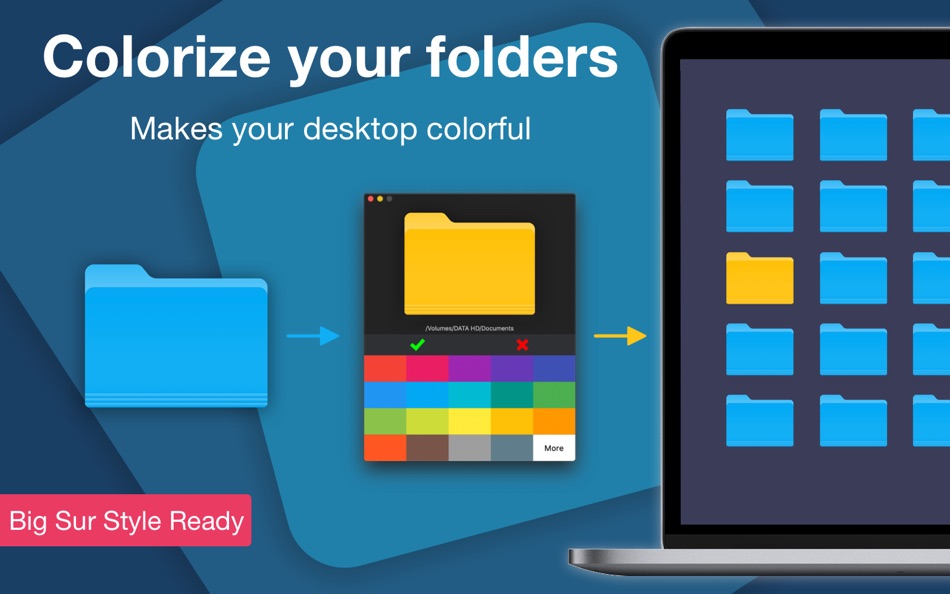
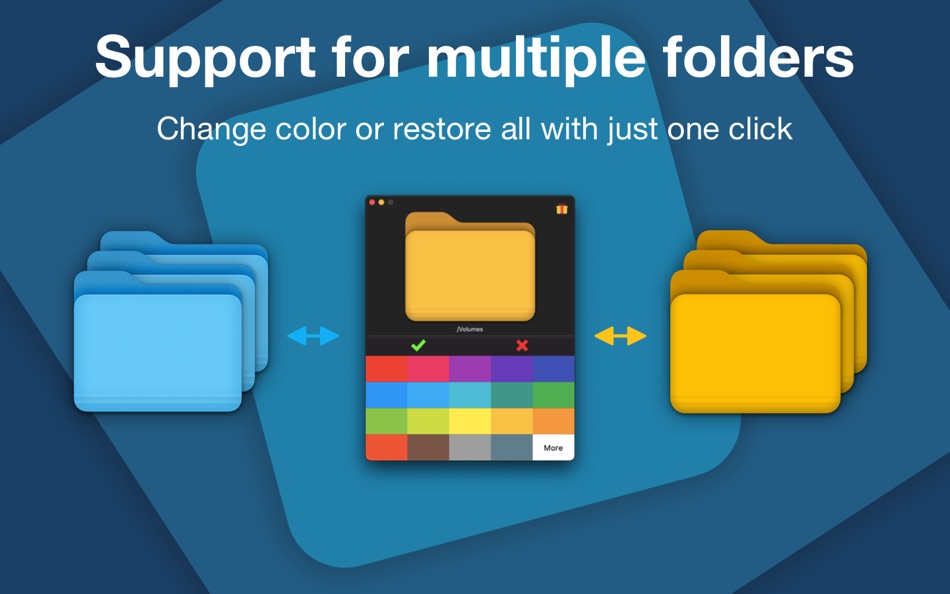
Another great feature is it helps you to quickly and visually locate folders by letting you save them in different colors from the standard folder color. A standard folder in Finder is blue, ColorFolder helps you quickly make a folder that looks different from other ones. Simply drag a folder from Finder into the app's drop area then set the color.
Try it!
Ad
Zrzuty ekranu
Historia cen
- Aktualna cena: $1.99
- Minimalna: Bezpłatny
- Maksymalna: $4.99
Monitoruj ceny
Dodatkowe informacje
- Data wydania:
- Kategoria:
macOS Aplikacje›Narzędzia - System operacyjny:
macOS,macOS 10.13 i nowsze - Rozmiar:
6 Mb - Obsługiwany język:
Chinese,Dutch,English,French,German,Indonesian,Italian,Japanese,Korean,Polish,Portuguese,Russian,Spanish,Swedish,Thai - Ocena treści:
4+ - Mac App Store Ocena:
0
Programista
- Nanjing Oumi Software Development Co., Ltd.
- Platformy: iOS Aplikacje (3) macOS Aplikacje (1)
- Listy: 5 + 3
- Punkty: 26 + 3,357 ¡
- Rankingi: 0
- Komentarze: 0
- Zniżki: 0
- Filmy: 0
- RSS: Subskrybuj
Listy (3)
- Color Folder Master


Punkty (11)
-

- 40 Max Thom
- +1
-
- 115 Денис
- +1
-
- 11,275 Simon Chan
- +1
-
- 1 russ
- +1
-
- 8 Alessander Thomaz
- +1
-
- 873 Net
- +1


Rankingi (0)
0 ☹️
Komentarze (0)
Skomentuj jako pierwszy 🌟
«Color Folder Master». Platforma: macOS. Kategoria: Narzędzia. Deweloper: «Nanjing Oumi Software Development Co., Ltd.». Pierwsze wydanie: . Ostatnia aktualizacja: . Aktualna cena: $1.99. Najniższa zarejestrowana cena: $0.00 (). Najwyższa odnotowana cena: $4.99 (). Ten tytuł nie otrzymał jeszcze ocen ani recenzji w serwisie AppAgg. Listy: publiczne 3, prywatne 1. Śledzone punkty: potwierdzone 11, pośrednie 0. Dostępne języki: Chinese, Dutch, English, French, German, Indonesian, Italian, Japanese, Korean, Polish, Portuguese, Russian, Spanish, Swedish, Thai. AppAgg śledzi historię cen, oceny i opinie użytkowników «Color Folder Master». Śledź przyszłe rabaty i aktualizacje za pośrednictwem RSS. AppAgg nie hostuje aplikacji ani nie dystrybuuje oprogramowania. Wszystkie znaki towarowe, logo i zrzuty ekranu należą do ich odpowiednich właścicieli.
Color Folder Master Krótki URL: Skopiowano!- 🌟 Udostępnij
- Mac App Store
Podobne
-
- Color Folder - Custom Icons
- macOS Aplikacje: Narzędzia Przez: 万林 彭
- * Bezpłatny
- Listy: 1 + 1 0 0
- Punkty: 6 Wersja: 4.9 Color Folder lets you change folder icons instantly and manage your directories more efficiently. Freely customize folder icons with multiple templates, any color, and your own images. ⥯
-
- Color Folder - Beautify Folder
- macOS Aplikacje: Narzędzia Przez: 玉 李
- $0.99
- Listy: 0 0 0
- Punkty: 1 Wersja: 1.0.2 Color Folder App is an app for customizing folder colors on macOS. Simply click on your favorite color at the bottom to generate a corresponding folder icon in that color. You can also ⥯
-
- Color Folder - Folder Tint
- macOS Aplikacje: Narzędzia Przez: 迪飞 施
- Bezpłatny
- Listy: 0 0 0
- Punkty: 0 Wersja: 1.1 Color Folder is a folder icon design and modification tool Main Features 【Rich Color Palette】 20 kinds of predefined colors, also supports defining your own colors. 【Rich icon ... ⥯
-
- Folder by Color - Change color
- macOS Aplikacje: Narzędzia Przez: 清碧 饶
- Bezpłatny
- Listy: 1 + 1 0 0
- Punkty: 6 Wersja: 1.8.2 [Folder by Color] is a folder color changing tool. Using different colored folder icons can keep your files well organized, thereby increasing the efficiency of file management. you ... ⥯
-
- Folder Snapshot Utility
- macOS Aplikacje: Narzędzia Przez: David Gradwell
- $4.99
- Listy: 0 0 0
- Punkty: 0 Wersja: 2021.06.11 Folder Snapshot Utility will make a rapid backup copy (a snapshot ) of anything you throw at it. This is much faster than a traditional backup copy (think ~1200x faster) and uses ... ⥯
-
- Folder Dater
- macOS Aplikacje: Narzędzia Przez: Dalamser
- $2.99
- Listy: 1 0 0
- Punkty: 0 Wersja: 2.3.2 Folder Dater sets a folder s modification date or creation date attributes based on the attributes of its descendants. All changes can be previewed in the Finder and undone before ... ⥯
-
- Folder Rack – File Manager
- macOS Aplikacje: Narzędzia Przez: Ivo Wessel
- * Bezpłatny
- Listy: 0 0 0
- Punkty: 1 Wersja: 1.26 FOLDER RACK Manage your files and folders The Finder was always my most-used tool. However, there were many functions that I missed in my day-to-day work or that I would have done ... ⥯
-
- Folder Previewer Pro
- macOS Aplikacje: Narzędzia Przez: Nikhil Anshuman
- $1.99
- Listy: 0 0 0
- Punkty: 0 Wersja: 1.0 Folder Previewer Pro lets you instantly preview the contents of any folder or archive (ZIP) directly in Finder s Quick Look, without opening or extracting files. Just select a folder ... ⥯
-
- Folder Peek
- macOS Aplikacje: Narzędzia Przez: Sindre Sorhus
- $4.00
- Listy: 4 + 3 0 0
- Punkty: 9 Wersja: 1.13.0 Quickly access documents, files, folders, and apps from the menu bar. Think of it as an alternative to Dock folders, just more powerful and customizable. Each folder you add gets its ... ⥯
-
- Folder - Colorful folder maker
- macOS Aplikacje: Narzędzia Przez: 余 张
- * Bezpłatny
- Listy: 1 + 1 0 0
- Punkty: 12 Wersja: 1.3.1 How many folders do you have on your computer? Scores of them? Hundreds? Thousands? Are all of them are alike: default folder, default folder, default folder, default folder... It's so ⥯
-
- Folder Crazy Desktop
- macOS Aplikacje: Narzędzia Przez: Steve Mills
- $0.99
- Listy: 0 0 0
- Punkty: 0 Wersja: 1.5.3 Remember how great the Desktop image feature in macOS was before they removed the Tile option? Just like Folder Crazy vastly improves the screensaver experience, Folder Crazy Desktop ... ⥯
-
- Folder Analyze
- macOS Aplikacje: Narzędzia Przez: 培基 王
- * Bezpłatny
- Listy: 0 0 0
- Punkty: 1 Wersja: 2.0.1 A powerful and easy-to-use folder content analysis tool that displays content as charts, making the size and number of files clearly visible. It also supports an edit mode, where you ... ⥯
-
- Folder Sizes
- macOS Aplikacje: Narzędzia Przez: Roberto Piccirilli
- $2.99
- Listy: 0 0 0
- Punkty: 0 Wersja: 2.2.1 Show in easy and intuitive way the space occupied by files and folders . With this app you can immediately identify the space occupied for easy cleaning of their own archives. Now you ... ⥯
-
- Folder Factory
- macOS Aplikacje: Narzędzia Przez: UAB Macmanus
- $3.99
- Listy: 1 + 1 0 0
- Punkty: 3 Wersja: 4.0 Folder Factory is a neat little app for changing the design of your folder icons. It will help you to match similar folders by the color, text or picture and this will keep your Mac ... ⥯