
기술

Always ready for you
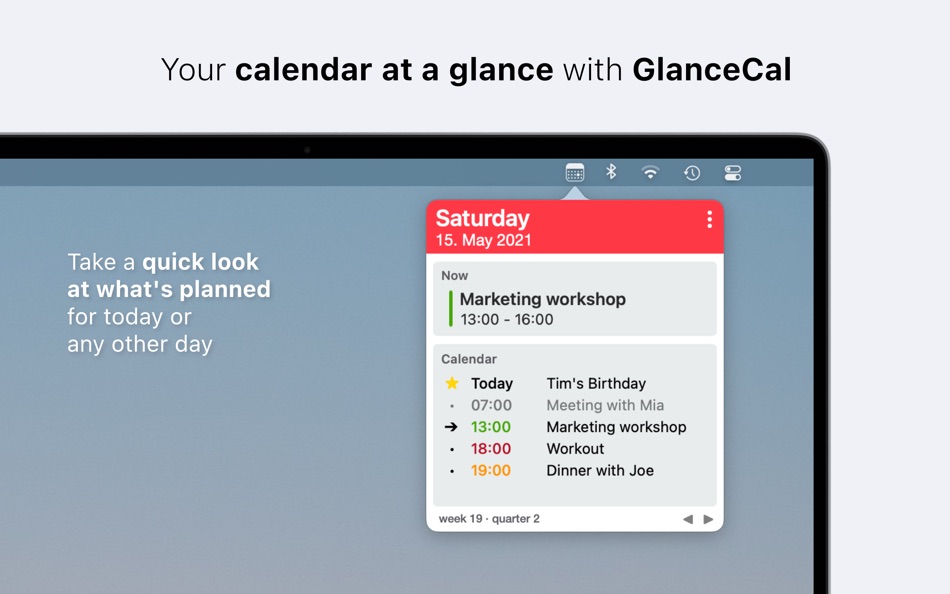
GlanceCal is a status bar app, so it's always quickly available - without interrupting your daily work. If you want, GlanceCal can launch automatically at system startup. To avoid waiting time, your appointments are locally loaded and updated in the background even before you open the interface. They are ready for you when you are.
Always up to date
The interface updates itself live when your calendar entries change or when one appointment ends and the next one begins. Any way you turn it, GlanceCal is always up to date for you!
Works the way you want it to
Besides the calendar icon GlanceCal also offers the possibility to display the current date in different formats in the status bar.
With your existing calendars
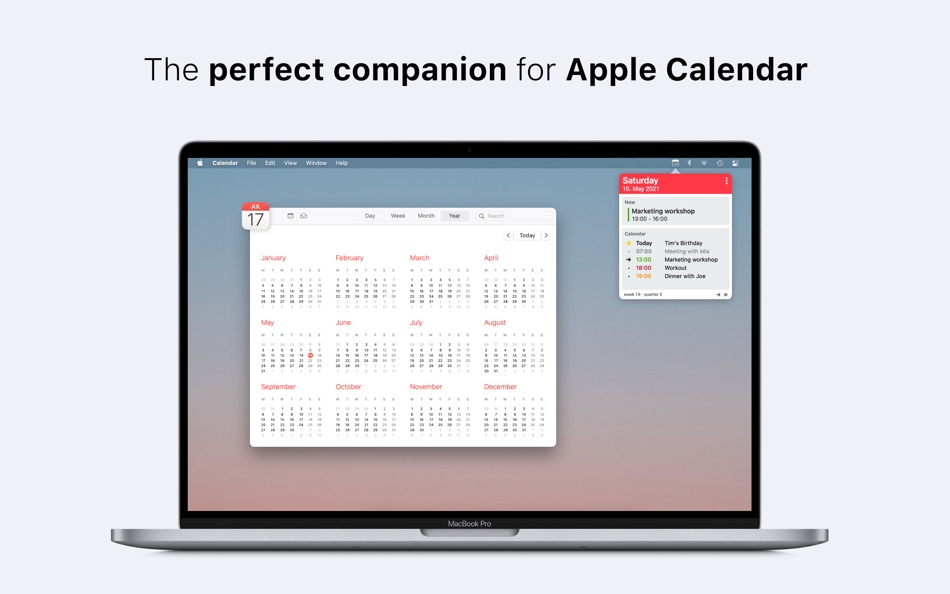
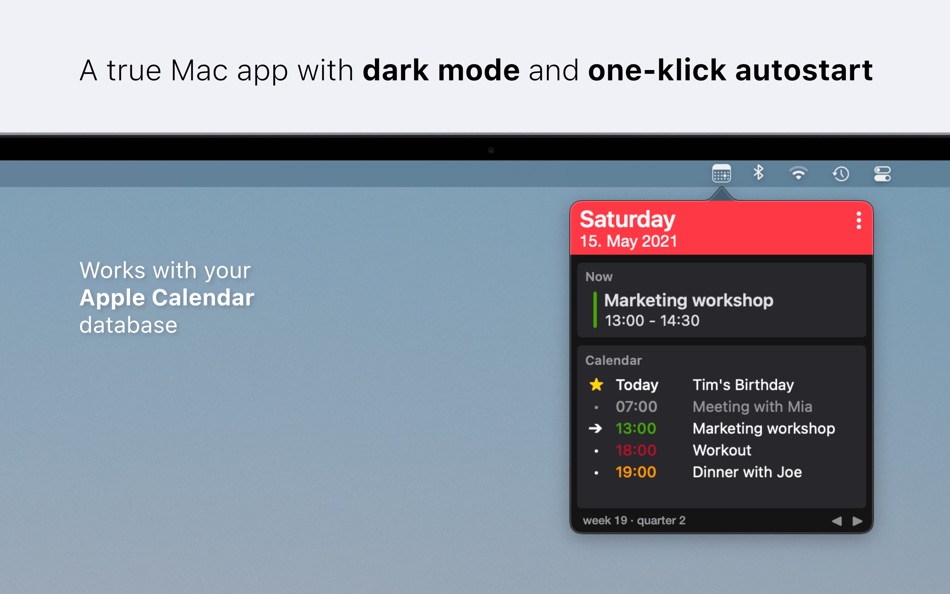
GlanceCal displays your calendar entries from the built-in Apple calendar - so it works with iCloud, Google, Exchange, Facebook, CalDAV and local calendars. For this reason, there is no need for fancy syncing, it just works.
Privacy by design
Your appointments are sensitive data. GlanceCal displays calendar entries only, they are not collected or analyzed. Your data belongs to you - only to you!
Ad
스크린샷
가격 내역
- 오늘: $1.99
- 최소: 무료
- 최대: $4.99
가격 추적
새로운 기능
- 버전: 1.6.2
- 업데이트:
- This update includes some minor improvements.
Thank you for using GlanceCal, stay productive!
If you enjoy using the app, please consider writing an App Store review.
댓글 (0)
가장 먼저 댓글을 남겨주세요 🌟
개발자




순위 (0)
0 ☹️
목록 (3)

리뷰 (0)
첫 번째 리뷰를 남겨보세요 🌟
추가 정보
주소록
 https://www.henribredt.de/glancecal.html
 «GlanceCal - Menu Bar Calendar». 플랫폼: macOS. 카테고리: 생산성. 개발자: «Henri Bredt». 첫 번째 릴리스: . 마지막 업데이트: . 현재 가격: $1.99. 최저 기록 가격: $0.00 (). 최고 기록 가격: $4.99 (). 이 타이틀은 아직 AppAgg에서 평가나 리뷰를 받지 못했습니다. 목록: 공개: 3, 비공개: 1. 추적된 포인트: 확인됨: 5, 간접: 0. 사용 가능한 언어: Dutch, English, German, Spanish. AppAgg는 «GlanceCal - Menu Bar Calendar»의 가격 기록, 평점 및 사용자 피드백을 추적합니다. 향후 할인 및 업데이트 받기: RSS에서 확인할 수 있습니다. AppAgg는 애플리케이션을 호스팅하거나 소프트웨어를 배포하지 않습니다. 모든 상표, 로고 및 스크린샷은 해당 소유자의 자산입니다.
GlanceCal - Menu Bar Calendar 단축 URL: 복사됨!- 🌟 공유하기
- Mac App Store
Ad
유사 항목
-
- Menu Bar Calendar
- macOS 앱: 생산성 게시자: Sindre Sorhus
- 무료
- 목록: 1 + 1 순위: 0 리뷰: 0
- 포인트: 4 + 0 0 버전: 1.7.0 Quickly access a monthly calendar from your menu bar. You can click a date in the calendar to reveal it in the Calendar app or Google Calendar. The calendar displays dates and days in ... ⥯
-
- InstaCal - Menu Bar Calendar
- macOS 앱: 생산성 게시자: Higher Bar, LLC
- $4.99
- 목록: 1 + 2 순위: 0 리뷰: 0
- 포인트: 2 + 0 0 버전: 1.9.8 InstaCal is the missing menu bar calendar macOS deserves. InstaCal is an affordable, yet powerful calendar app that puts all your events right at your fingertips, always available in ... ⥯
-
- TinyCal - Menu Bar Calendar
- macOS 앱: 생산성 게시자: 庆娣 王
- $1.99
- 목록: 0 + 0 순위: 0 리뷰: 0
- 포인트: 0 + 0 0 버전: 1.3.1 TinyCal is a lightweight menu bar calendar tool designed exclusively for macOS, putting your schedule management at your fingertips. Menu Bar Ready menu bar icon, click to reveal a ... ⥯
-
- MiniCal - Menu Bar Calendar
- macOS 앱: 생산성 게시자: Charlotte Benson
- $1.99
- 목록: 0 + 0 순위: 0 리뷰: 0
- 포인트: 0 + 0 0 버전: 1.0 MiniCal is a lightweight menu bar calendar packed with functionality: - Select Date Ranges: calculate number of days and nights selected - See full date and time - Show/Hide week ... ⥯
-
- nCal - Menu Bar Calendar
- macOS 앱: 생산성 게시자: Norbert Boron
- 무료
- 목록: 0 + 0 순위: 0 리뷰: 0
- 포인트: 0 + 0 0 버전: 1.0 nCal puts a clean, beautiful calendar right in your Mac's menu bar - always one click away, never cluttering your dock. Glance at your day, check next week, or scan the months ahead - ... ⥯
-
- QuickCal - menu bar calendar
- macOS 앱: 생산성 게시자: Rowena Ricalde
- $1.99
- 목록: 0 + 0 순위: 0 리뷰: 0
- 포인트: 0 + 0 0 버전: 1.4 QuickCal is the ultimate calendar app for your Mac's menu bar! With QuickCal, you can easily view your upcoming events at a glance. Simply tap the icon to see a calendar display of the ⥯
-
- Calinsight - Menu Bar Calendar
- macOS 앱: 생산성 게시자: Magus Inc.
- $12.99
- 목록: 0 + 1 순위: 0 리뷰: 0
- 포인트: 0 + 0 0 버전: 1.2.8 Quickly manage the events and reminders from the menu bar in calendar. Finished events and already completed reminders are displayed in a graph that helps to create an effective ... ⥯
- 새로운
- NextUp - Menu Bar Calendar
- macOS 앱: 생산성 게시자: Intellingo Ltd
- $2.99
- 목록: 0 + 0 순위: 0 리뷰: 0
- 포인트: 0 + 0 0 버전: 1.0 Connects to all your macOS calendars Updates automatically every 30 seconds Click to see upcoming events at a glance Choose which calendars to show Lightweight lives quietly in your ... ⥯
-
- Næste – Menu Bar Calendar
- macOS 앱: 생산성 게시자: FoundationUI ApS
- 무료
- 목록: 0 + 0 순위: 0 리뷰: 0
- 포인트: 0 + 0 0 버전: 0.5.0 Næste is a minimalist calendar that lives in the menu bar, seamlessly integrating with the macOS Calendar app. It makes it easy to check your schedule, join meetings, and copy links ... ⥯
-
- Menu Bar Quick Calc
- macOS 앱: 생산성 게시자: Mark Huber
- $0.99
- 목록: 0 + 0 순위: 0 리뷰: 0
- 포인트: 0 + 0 0 버전: 1.0 Menu Bar Calculator is a lightweight, always-accessible calculator that lives in your Mac's menu bar. Perfect for quick calculations without interrupting your workflow. Features: ... ⥯
-
- Menu AI: Ask AI in menu bar.
- macOS 앱: 생산성 게시자: INII Co., Ltd.
- * 무료
- 목록: 0 + 0 순위: 0 리뷰: 0
- 포인트: 0 + 0 0 버전: 1.2.0 Menu AI - Ask AI in menu bar. Menu AI is a powerful AI chat assistant that lives in your menu bar, providing instant access to both GPT and Claude AI capabilities. With its sleek and ... ⥯
-
- Cal+ for Google Calendar
- macOS 앱: 생산성 게시자: Rocky Sand Studio Ltd.
- * 무료
- 목록: 0 + 0 순위: 0 리뷰: 0
- 포인트: 0 + 0 0 버전: 1.0 Enjoy all the advantages of accessing Google Calendar, separately from your browser. Highlighted features: - Easily access all your Google Calendar events - Smooth and responsive look ... ⥯
-
- Menu Bar Timer
- macOS 앱: 생산성 게시자: Efe Ertugrul
- $0.99
- 목록: 0 + 0 순위: 0 리뷰: 0
- 포인트: 1 + 0 0 버전: 2.4.5 Menu Bar Timer adds a Stopwatch or a Timer to your menu bar so you can keep track of time whatever you've been working on without an extra app icon on your dock. You can choose ... ⥯
-
- Menu bar Launcher
- macOS 앱: 생산성 게시자: Pawan Dixit
- $1.99
- 목록: 1 + 1 순위: 0 리뷰: 0
- 포인트: 1 + 0 0 버전: 1.4 This is a simple menu bar utility to keep your frequent Files and Apps right into the menu bar so that you can quickly launch them when you want to work on them without locating then ... ⥯