
즐겨찾기
즐겨찾기 메뉴에 표시할 이름을 선택하세요.
완료!
기술

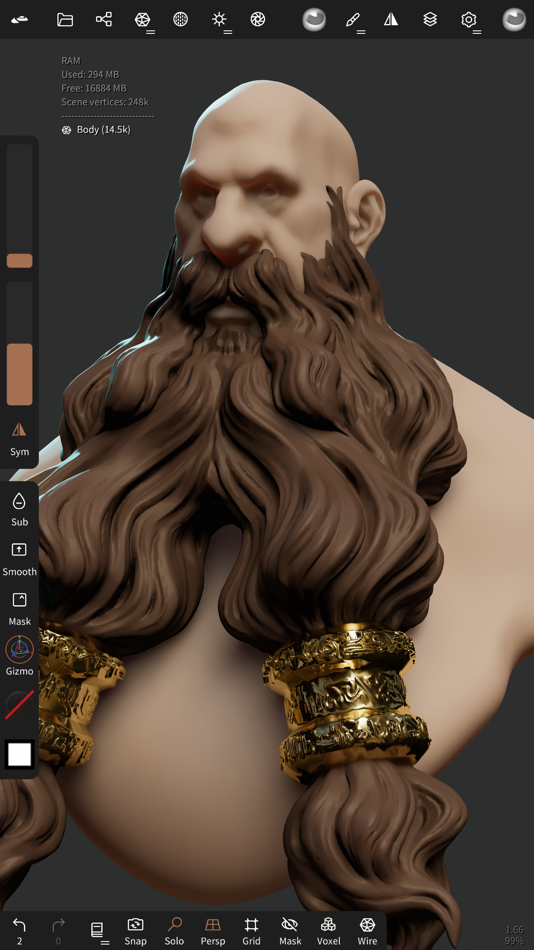
Clay, flatten, smooth, mask and many other brushes will let you shape your creation.
You can also use the trim boolean cutting tool with lasso, rectangle and other shapes, for hardsurface purposes.
• Stroke customization
Falloff, alphas, tilings, pencil pressure and other stroke parameters can be customized.
You can save and load your tools preset as well.
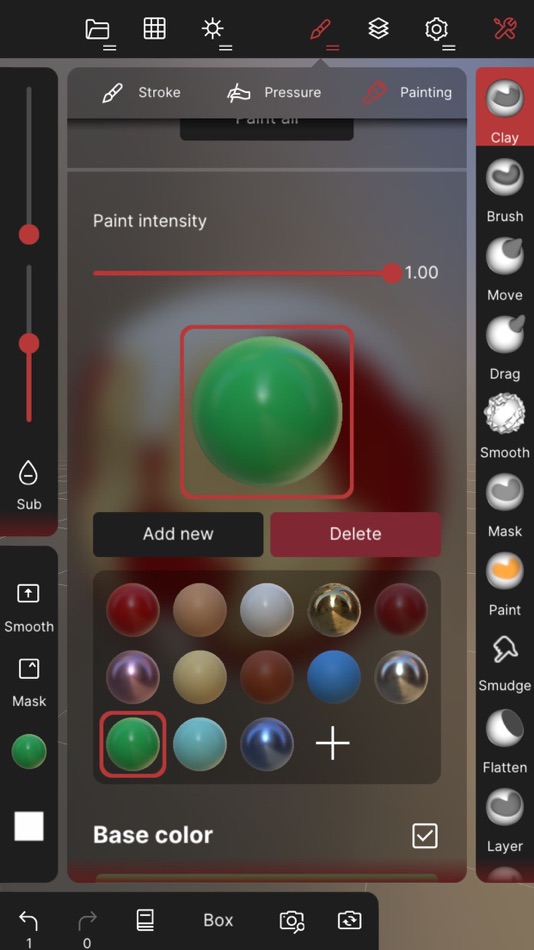
• Painting tools
Vertex painting with color, roughness and metalness.
You can easily manage all your material presets as well.
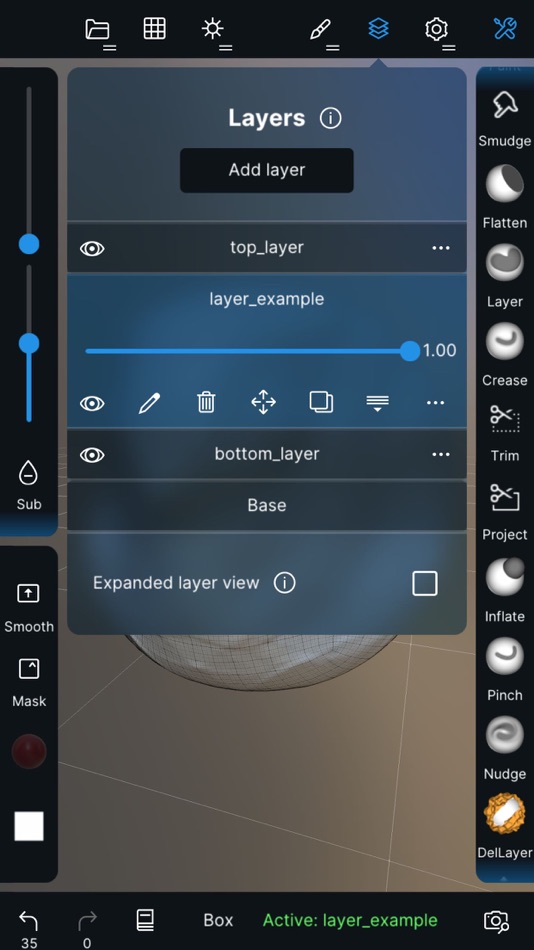
• Layers
Record your sculpting and painting operations in separate layers for easier iteration during the creation process.
Both the sculpting and painting changes are recorded.
• Multiresolution sculpting
Go back and forth between multiple resolution of your mesh for a flexible workflow.
• Voxel remeshing
Remesh quickly your mesh to get a uniform level of detail.
It can be used to quickly sketch a rough shape at the beginning of the creation process.
• Dynamic topology
Refine locally your mesh under your brush to get an automatic level of detail.
You can even keep your layers, as they will be automatically updated!
• Decimate
Reduce the number of polygons by keeping as many details as possible.
• Face Group
Segment your mesh into subgroups with the face group tool.
• Automatic UV unwrap
The automatic UV unwrapper can use face groups to control the unwrapping process.
• Baking
You can transfer vertex data such as color, roughness, metalness and small scaled detail in to textures.
You can also do the opposite, transfering textures data into vertex data or layers.
• Primitive shape
Cylinder, torus, tube, lathe and other primitives can be used to quickly start new shapes from scratch.
• PBR rendering
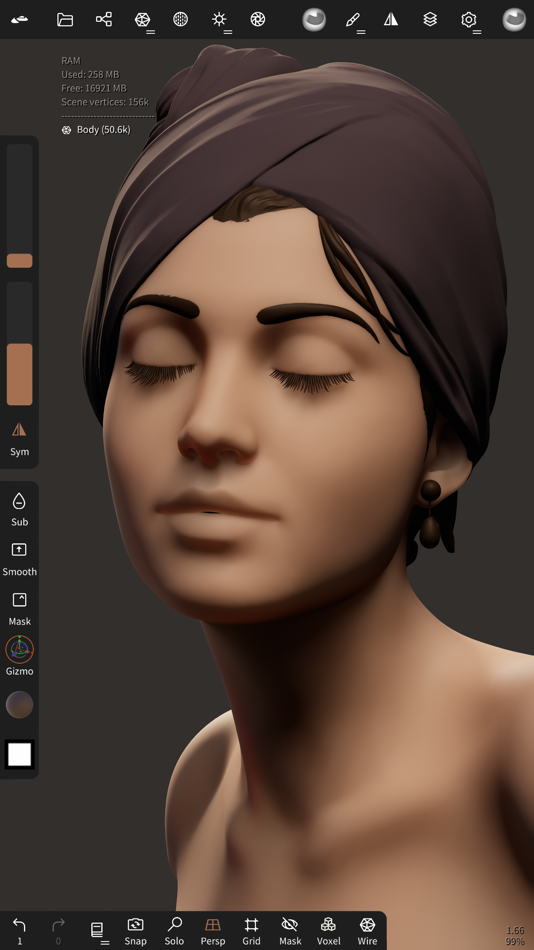
Beautiful PBR rendering by default, with lighting and shadows.
You can always switch to matcap for a more standard shading for sculpting purposes.
• Post processing
Screen Space Reflection, Depth of Field, Ambient Occlusion, Tone mapping, etc
• Export and Import
Supported formats include glTF, OBJ, STL or PLY files.
• Interface
Easy-to-use interface, designed for mobile experience.
Customization is possible as well!
• Quad Remesher (separate in-app purchase only)
Remesh your object automatically with a quad dominant mesh that follows the mesh curvatures.
It supports guides, face groups and density painting.
Ad
스크린샷





가격 내역
- 오늘: $19.99
- 최소: $13.99
- 최대: $19.99
가격 추적
새로운 기능
- 버전: 2.8
- 업데이트:
- usd: fix crash on export and import
scene: group lock will now lock its children
boolean: fix random crash
input: fix second single tap sometimes not being recorded
reference: simplify reset view on unlock option
reference: fix transform mode going crazy when reference is locked and rolled
추가 정보
- 출시일:
- 카테고리:
iOS 앱›그래픽 및 디자인 - 운영체제:
iPad,iPhone,iOS 16.0 이상 - 크기:
189 Mb - 지원되는 언어:
Arabic,Chinese,Czech,Dutch,English,French,German,Hebrew,Hindi,Indonesian,Italian,Japanese,Korean,Malay,Polish,Portuguese,Russian,Spanish,Swedish,Thai,Turkish,Vietnamese - 콘텐츠 등급:
4+ - App Store 개의 평가:
4.8(11,658) - 웹사이트:
 https://nomadsculpt.com/
개발자
목록 (11)
- Nomad Sculpt





순위 (0)
0 ☹️
댓글 (0)
가장 먼저 댓글을 남겨주세요 🌟
«Nomad Sculpt». 플랫폼: iOS. 카테고리: 그래픽 및 디자인. 개발자: «Hexanomad». 첫 번째 릴리스: . 마지막 업데이트: . 현재 가격: $19.99. 최저 기록 가격: $13.99 (). 최고 기록 가격: $19.99 (). 이 타이틀은 아직 AppAgg에서 평가나 리뷰를 받지 못했습니다. 목록: 공개: 11, 비공개: 10. 추적된 포인트: 확인됨: 10, 간접: 11,658. 매장: App Store. 매장 평가: 4.8. 투표: 11,658. 사용 가능한 언어: Arabic, Chinese, Czech, Dutch, English, French, German, Hebrew, Hindi, Indonesian, Italian, Japanese, Korean, Malay, Polish, Portuguese, Russian, Spanish, Swedish, Thai, Turkish, Vietnamese. AppAgg는 «Nomad Sculpt»의 가격 기록, 평점 및 사용자 피드백을 추적합니다. 향후 할인 및 업데이트 받기: RSS에서 확인할 수 있습니다. AppAgg는 애플리케이션을 호스팅하거나 소프트웨어를 배포하지 않습니다. 모든 상표, 로고 및 스크린샷은 해당 소유자의 자산입니다.
Nomad Sculpt 단축 URL: 복사됨!- 🌟 공유하기
- App Store
유사 항목
-
- Nomad Studio - Work Smart
- iOS 앱: 그래픽 및 디자인 게시자: YiChing Kuo
- * 무료
- 목록: 0 + 0 0 0
- 포인트: 0 + 0 버전: 5.1 Have you ever found yourself digging through a pile of apps just to edit a photo, only to end up disappointed with the results? The creative process should be enjoyable, but it often ... ⥯
-
- 3D Modelling, Design: Modelify
- iOS 앱: 그래픽 및 디자인 게시자: mustafa kendigzel
- 무료
- 목록: 0 + 0 0 0
- 포인트: 1 + 2 (4.5) 버전: 1.2.6 Modelify 3D Image to 3D Models Turn your images into real 3D models. No 3D skills required. Generate high-quality 3D models in seconds. Modelify 3D transforms any 2D image into a ... ⥯
-
- Paintrix Studio: Digital Art
- iOS 앱: 그래픽 및 디자인 게시자: htapps
- * 무료
- 목록: 0 + 0 0 0
- 포인트: 13 + 0 버전: 2.2 Paintrix Studio is a powerful digital art app built for iPad and Apple Pencil. Create stunning artwork with handcrafted brushes, rich layers, and professional-grade tools. Bring your ... ⥯
-
- Qlone 3D Scanner EDU
- iOS 앱: 그래픽 및 디자인 게시자: EyeCue Vision Tech
- $29.99
- 목록: 1 + 1 0 0
- 포인트: 6 + 43 (4.2) 버전: 3.16.0 Recognized as one of the 10 Best AR Apps for Classrooms by EdSurge, Qlone, the all-in-one tool for 3D scanning and AR. We have made it easy and fast to 3D scan real objects, modify ... ⥯
-
- Capria
- iOS 앱: 그래픽 및 디자인 게시자: Studio Schematics, LLC
- $2.99
- 목록: 0 + 1 0 0
- 포인트: 8 + 0 버전: 1.3 Capria: The Camera That Captures More Than What Meets the Eye Some moments defy a single frame stories unfold not just in what we see, but in the interplay of perspective, time, and ... ⥯
-
- Crayon: 3D Sketching
- iOS 앱: 그래픽 및 디자인 게시자: Crayon AR, LLC
- 무료
- 목록: 0 + 0 0 0
- 포인트: 9 + 0 버전: 2.0.4 Crayon transforms your imagination into reality through immersive 3D drawing and modeling. Using your hands or the Logitech Muse, create and customize designs like never before. ... ⥯
- 새로운
- tamga - 3d sculpting
- iOS 앱: 그래픽 및 디자인 게시자: Galata Ink Interactive Corporation
- $12.99
- 목록: 0 + 0 0 0
- 포인트: 0 + 2 (5.0) 버전: 1.2.1 tamga is a 3D sculpting, form modeling, vertex painting, pose deforming, ink drawing and stylized rendering app made for hobbyists, artists, concept sculptors and beginners. No ... ⥯
-
- 3Draw Modeling
- iOS 앱: 그래픽 및 디자인 게시자: 诚 张
- 무료
- 목록: 1 + 0 0 0
- 포인트: 1 + 7 (2.7) 버전: 3.000 3Draw Your Pocket 3D Studio Key Features: Advanced 3D Toolkit Instantly create 6 primitives (Cube/Sphere/Cylinder etc.) with adjustable dimensions & subdivisions 20+ Pro Tools: Edge ... ⥯
-
- CozyBlanket
- iOS 앱: 그래픽 및 디자인 게시자: Sparseal SL
- 무료
- 목록: 0 + 1 0 0
- 포인트: 0 + 77 (3.4) 버전: 2.1.7 CozyBlanket includes in-app purchases to fully unlock its import/export options and advanced features. For the best experience, Apple Pencil is recommended, but not required. ## A ... ⥯
-
- Photo Editing - Body & Face
- iOS 앱: 그래픽 및 디자인 게시자: KIARA GAILLARD
- 무료
- 목록: 0 + 0 0 0
- 포인트: 1 + 111 (4.7) 버전: 1.2 Instant Photo Enhancer - Effortless Face & Body Editing Transform your photos in seconds with an all-in-one editing tool designed for simplicity and stunning results. Smooth skin, ... ⥯
-
- Ponder-AI Art Generator
- iOS 앱: 그래픽 및 디자인 게시자: Pixel AI lab Limited
- * 무료
- 목록: 0 + 0 0 0
- 포인트: 1 + 2 (5.0) 버전: 1.4.0 Imagine a world where your creative thoughts take shape in an instant. Meet Ponder, the AI-powered art generator that turns your words into stunning, high-quality images with just a ... ⥯
-
- ZBrush
- iOS 앱: 그래픽 및 디자인 게시자: MAXON Computer GmbH
- 무료
- 목록: 0 + 0 0 0
- 포인트: 0 + 142 (3.7) 버전: 2026.1.2 Created by artists for artists, ZBrush for iPad offers many of the same tools and features found in ZBrush's desktop version used by the professionals in film, game, concept art, toys, ⥯
-
- Pattern Bliss
- iOS 앱: 그래픽 및 디자인 게시자: Eduard Schwan
- $4.99
- 목록: 0 + 0 0 0
- 포인트: 0 + 0 버전: 1.1.1 Pattern Bliss is a unique graphic design tool that generates limitless seamlessly tiling abstract patterns. Create background patterns for brochures, designs for coloring books, custom ⥯