
Favorite
Alege numele care va fi afișat în meniul tău de favorite.
Terminat!
| Dezvoltator: | Keiwan Donyagard (6) | ||
| Preț: | $9.99 | ||
| Clasificări: | 0 | ||
| Comentarii: | 0 Postează comentariu | ||
| Liste: | 3 + 6 | ||
| Punctele: | 5 + 1,103 (4.6) ¡ | ||
| App Store | |||
Descriere

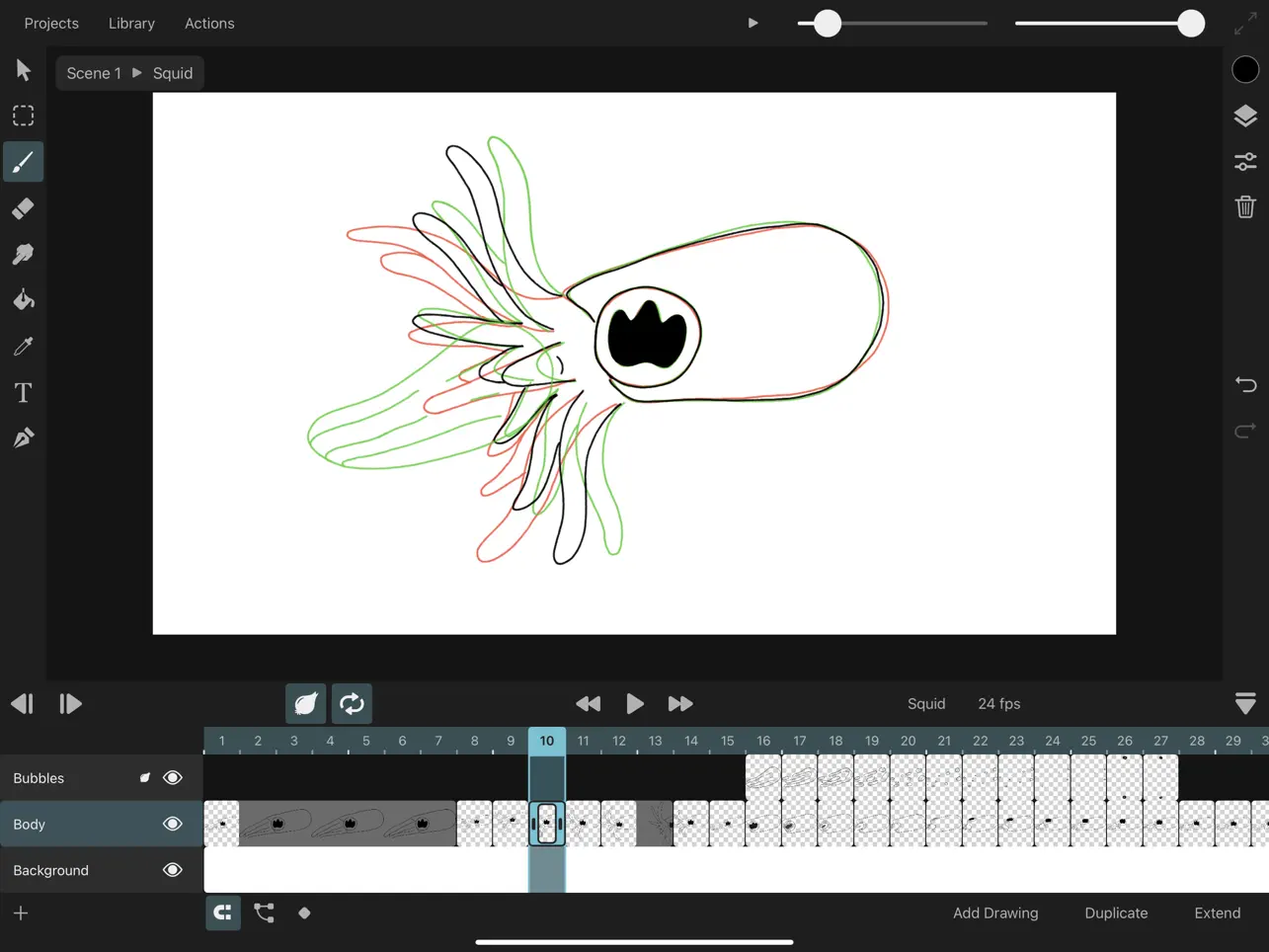
Traditional Animation
- Create hand-drawn frame-by-frame animations
- Control how long you want to show each drawing in the timeline
- Draw in resolutions of up to 4k
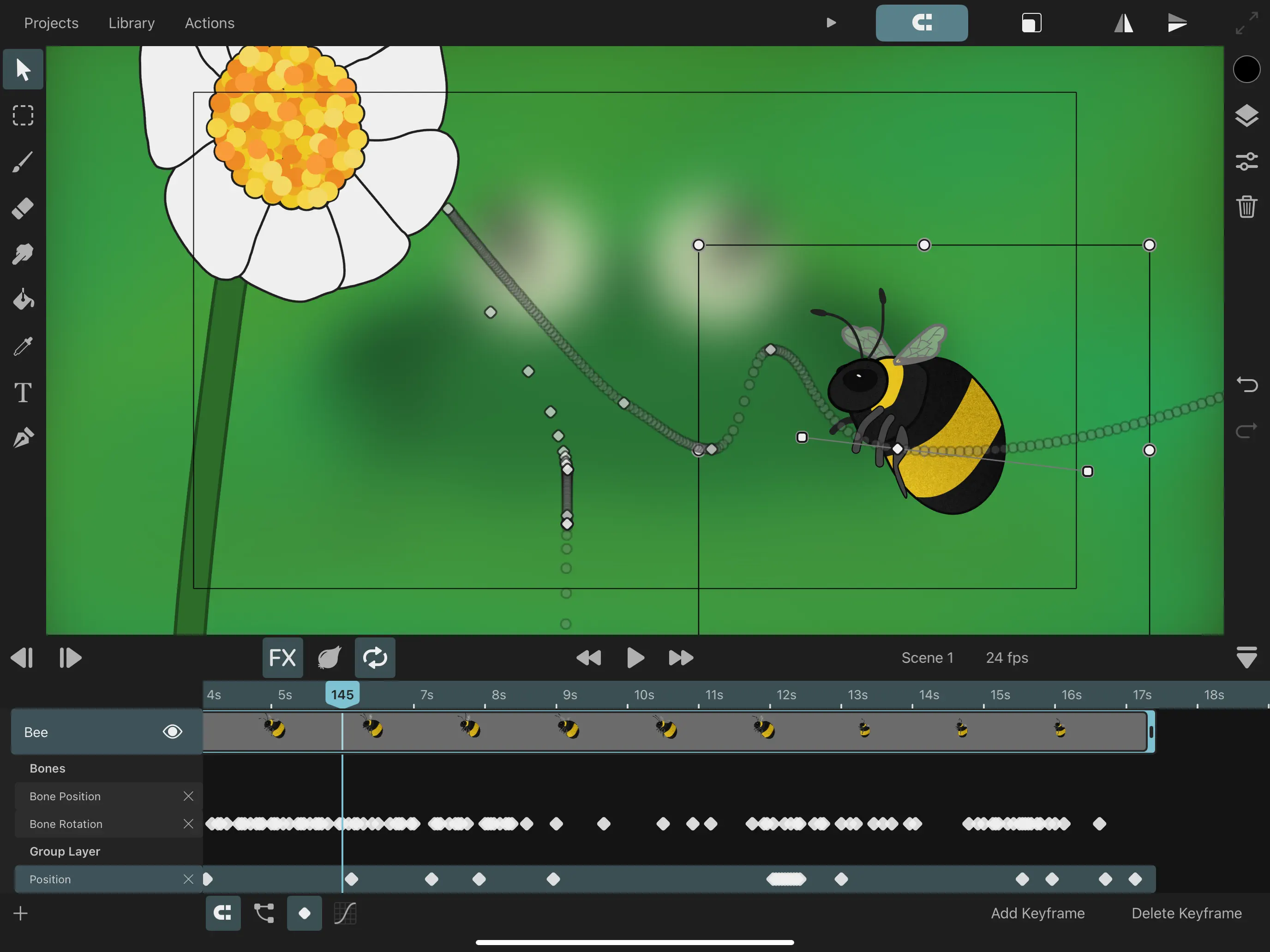
Keyframe Animation
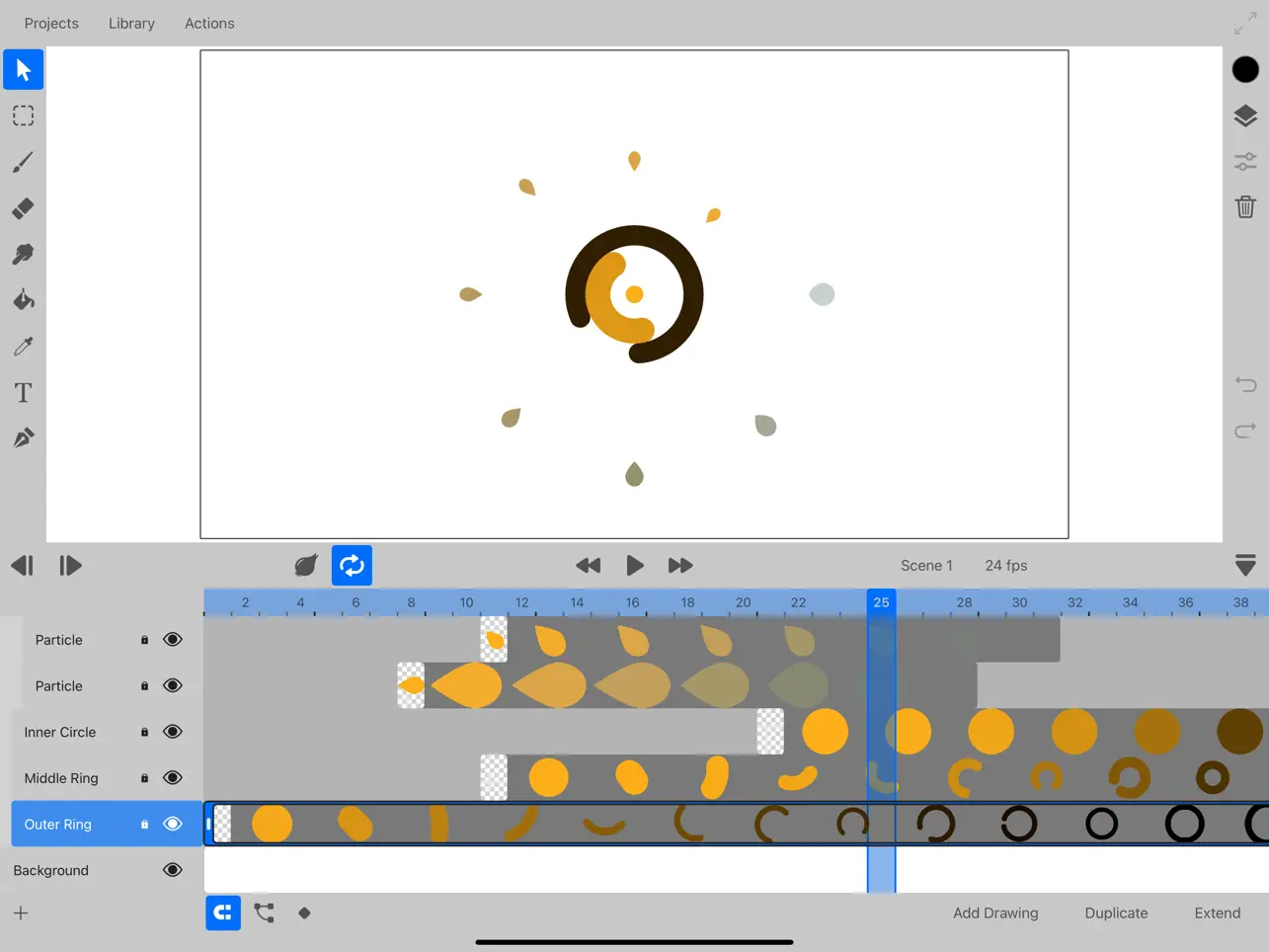
- Add keyframes to automatically animate layer and effects properties over time
- Choose from an extensive list of customizable easing curve presets to create organic motion between keyframes
- Easily loop your keyframe animation
Powerful Layer System
- Define the order and length of each element in your animation using layers and drawings and a flexible timeline
- Organize your layers into groups for a clean workflow or to animate multiple layers at once
- Use the camera layer to quickly define the visible portion of your animation in the export
- Mask layers to other layers, even when their contents are animated
- Choose from 27 industry-standard layer blend modes for beautiful compositing effects
Fully-customizable Brushes
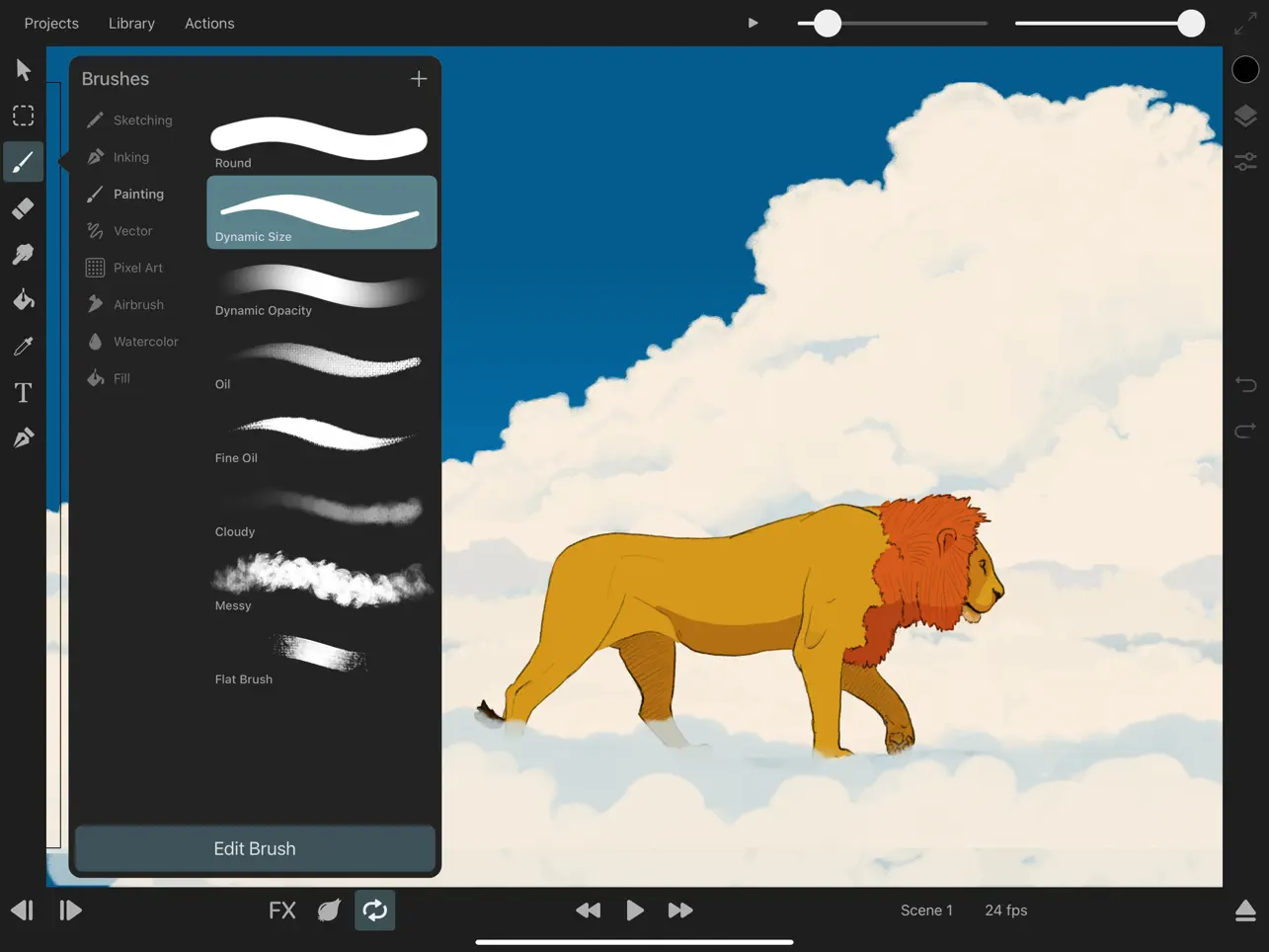
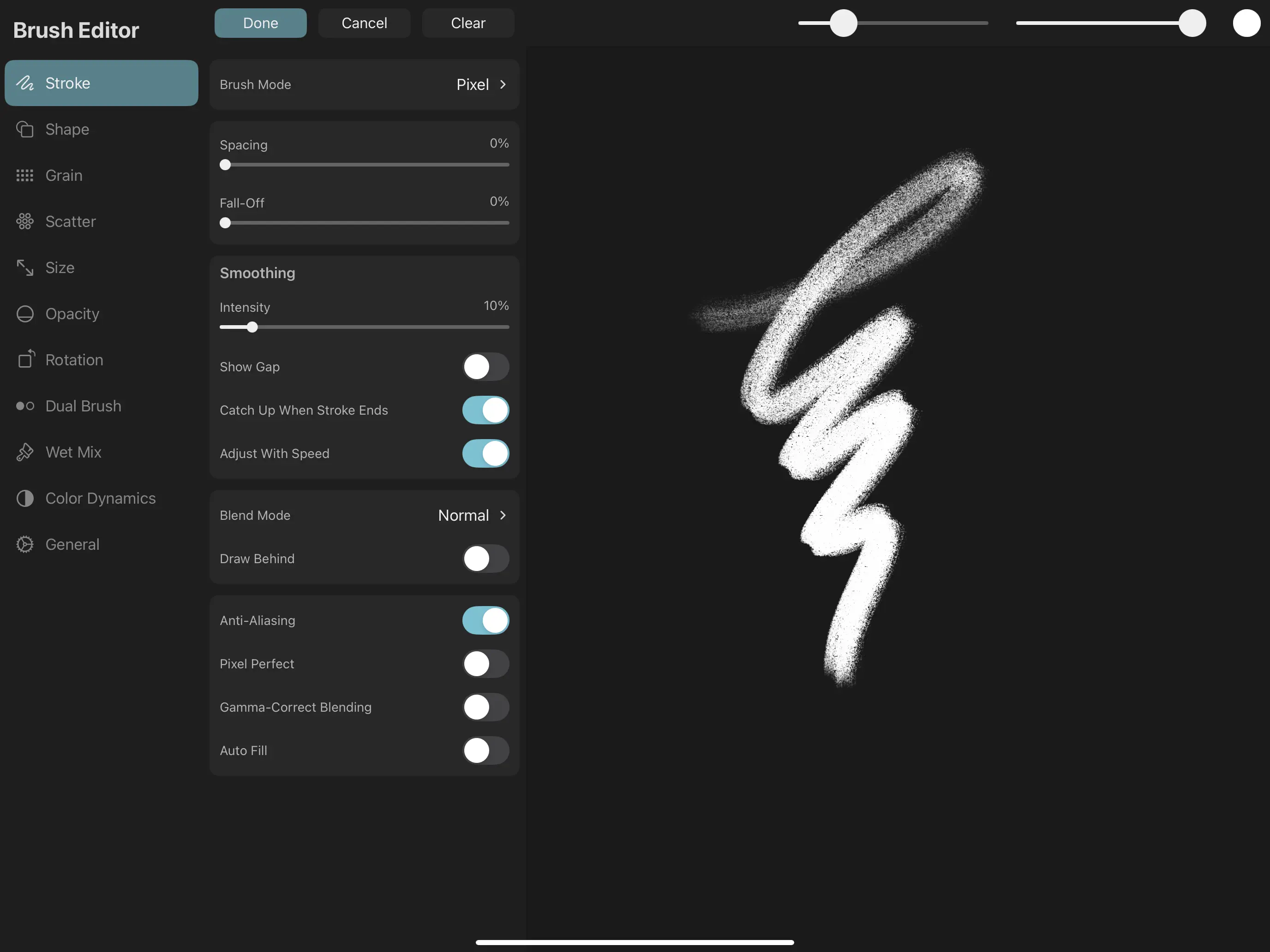
- Draw gorgeous brush strokes with ToonSquid's state-of-the-art digital brush engine
- Take full advantage of Apple Pencil's pressure and tilt sensitivity and the iPad Pro's 120Hz display for lag-free drawing
- Use vector brushes to create brush strokes that are sharp at every zoom level
- Edit the 60+ brush settings and import custom textures to create a brush library that is perfectly tailored to your art style
- Blend your strokes together using the smudge tool
- Draw in a variety of styles such as sketching, inking, wet mixing, pixel art, and more
- Export and share your custom brushes with others
- Import your existing library of Adobe® Photoshop® brushes
Vector Shapes
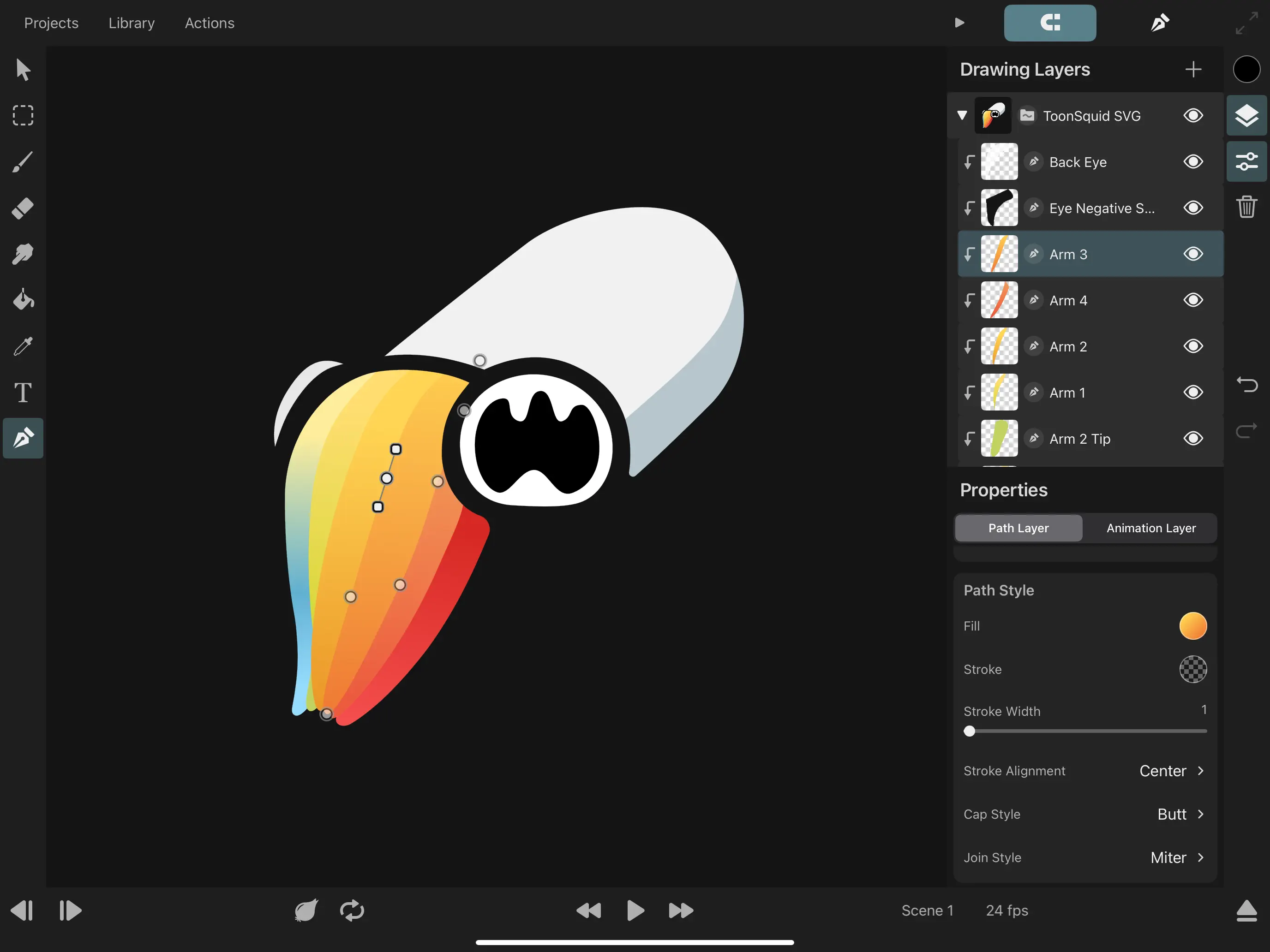
- Create custom shapes using the path tool by placing and editing each curve control point
- Quickly add common vector shapes from the shape library
- Import SVG files
- Fill and stroke your shapes with beautiful gradients and edit them directly on the canvas
- Animate the visible length of a path using its trim properties
Animatable Effects
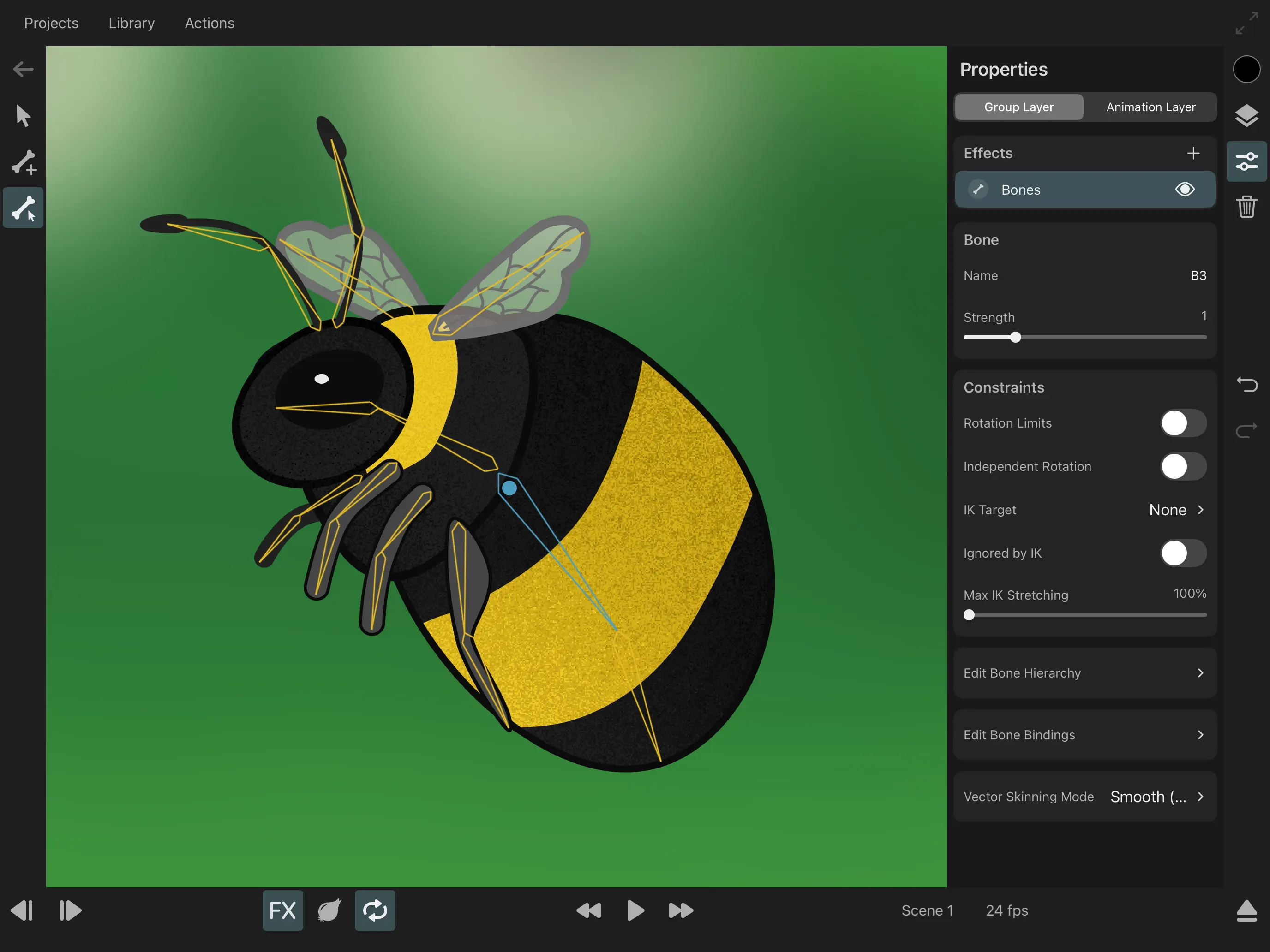
- Create character rigs using bones and add inverse kinematics constraints
- Create custom meshes to deform pixel layers when they are part of a bone rig
- Animate perspective and warp effects
- Apply adjustments, blur, pixelation, drop shadow, chroma key, halftone, parallax and more effects
Efficient symbol workflow
- Split your animation into separate clips that you can then reuse multiple times using symbols
- Make edits to an animation clip and immediately see the changes in all of its symbol instances
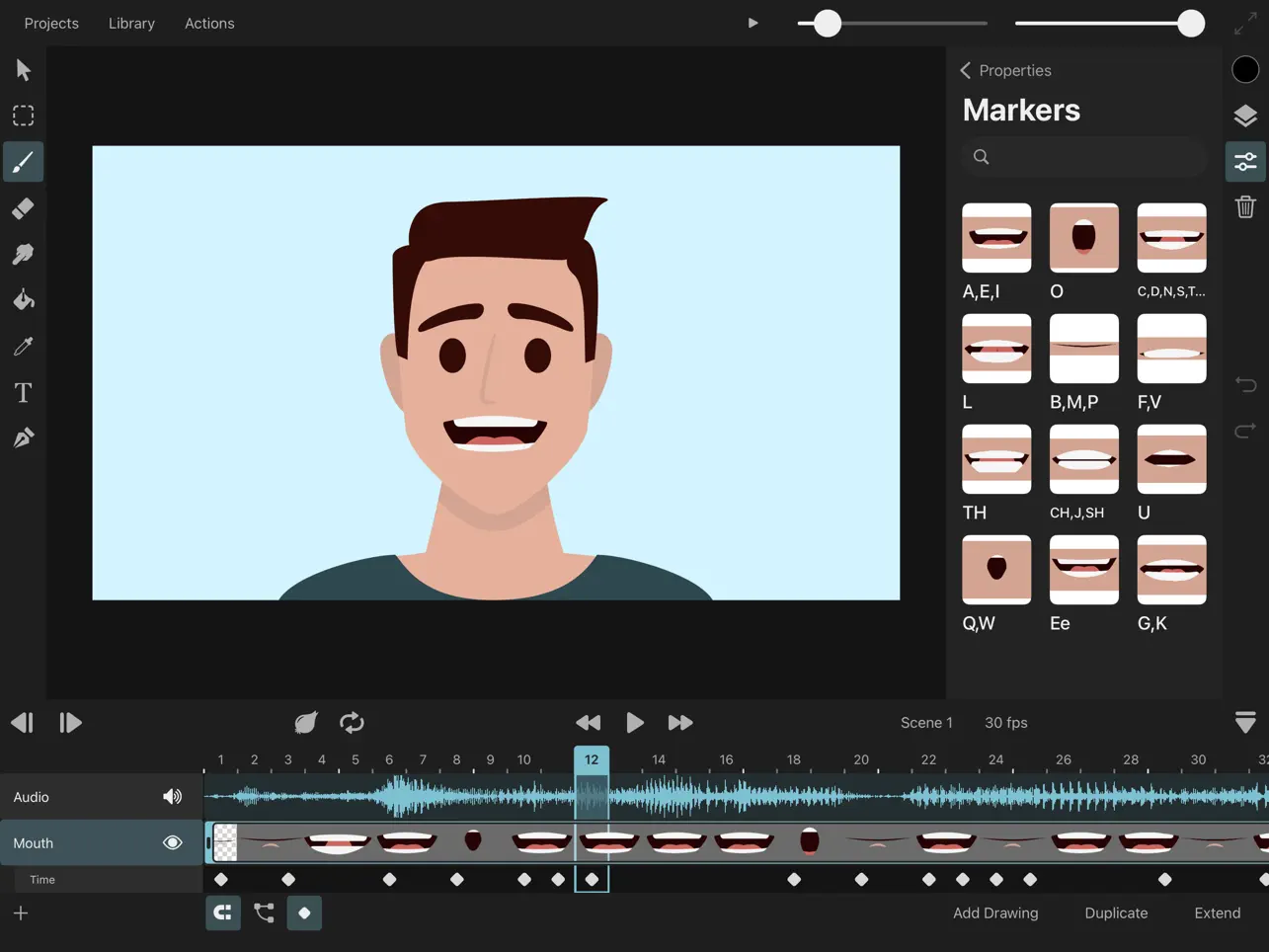
- Use frame markers to speed up your lip-syncing workflow
Text
- Add text layers and animate their appearance
- Import your favorite fonts
Color
- Use ToonSquid's powerful color picker with plenty of different interfaces to choose the exact colors you need
- Create custom color palettes and share them outside the application
- Pick colors straight from the canvas using the pipette tool
- Fill connected regions quickly with the fill tool
Audio and Video
- Add audio clips to your timeline and perform lip-syncing animations
- Import videos, GIFs and images into your project and work with them through symbols
Transform
- Animate a layer's position, rotation and scale properties using keyframes
- Build transform hierarchies to achieve more advanced movements
- Edit your layer's motion path directly on the canvas
Numerous Export Formats
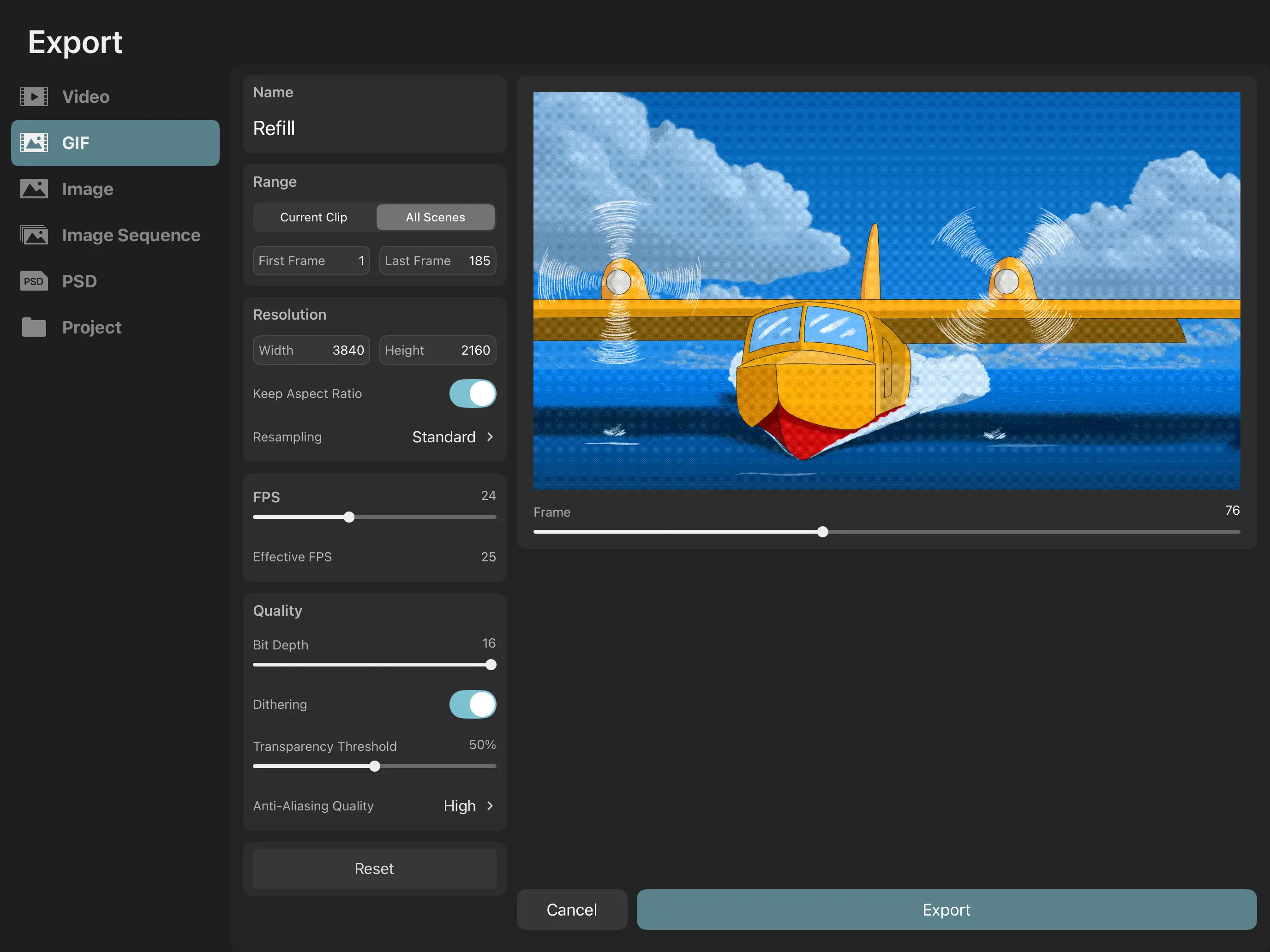
- Export your work in one of many common file formats such as MP4, MOV, GIF, PNG, JPEG, PSD, and more.
Ad
Capturi de ecran

Istoricul prețurilor
- Azi: $9.99
- Minim: $9.99
- Maxim: $9.99
Urmăriți prețurile
Informații suplimentare
- Data lansării:
- Categorie:
iOS Aplicații›Grafică și design - SO:
iPad,iOS 15.0 sau o versiune ulterioară - Mărimea:
47 Mb - Limbă acceptată:
Chinese,English - Evaluarea conținutului:
4+ - App Store Evaluare:
4.6(1,103) - Website:
 https://toonsquid.com
Dezvoltator
- Keiwan Donyagard
- Platforme: Android Aplicații (1) Android Jocuri (2) iOS Aplicații (2) iOS Jocuri (1)
- Liste: 3 + 6
- Punctele: 6 + 20,252 ¡
- Clasificări: 0
- Comentarii: 0
- Reduceri: 0
- Videoclipuri: 1
- RSS: Abonează-te
Liste (3)
- ToonSquid


Punctele (5)
-

- 17,373 cahiba7911@agenra.com
- +1
-
- 1 Егор
- +1
-
- 512 expat4i
- +1
-
- 69 1
- +1
-
- 23 Edu App Store
- +1



Clasificări (0)
0 ☹️
Comentarii (0)
Fii primul care comentează 🌟
«ToonSquid». Platforma: iOS. Categorie: Grafică și design. Dezvoltator: «Keiwan Donyagard». Prima lansare: . Ultima actualizare: . Prețul actual: $9.99. Cel mai mic preț înregistrat: $9.99. Cel mai mare preț înregistrat: $9.99. Acest titlu nu a primit încă evaluări sau recenzii pe AppAgg. Liste: publice 3, private 6. Puncte urmărite: confirmate 5, indirecte 1,103. Magazin: App Store. Evaluare magazin: 4.6. Voturi: 1,103. Limbi disponibile: Chinese, English. AppAgg urmărește istoricul prețurilor, evaluările și feedbackul utilizatorilor pentru «ToonSquid». Urmăriți reducerile și actualizările viitoare prin RSS. AppAgg nu găzduiește aplicații și nu distribuie software. Toate mărcile comerciale, siglele și capturile de ecran aparțin proprietarilor respectivi.
ToonSquid Adresă URL scurtă: Copiate!- 🌟 Trimite
- App Store
Similare
-
- Toon Avatar Generator: AiShots
- iOS Aplicații: Grafică și design De: Turgay Saba
- * Gratuit
- Liste: 1 + 0 0 0
- Punctele: 2 + 11 (5.0) Versiune: 1.0.37 Transform your ordinary photos into extraordinary digital art with our revolutionary AI-powered avatar generator. Experience the magic of cutting-edge artificial intelligence as you ... ⥯
-
- Toon Pro : Figure Polaroid AI
- iOS Aplicații: Grafică și design De: maile
- * Gratuit
- Liste: 0 + 0 0 0
- Punctele: 0 + 7 (2.1) Versiune: 1.2.8 Ever dreamed of seeing yourself as an action figure or in dreamy anime-style art? Now you can! Our AI transforms your selfies, pet photos, or everyday shots into either realistic ... ⥯
-
- Cartoon Yourself: Toon
- iOS Aplicații: Grafică și design De: Zoltani Hunor
- * Gratuit
- Liste: 0 + 0 0 0
- Punctele: 0 + 0 Versiune: 1.1.0 Cartoon Yourself: Toon is the ultimate AI-powered photo transformation app that brings your selfies to life in cinematic anime and cartoon styles. Whether you're a fan of peaceful ... ⥯
-
- Watermark Photo.s: Toon Maker
- iOS Aplicații: Grafică și design De: Vijay Hirpara
- Gratuit
- Liste: 0 + 0 0 0
- Punctele: 0 + 1 (1.0) Versiune: 1.1 Transform your photos into magical Trending-style art with Toon Maker: Toon Maker! Bring your memories to life with a touch of magic. Using cutting-edge technology, this app allows you ⥯
-
- Clone AI : Hug, Mermaid, Toon
- iOS Aplicații: Grafică și design De: ZMOTIONAI PTE. LTD.
- Gratuit
- Liste: 0 + 0 0 0
- Punctele: 0 + 92 (3.9) Versiune: 1.0.8 Clone AI: Duet AI Retro Photos Clone AI is your ultimate app for transforming photos with AI-powered style synthesis. AI Photos with Friends, We Look Cute Clone AI is your ultimate app ⥯
-
- WhimsyMagic: Toon Yourself
- iOS Aplicații: Grafică și design De: RaySaar Technologies FZE-LLC
- * Gratuit
- Liste: 0 + 0 0 0
- Punctele: 0 + 0 Versiune: 1.4 Transform your photos into stunning anime-style portraits with just one tap. Ever imagined what you d look like in a whimsical, hand-drawn world? WhimsyMagic turns your selfies, pet ... ⥯
-
- AI Logo Creator: Logo Maker
- iOS Aplicații: Grafică și design De: TOON TECH LTD
- * Gratuit
- Liste: 0 + 0 0 0
- Punctele: 2 + 32 (4.4) Versiune: 1.2.0 An AI logo maker is an innovative tool that allows businesses, creators, and individuals to design professional logos quickly and efficiently, without needing advanced design skills. ... ⥯
-
- RoughAnimator - animation app
- iOS Aplicații: Grafică și design De: Jacob KAFKA
- $7.99
- Liste: 5 + 4 0 0
- Punctele: 1 + 2,798 (4.6) Versiune: 4.23 A fully featured hand drawn animation application for iPad. Made by an animator, for animators. Powerful enough for professionals, simple enough for beginners. Everything you need to ... ⥯
-
- OpenVideo - AI Video Generator
- iOS Aplicații: Grafică și design De: 88 Tech
- Gratuit
- Liste: 0 + 0 0 0
- Punctele: 2 + 4,785 (4.3) Versiune: 2.13.0 Turn words into videos instantly. OpenVideo lets you create high-quality, visually stunning videos from simple text using advanced AI. No editing skills? No problem. Just describe your ⥯
-
- Photo Fixer & Restore: Goru AI
- iOS Aplicații: Grafică și design De: RAY INFORMATICS YAZILIM TEKNOLOJI MEDYA DANISMANLIK VE EGITIM TICARET LIMITED SIRKETI
- Gratuit
- Liste: 0 + 0 0 0
- Punctele: 7 + 215 (4.4) Versiune: 1.7.5 Photo Fixer & Restore: Goru AI The Ultimate Photo Fixer & Quality Enhancer: Unblur, Enhance, Restore, and Upscale Your Photos with a Single Tap! Transform your memories into clear, ... ⥯
-
- Luna AI: AI Art Generator
- iOS Aplicații: Grafică și design De: 钰涵 王
- Gratuit
- Liste: 0 + 0 0 0
- Punctele: 2 + 15 (3.7) Versiune: 2.4.2 Welcome to Luna AI: AI Artwork Generator! Transform your photos into captivating avatars with our AI-powered Luna AI app! Choose from a wide range of fantastical characters, be it a ... ⥯
-
- PixArt: AI Photo Generator
- iOS Aplicații: Grafică și design De: Technify Group Limited
- Gratuit
- Liste: 0 + 0 0 0
- Punctele: 2 + 28 (4.9) Versiune: 1.1.5 Turn your photos into stunning digital art with PixArt! Whether you're looking for a cartoon, anime, or stylized portrait, our intelligent engine makes it fast and effortless - no ... ⥯
-
- Feather: Draw in 3D
- iOS Aplicații: Grafică și design De: Sketchsoft Inc.
- $14.99
- Liste: 1 + 1 0 0
- Punctele: 2 + 75 (4.1) Versiune: 1.3.4 Feather is a next-generation 3D drawing application built for professional designers, visionary artists, and you. Bring your imagination to life with versatile 3D brushes redesigned ... ⥯
-
- Cartoon Caricature Blend Pic
- iOS Aplicații: Grafică și design De: Jyoti Yadav
- Gratuit
- Liste: 0 + 0 0 0
- Punctele: 1 + 14 (2.9) Versiune: 2.1 Turn your portraits into amazing caricatures with the best caricature maker app. Our Caricature Photo Frame FX is the best free caricature maker app. Cartoon yourself and personalize ... ⥯