
| Programista: | ibis inc. (8) | ||
| Cena: | * Bezpłatny | ||
| Rankingi: | 0 | ||
| Opinie: | 0 Napisać recenzję | ||
| Komentarze: | 0 Opublikuj komentarz | ||
| Listy: | 4 + 3 | ||
| Punkty: | 13 + 268,621 (4.7) ¡ | ||
| App Store | |||
Opis

*YouTube channel
Many tutorial videos on ibis Paint are uploaded to our YouTube channel.
Subscribe it!
https://youtube.com/ibisPaint
*Concept/Features
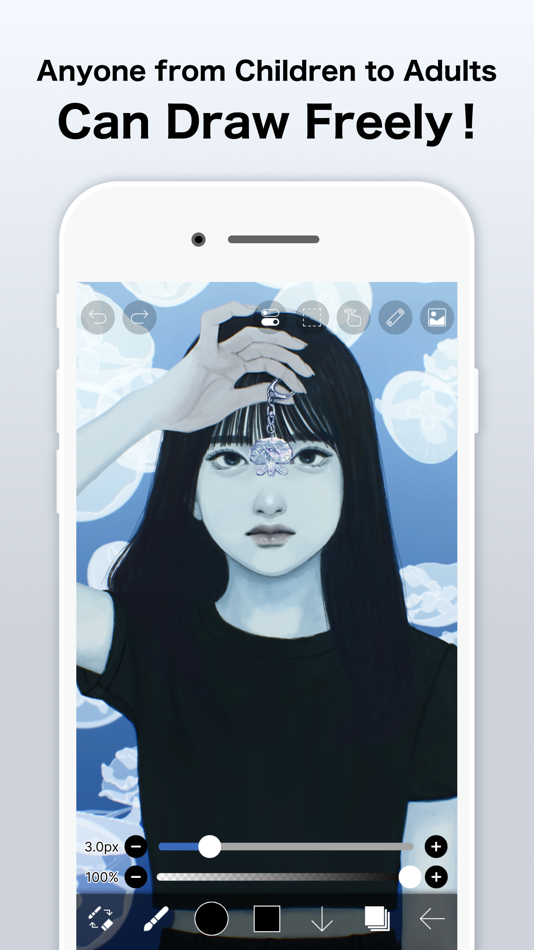
- A Highly functional and professional features surpassing that of desktop drawing apps.
- Smooth and comfortable drawing experience realized by OpenGL technology.
- Recording your drawing process as a video.
- SNS feature where you can learn drawing techniques from other users' drawing process videos.
*Feedback from users
We receive many good reputations from users.
- I could have never assumed that I can draw such a beautiful drawings on smartphones!
- Easiest to use among all drawing apps!
- I have learned how to draw digital drawings without Mac or PC!
*Features
ibis Paint has high functionality as a drawing app along with features of sharing drawing processes with other users.
[Brush Features]
- Smooth drawing at up to 120 fps.
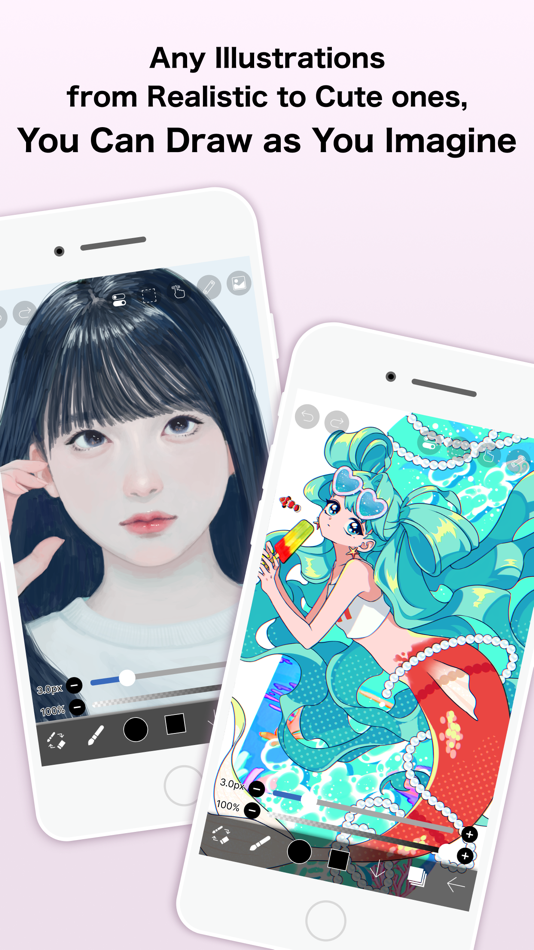
- Over 47000 kinds of brushes including dip pens, felt tip pens, digital pens, air brushes, fan brushes, flat brushes, pencils, oil brushes, charcoal brushes, crayons and stamps.
[Layer Features]
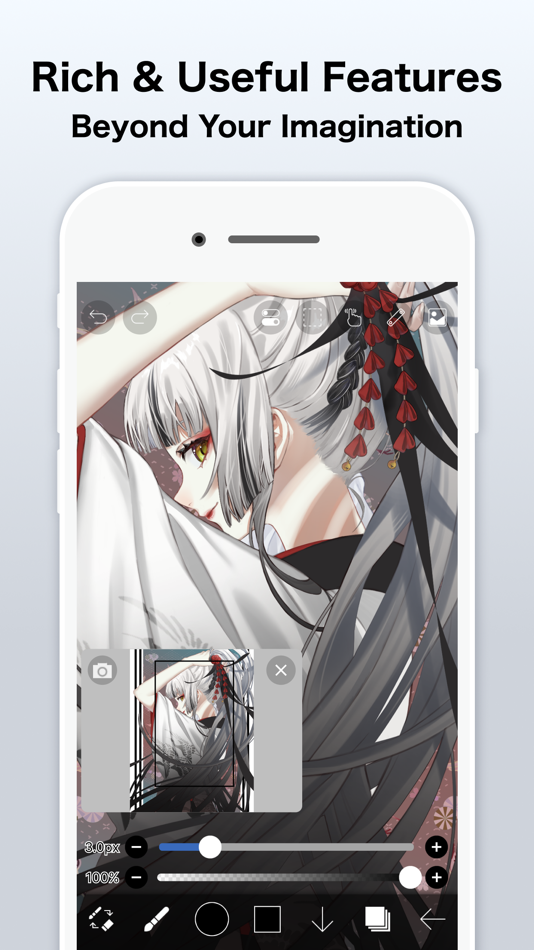
- You can add layers as many as you need with no limit.
- Layer parameters that can be set to each layers individually such as layer opacity, alpha blending, adding, subtracting, and multiplying.
- A handy clipping feature for clipping images, etc.
- Various layer commands such as layer duplication, import from the photo library, horizontal inversion, vertical inversion, layer rotation, layer moving, and zooming in/out.
- A feature for setting layer names to distinguish different layers.
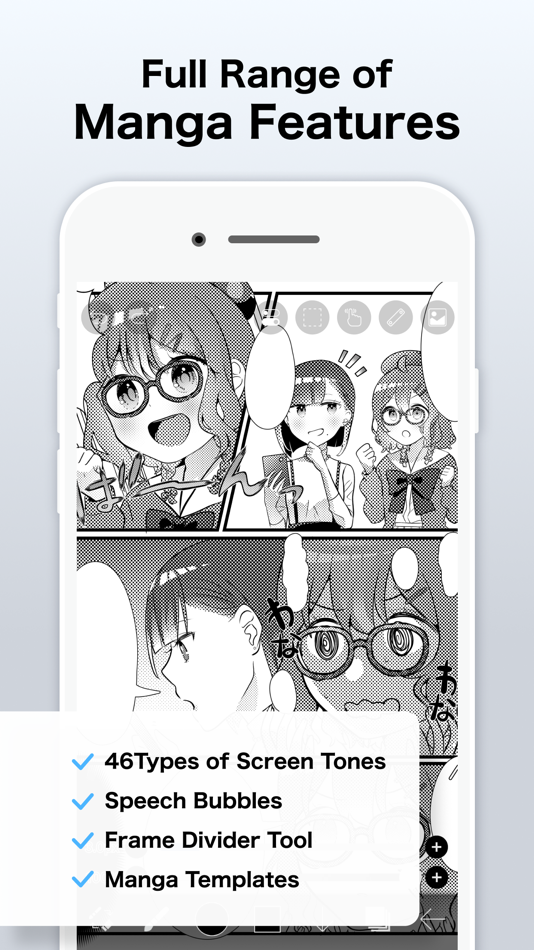
[Manga Features]
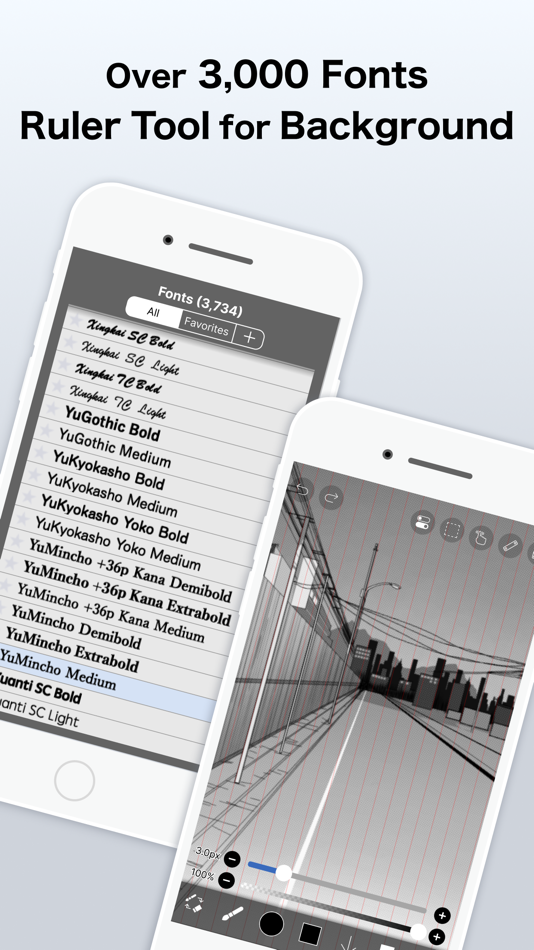
- Advanced text tool function featuring Vertical, Horizontal, Stroke, Font select, and Multiple text functions.
*About ibis Paint purchase plan
The following purchase plans are available for ibis Paint:
- ibis Paint X (free version)
- ibis Paint (paid version)
- Ad Removal Upgrade
- Premium Membership (Monthly plan / Yearly plan)
There is no difference in features other than the presence or absence of advertisements for the paid version and the free version.
If you purchase the Ad Removal Upgrade, the ads will not be displayed and there will be no difference from the paid version of ibis Paint.
In order to use more advanced functions, the following Premium Membership (Monthly plan / Yearly plan) contracts are required.
[Premium Membership]
A premium member can use the premium features. Only for the first time, a 7-day or 1-month free trial is available. Premium membership entitles you to the following features.
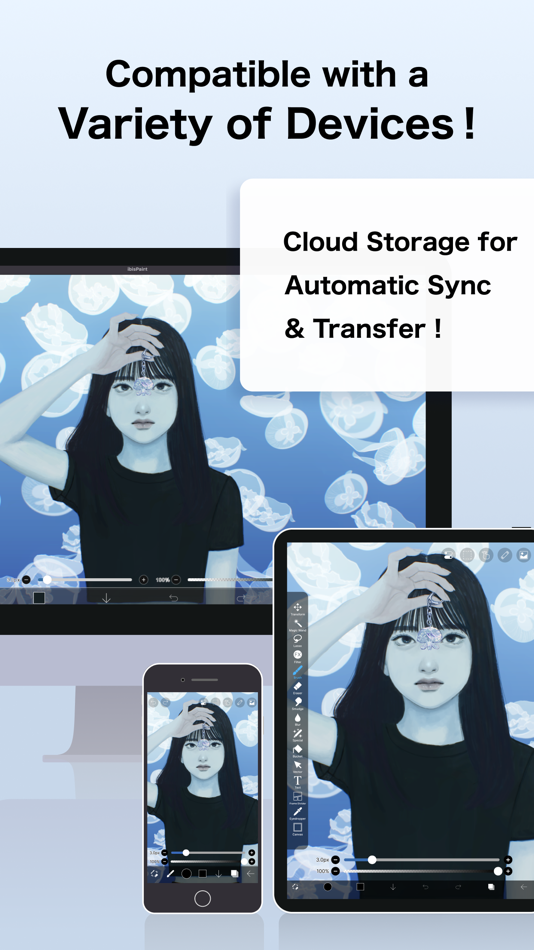
- 20GB of cloud storage capacity
- Vector tool(*1)
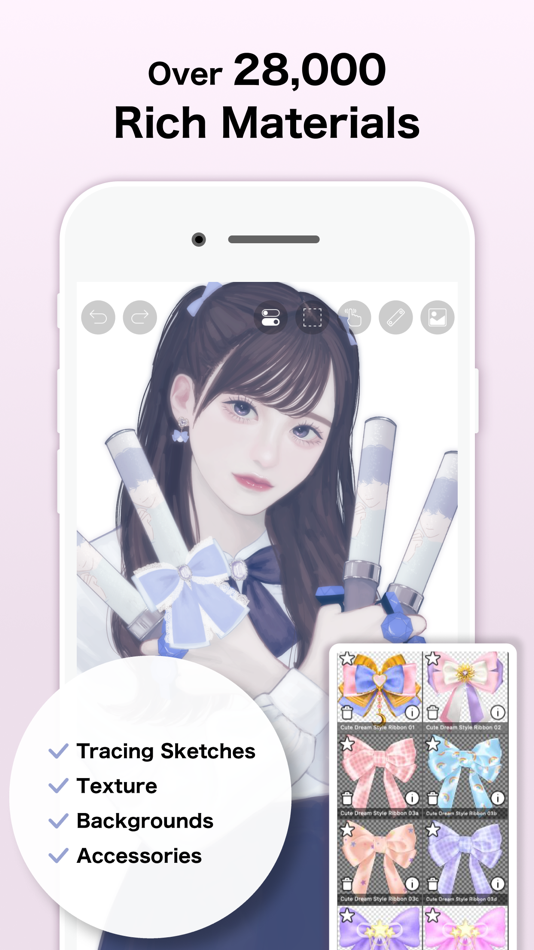
- Premium Materials
- Premium Canvas Papers
- Premium Fonts
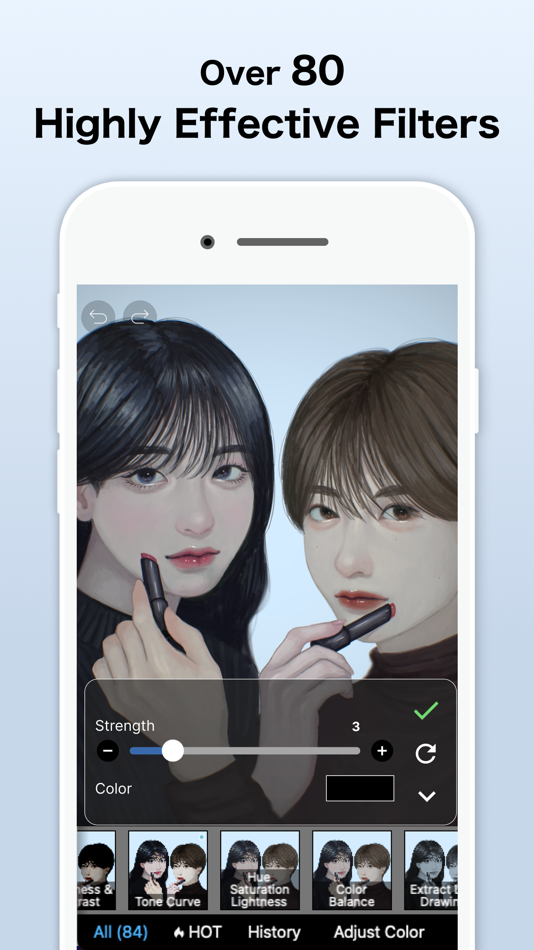
- Tone Curve filter
- Gradation Map filter
- Levels Adjustment filter
- Premium Adjustment Layers
- Surrounding Fill・Surrounding Eraser
- AI Disturbance
- Artwork folder feature
- Import original brush patterns
- Remove watermark from videos
- No advertisements displayed
- Plus many other features exclusive to Premium Membership!
(*1) You can try it for free for up to 1 hour per day.
* After you become a Premium Membership with a free trial, renewal fee will be charged automatically unless you cancel your Premium Membership at least 24 hours before the end of the free trial period.
* We will add premium features in future, please look out for them.
*Questions and support
Questions and bug reports in reviews will not be responded to, so please contact ibis Paint support.
https://ssl.ibis.ne.jp/en/support/Entry?svid=25
*ibisPaint's terms of service
https://ibispaint.com/agreement.jsp
Ad
Zrzuty ekranu


Historia cen
-
* Zakupy w aplikacji - Dziś: Bezpłatny
- Minimalna: Bezpłatny
- Maksymalna: Bezpłatny
Monitoruj ceny
Nowości
- Wersja: 14.0.0
- Zaktualizowano:
- Thank you for using ibisPaint X!
The summary of this update is as follows.
[New Features]
- You can now create and name multiple color palettes for easier management.
- Added a feature to share color palettes via QR code.
- Brushes in the "Basic" tab of the Brush window are now organized by category.
- Added support for selecting CMYK colors when saving artwork as a JPEG or flattened layer PSD file.
- Added support for selecting grayscale (8bit) color space when saving artwork as a PNG or JPEG file.
- Added support for selecting binary (1bit) color space when saving artwork as an opaque PNG file.
- Added "Speech Bubble" to the Shape tool.
- Added "Thin Arrow" to the Shape tool.
- You can now adjust the position, shape, and other properties of a shape before finalizing it in the Shape tool.
- Added an "Anti-aliasing" option available when "Fill" is enabled in the Shape Tool. When turned on, it smooths the edges of the filled area.
- Added "Draw Line by Brush" to the Shape tool settings.
- Added new special pens: “Parallel Gradation Pen” and “Concentric Gradation Pen”.
- Added knobs to move the start and end points of the gradation in “Parallel Gradation” and "Concentric Gradation".
- Added "Transparent-Current Color" to preset of gradation slider.
- Added new parameter “Extension Method” to “Parallel Gradation” and "Concentric Gradation”.
- For iPad, added the floating view of the Color window.
- Added a graph to the "Dynamic" tab of each brush setting to customize the response of size and opacity to pen pressure.
- Added a Brush Lock feature. You can access it via the lock icon located in the top-right corner of each brush's settings screen.
- Added the Brush Cursor feature. When using a stylus with hover support, you can now display the brush pattern on the screen while hovering. To enable this, go to the "Stylus" section in the Settings window and select "Brush Pattern" under "Brush Cursor while Hovering."
- Added "Lasso Selection" feature to the Vector tool, Text tool, and Frame Divider tool.
- Some filters in the "Art," "Pixelate," and "Transform" categories can now be used as adjustment layers.
- Significantly expanded keyboard shortcuts. Press "Shift + /" to view the list and customize assignments.
- Added a Layer Lock feature. You can toggle the lock via the menu accessed through the "⋮" button in the Layer window.
[Improvements, Changes]
- Remade the Blending Modes “Hue”, "Saturation", and "Color" to be more compatible with other companies' products.
- Remade the Blending Modes “Hard Mix" and "Vivid Light" to be more compatible with other companies' products.
- You can now save an artwork as a flattened layer PSD file via the File menu.
- In My Gallery, saving your artwork as a PSD file is now done via the "Save Image" menu.
- You can now apply AI Super-resolution x2 and/or AI Disturbance when saving your artwork as a flattened layer PSD file.
- You can now scroll by dragging the scroll bar.
- Several windows have been redesigned.
- Improved the performance while the Floating Layer window is displayed.
- Renamed "Drawing tool" to "Shape tool".
- Shape tool settings are now saved individually for each shape.
- You can now change the number using the up/down arrow keys or Shift + up/down arrow keys while the Numeric Input window is displayed.
- You can now reorder colors in the color palette.
- Changed the animation when the Floating Layer window disappears.
- Added new brushes "Impasto Brush", "Ink Bleed Pen", "Sketch Pencil", "Textured Marker (Square)", "Textured Marker (Rectangle)", "Canvas Brush", "Matte Pastel" and "Expressive Pastel".
- Renamed subscription "Prime Membership" to "Premium Membership" in English and replaced all other instances of "Prime" with "Premium." Updated other languages accordingly to translate from "Premium."
- Renamed the in-app purchase item "Remove Ads Add-on" to "Ad Removal Upgrade."
etc.
For more details, see: https://ibispaint.com/historyAndRights.jsp?newsID=256373832
Komentarze (0)
Skomentuj jako pierwszy 🌟
Programista
- ibis inc.
- Platformy: Android Aplikacje (3) iOS Aplikacje (3) macOS Aplikacje (1) Windows Aplikacje (1)
- Listy: 15 + 7
- Punkty: 42 + 3,175,834 ¡
- Rankingi: 1 (1)
- Opinie: 0
- Komentarze: 0
- Zniżki: 0
- Filmy: 2
- RSS: Subskrybuj
Punkty (13)
-

- 29,676 Lance Eliakim Sotto
- +1
-
- 2 Никита Ков
- +1
-
- 189 Lene Plöger Sørensen
- +1
-
- 1 Yasha Pur
- +1
-
- 1 Халиков Кирилл
- +1
-
- 1 james
- +1




Rankingi (0)
0 ☹️
Listy (4)
- ibis Paint X


Opinie (0)
Bądź pierwszą osobą, która napisze recenzję 🌟
Dodatkowe informacje
- Wersja: 14.0.0
- Kategoria:
iOS Aplikacje›Graphics & Design - System operacyjny:
iPad,iPhone,iOS 15.0 i nowsze - Rozmiar:
111 Mb - Obsługiwany język:
Arabic,Chinese,Dutch,English,French,German,Hebrew,Hindi,Indonesian,Italian,Japanese,Korean,Portuguese,Russian,Spanish,Thai,Turkish,Vietnamese - Ocena treści:
12+ - App Store Ocena:
4.7(268,621) - Zaktualizowano:
- Data wydania:
Kontakty
- Witryna internetowa:
 https://ibispaint.com/
«ibis Paint X». Platforma: iOS. Kategoria: Graphics & Design. Deweloper: «ibis inc.». Pierwsze wydanie: . Ostatnia aktualizacja: . Aktualna cena: bezpłatnie. Ten tytuł nie otrzymał jeszcze ocen ani recenzji w serwisie AppAgg. Listy: publiczne 4, prywatne 3. Śledzone punkty: potwierdzone 13, pośrednie 268,621. Sklep: App Store. Ocena sklepu: 4.7. Głosy: 268,621. Dostępne języki: Arabic, Chinese, Dutch, English, French, German, Hebrew, Hindi, Indonesian, Italian, Japanese, Korean, Portuguese, Russian, Spanish, Thai, Turkish, Vietnamese. AppAgg śledzi historię cen, oceny i opinie użytkowników «ibis Paint X». Śledź przyszłe rabaty i aktualizacje za pośrednictwem RSS. AppAgg nie hostuje aplikacji ani nie dystrybuuje oprogramowania. Wszystkie znaki towarowe, logo i zrzuty ekranu należą do ich odpowiednich właścicieli.
ibis Paint X Krótki URL: Skopiowano!- 🌟 Udostępnij
- App Store
Ad
Podobne
-
- ibis Paint
- iOS Aplikacje: Graphics & Design Przez: ibis inc.
- * $15.99
- Listy: 6 + 2 Rankingi: 0 Opinie: 0
- Punkty: 3 + 3,780 (4.7) 0 Wersja: 14.0.0 This app is an ad-removed version of ibisPaint X. An additional in-app purchase for Premium Membership is required to unlock all features, in which case it is cheaper to download ... ⥯
-
- Paint App: Trace & AR Draw
- iOS Aplikacje: Graphics & Design Przez: QUYEN NGUYEN
- Bezpłatny
- Listy: 0 + 0 Rankingi: 0 Opinie: 0
- Punkty: 1 + 309 (4.6) 0 Wersja: 1.4.1 Paint App: Trace & AR Draw Paint App: Trace & AR Draw is a creative application that lets you explore your artistic potential through augmented reality (AR) technology. Packed with ... ⥯
-
- Paint AI - Color Visualizer
- iOS Aplikacje: Graphics & Design Przez: REIMAGE AI INC.
- Bezpłatny
- Listy: 1 + 0 Rankingi: 0 Opinie: 0
- Punkty: 1 + 1,226 (4.3) 0 Wersja: 1.4.7 Transform Your Space with Paint AI Discover the easiest and most innovative way to choose the perfect paint colors for your home with Paint AI, the cutting-edge app that brings your ... ⥯
-
- Paint the world - color by num
- iOS Aplikacje: Graphics & Design Przez: CHERNYE MEDVEDI, OOO
- Bezpłatny
- Listy: 1 + 0 Rankingi: 0 Opinie: 0
- Punkty: 0 + 0 0 Wersja: 1.0 Pixel game Paint by Number. Play for Free! Paint the world - pixel paint by number game. Here you will find a lot of pictures for coloring. Painting has never been so simple and fun. ... ⥯
-
- Paint - Draw & Sketch
- iOS Aplikacje: Graphics & Design Przez: abedalkareem omreyh
- $0.49
- Listy: 0 + 0 Rankingi: 0 Opinie: 0
- Punkty: 0 + 6 (4.3) 0 Wersja: 1.2 The smallest portable canvas on the Earth! A Revolutionary Drawing and Painting Experience on Your Apple Watch! Unleash your artistic side with Paint, the ultimate paint and drawing ... ⥯
-
- Paint Codex
- iOS Aplikacje: Graphics & Design Przez: Mitch Zavala
- * Bezpłatny
- Listy: 0 + 0 Rankingi: 0 Opinie: 0
- Punkty: 0 + 7 (5.0) 0 Wersja: 2.0.1 Paint Codex, by Battle Servo Studios, is your all-in-one companion for miniature and model painters from weekend hobbyists to professional commission artists. Document every step of ... ⥯
-
- Paint Preview
- iOS Aplikacje: Graphics & Design Przez: Henrique Bersani
- Bezpłatny
- Listy: 0 + 0 Rankingi: 0 Opinie: 0
- Punkty: 0 + 15 (4.4) 0 Wersja: 2.0 Paint Preview lets you change the color of any object in any image before making a real-world decision. Upload a photo, describe what you want to paint, select a color, and see a ... ⥯
-
- Paint X - drawing app
- iOS Aplikacje: Graphics & Design Przez: 朝霞 彭
- Bezpłatny
- Listy: 0 + 0 Rankingi: 0 Opinie: 0
- Punkty: 0 + 319 (4.5) 0 Wersja: 2.3 Paint X is an easy to get fun and rich hand drawn drawing software. In addition to drawing, it can also be used for coloring, sketching, and graffiti. A colorful brush, fun and ... ⥯
-
- Paint Diary
- iOS Aplikacje: Graphics & Design Przez: hintclick.com
- Bezpłatny
- Listy: 0 + 0 Rankingi: 0 Opinie: 0
- Punkty: 0 + 0 0 Wersja: 1.3 Paint Diary provied a rich pallete ,different brush types,an eraserr and a lasso selection tool. Enjoy drowing diary! Best app for you. ⥯
-
- Paint Chips Color Palette Tool
- iOS Aplikacje: Graphics & Design Przez: SWEETWATER LABS LLC
- Bezpłatny
- Listy: 0 + 0 Rankingi: 0 Opinie: 0
- Punkty: 0 + 9 (4.6) 0 Wersja: 2.0.1 Paint chips is an app that enables creators, designers, and artists to quickly track and change running lists of color palettes across multiple projects. Create any number of color ... ⥯
-
- Paint Color Visualizer
- iOS Aplikacje: Graphics & Design Przez: Patzer LLC
- Bezpłatny
- Listy: 0 + 0 Rankingi: 0 Opinie: 0
- Punkty: 0 + 386 (4.5) 0 Wersja: 3.2 Transform your space with Paint Color Visualizer! Discover the easiest way to test colors for your next painting project, using real colors from major paint brands like ... ⥯
- -100% Nowa
- Paint Animals - Live Animation
- iOS Aplikacje: Graphics & Design Przez: Kilian Obermeier
- ▼ Bezpłatny
$0.99-100% - Listy: 0 + 0 Rankingi: 0 Opinie: 0
- Punkty: 2 + 0 0 Wersja: 1.0 Draw on real animated animals and watch your artwork come alive! Choose from six animals horse, alpaca, cat, fox, dog and wolf and paint them however you like. Pick your brush size, ... ⥯
-
- Paint magic soccer pages
- iOS Aplikacje: Graphics & Design Przez: Classic fairy tales Interactive book for kids
- * Bezpłatny
- Listy: 0 + 0 Rankingi: 0 Opinie: 0
- Punkty: 0 + 0 0 Wersja: 1.0 Download the app to paint football drawings for free! This app is an educational game to play and with which you will have a lot of fun. It has a simple design, perfect for tablet. ... ⥯
-
- Paint Pad - Doodle Drawing Pad
- iOS Aplikacje: Graphics & Design Przez: ISMITECH COMPANY LIMITED
- Bezpłatny
- Listy: 0 + 0 Rankingi: 0 Opinie: 0
- Punkty: 0 + 183 (5.0) 0 Wersja: 2.5 We are pleased to announce the release of the Paint Pad! Paint Pad is a great game for everybody. You can color pages, draw your own images and lines to change pictures in the way you ... ⥯