
ที่บันทึกไว้
เลือกชื่อที่จะแสดงในเมนูที่บันทึกไว้ของคุณ
เสร็จแล้ว
| ผู้พัฒนา: | bxb (1) | ||
| ราคา: | $7.99 | ||
| การจัดอันดับ: | 0 | ||
| ความเห็น: | 0 โพสต์ความคิดเห็น | ||
| รายการ: | 3 + 7 | ||
| แต้มแล: | 5 + 1,355 (4.5) ¡ | ||
| App Store | |||
คำอธิบาย

HIGHLIGHTS
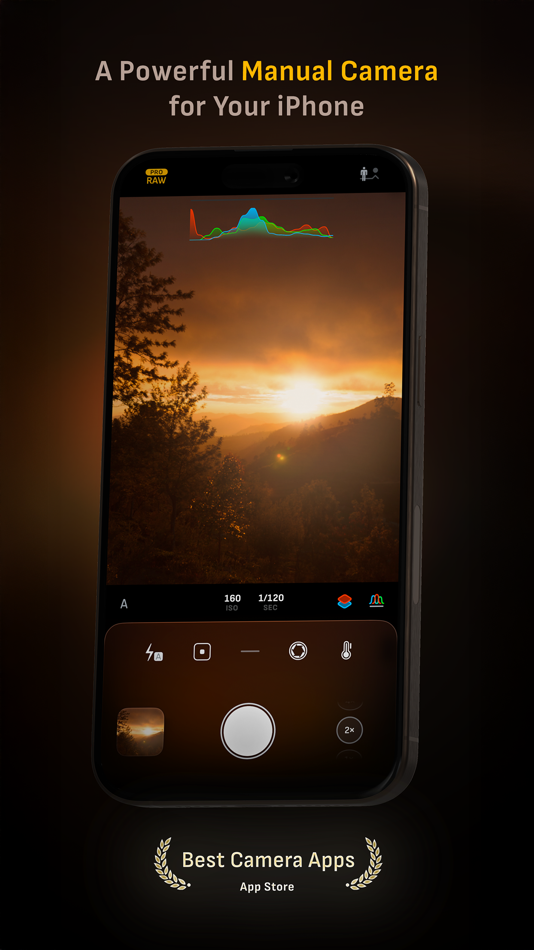
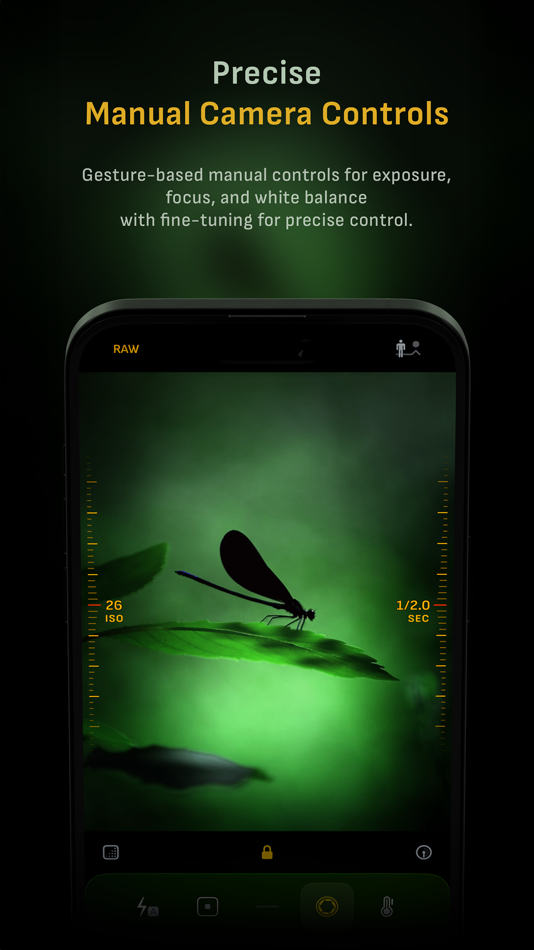
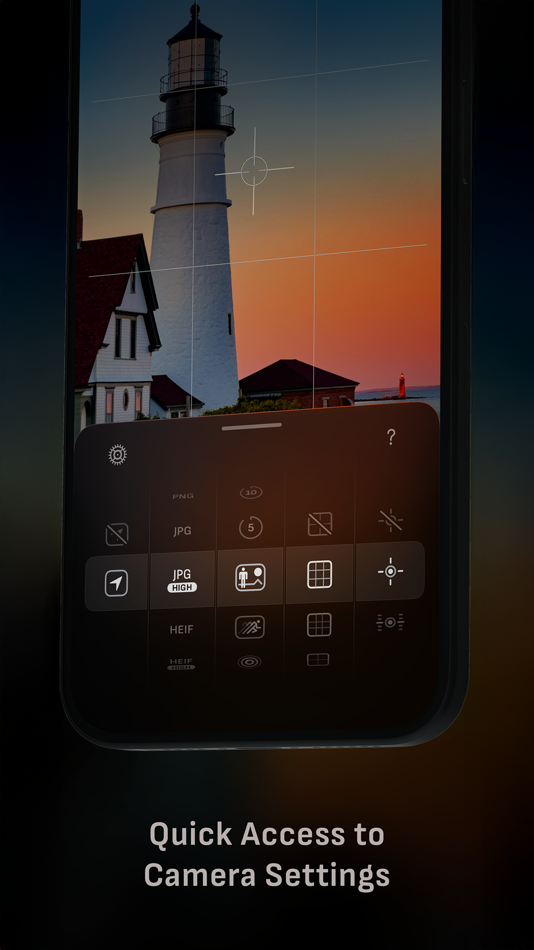
• Fluid gesture-based native manual controls with Fine-Tuning feature
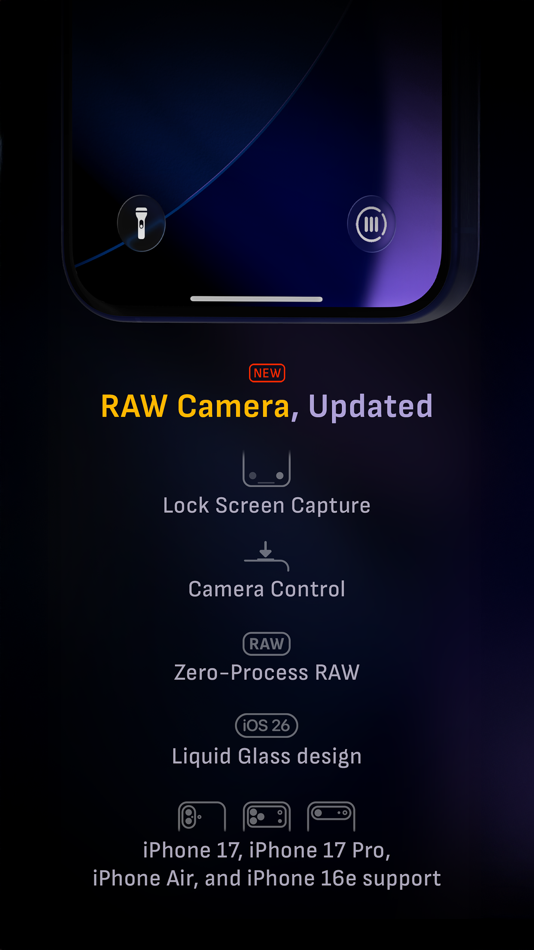
• iOS 26 optimization with Liquid Glass design
• Zero-process RAW support for the most natural look
• Max Image Processing to ensure the absolute best image quality
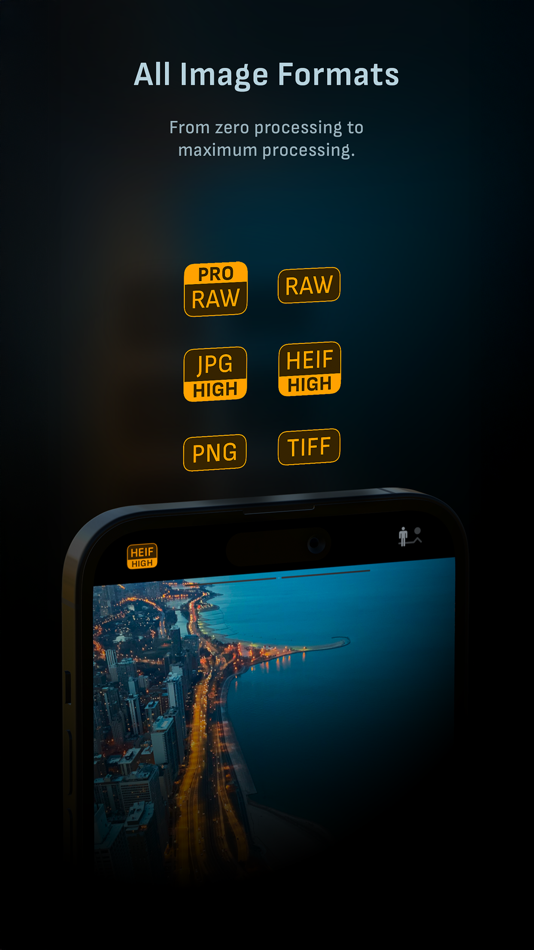
• ProRAW*, RAW, HEIF, JPEG, TIFF, and PNG image formats
• Single, Burst, Timer, Live, Depth*, Dual Photo*, and Bracket shooting modes
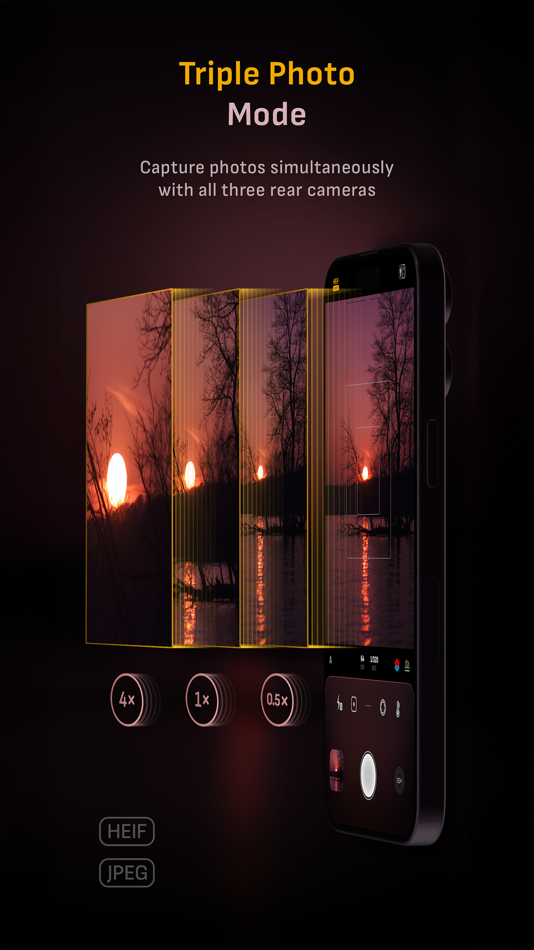
• Triple Photo mode with simultaneous ultra-wide, wide-angle, and telephoto camera capture*
• Minimum focus distance display for macro photography
• Intelligent Focus Tracking
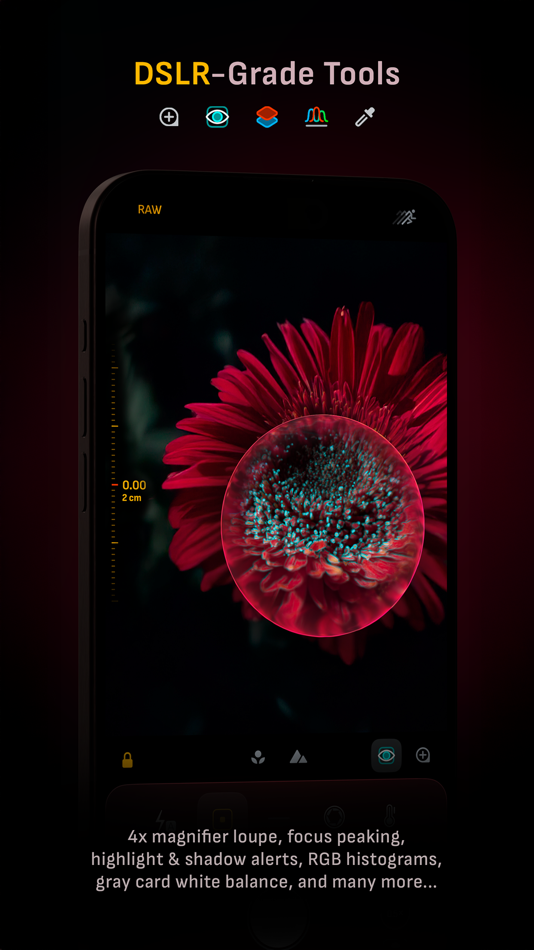
• Focus Peaking and 4x magnifier loupe with panning function
• Live RGB and RGB luminance histograms
• Manual gray card calibration
• Great widgets for photography
• Darkroom integration
CAMERA CONTROLS
– Manual focus
– Macro and Scene focus presets
– Exposure bias
– Manual ISO & exposure duration adjustments
– ISO & exposure duration semi-priority modes
– Manual white balance temperature and tint
– White balance presets
– Gray card white balance calibration
– Auto, on, and off flash modes
– Manual torch brightness level
– Manual switching between Ultra Wide, Wide, and Telephoto cameras*
– Digital pinch zoom with 10x range
– Camera Control support for all manual controls
– Lock Screen camera capture support
IMAGE FORMATS
– Apple ProRAW*
– RAW with stabilization
– HEIF with optional minimum compression
– JPEG with optional minimum compression
– TIFF
– PNG
– Live Photo
– P3 wide color support*
SHOOTING MODES
– Single
– Burst
– Timer
– Depth*
– Dual/Triple Photo*
– Live Photo*
– Bracket
TOOLS
– Exposure offset gauge
– Intelligent Focus Tracking
– Live focus peaking assistant
– 4x magnifier loupe with panning function
– Minimum focus distance display
– Live RGB and RGB luminance histograms
– Highlight & shadow alert display
– Horizon level with available pitch tracking and flat options
– Rule of Thirds, Golden Ratio, Quadrant, and Square grids
– Siri Shortcuts and App Shortcuts
– Detailed camera specifications display with PDF export
MAX IMAGE PROCESSING
– Deep Fusion and Smart HDR support for iPhone 11 and later.
– Ensures maximum image quality with better noise reduction, image stabilization, and additional processing for all other iPhones and iPads
ZERO-PROCESS RAW
– Capture standard RAW files with no extra processing
PHOTO LIBRARY
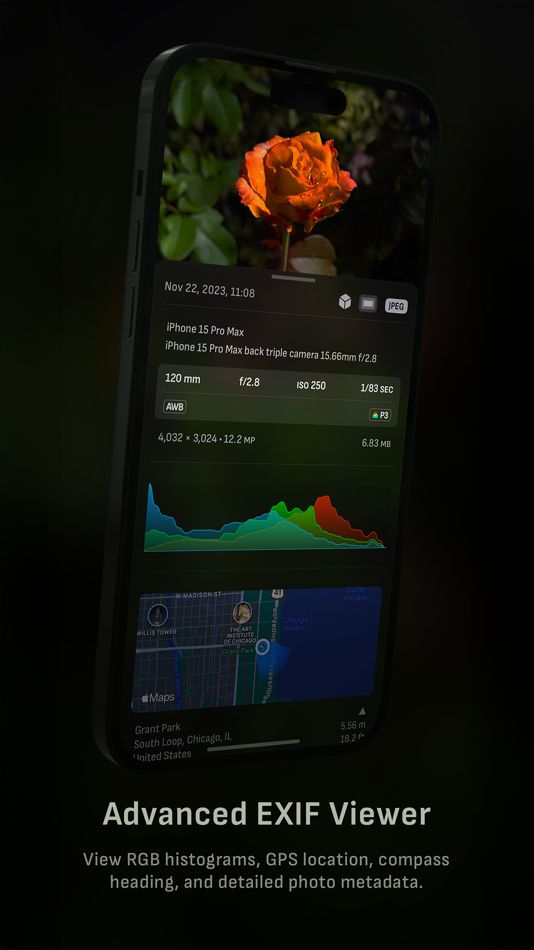
– Summarized and full EXIF metadata display
– Location data display with compass and elevation
– RGB and RGB luminance histogram displays
– Access to all photo albums and folders
WIDGETS
– Home Screen: Golden Hour, EXIF, and Cameras
– Lock Screen: Cameras and Golden Hour
– Control Center: Focus, exposure, and white balance
APPLE WATCH SUPPORT
– Shutter button control
– Sunrise, sunset, and Golden Hour display with sun position indicator
ERGONOMICS
– True one-handed control on all iPhones
– An uncompromising approach to user experience in landscape orientation
ACCESSIBILITY
– Dynamic Type support
– Bold Text support
– Increase Contrast support
TECHNOLOGY
Camera M is powered exclusively by native APIs and frameworks. There are absolutely no dependencies on any outside sources. This makes it responsive and efficient — from its small download size to its quick app launch times.
We hope you enjoy taking amazing photos with Camera M!
Website: www.camera-m.com
User manual: www.camera-m.com/manual
Get in touch: contact@camera-m.com
Follow us: @CameraMApp
#CameraM
* These features are available on supported devices only.
* Depth capture for selfies requires an iPhone or an iPad with a TrueDepth camera system.
* Apple ProRAW capture requires iPhone 12 Pro or later.
* For more information on device and feature compatibility: www.camera-m.com/compatibility
Ad
ภาพหน้าจอ

ประวัติราคา
- วันนี้: $7.99
- ต่ำสุด: $2.99
- มากที่สุด: $7.99
ติดตามราคา
มีอะไรใหม่
- เวอร์ชัน: 9.2.1
- อัปเดต:
- - Revamped Settings screen. We are planning to introduce more settings options in the upcoming updates.
- The option to press the volume down button to change cameras has been added due to incredibly high demand – Thank you for your emails. You can now turn it on in settings.
- White balance 'Daylight' preset has been changed from 5200k to 5500k
- Golden Hour Home Screen widget has improved graphics. It now has additional graphics during Golden Hour times.
Bug fixes:
Depth mode crash — The app crash that occurs when capturing a Depth photo while having the 48 MP setting on has been fixed. Thank you again for your emails.
Pro Tip — Want the fastest zero-process capture? Choose RAW with disabled +HEIF.
________________________________________
So far, our previous version 9 updates include:
• Liquid Glass magnifier loupe
• iOS 26 support with Liquid Glass design
• Camera Control support for manual focus, ISO, exposure duration, and white balance
• Lock Screen Capture support
• Control Center widgets
• HDR Button to toggle HDR photo viewing
• Support for iPhone 17 and iPhone 17 Pro
• Support for iPhone Air and iPhone 16e
• App icon and Home Screen widgets now have dark, clear, and tinted mode support.
• Other design improvements
• Accessibility improvements
Please check www.camera-m.com/updates for more comprehensive details.
We’re a small, two-person developer team. If you’re enjoying Camera M, we’d truly appreciate you spreading the word on social media — your support genuinely helps us continue building and improving the app.
We hope you capture incredible photos with Camera M!
More information: www.camera-m.com
User manual: www.camera-m.com/manual
Get in touch: contact@camera-m.com
Follow us: @CameraMApp
ข้อมูลเพิ่มเติม
- วันที่วางจำหน่าย:
- หมวดหมู่:
iOS แอป›การถ่ายภาพ - ระบบปฏิบัติการ:
Apple Watch,iPad,iPhone,iOS 16 และสูงกว่า - ขนาด:
24 Mb - ภาษาที่สนับสนุน:
Chinese,English,German,Japanese,Spanish - การจัดประเภทเนื้อหา:
4+ - App Store คะแนนโดย:
4.5(1,355) - เว็บไซท์:
 https://www.camera-m.com
ผู้พัฒนา
รายการ (3)
- Camera M - Pro Manual Camera


แต้มแล (5)
-

- 17,782 cahiba7911@agenra.com
- +1
-
- 69 1
- +1
-
- 2 serge
- +1
-
- 482 Денис
- +1
-
- 53 Alisimo
- +1


การจัดอันดับ (0)
0 ☹️
ความเห็น (0)
เป็นคนแรกที่แสดงความเห็น 🌟
«Camera M - Pro Manual Camera». แพลตฟอร์ม: iOS. หมวดหมู่: การถ่ายภาพ. ผู้พัฒนา: «bxb». การเปิดตัวครั้งแรก: . อัปเดตล่าสุด: . ราคาปัจจุบัน: $7.99. ราคาต่ำสุดที่บันทึกไว้: $2.99 (). ราคาสูงสุดที่บันทึกไว้: $7.99 (). ชื่อนี้ยังไม่ได้รับการให้คะแนนหรือบทวิจารณ์บน AppAgg รายการ: สาธารณะ 3, ส่วนตัว 7. จุดที่ติดตาม: ยืนยันแล้ว 5, ทางอ้อม 1,355. ร้านค้า: App Store. คะแนนร้านค้า: 4.5. โหวต: 1,355. ภาษาที่ใช้ได้: Chinese, English, German, Japanese, Spanish. AppAgg ติดตามประวัติราคา การให้คะแนน และคำติชมของผู้ใช้ «Camera M - Pro Manual Camera». ส่วนลดและอัปเดตในอนาคต: RSS. AppAgg ไม่ได้โฮสต์แอปพลิเคชันหรือแจกจ่ายซอฟต์แวร์ เครื่องหมายการค้า โลโก้ และภาพหน้าจอทั้งหมดเป็นของเจ้าของที่เกี่ยวข้อง
Camera M - Pro Manual Camera URL แบบสั้น: คัดลอกแล้ว!- 🌟 แชร์
- App Store
คล้ายกัน
-
- DSLR Camera - Manual Camera
- iOS แอป: การถ่ายภาพ โดย: Xiamen Miuhua Technology Co., Ltd.
- ฟรี
- รายการ: 0 + 0 0 0
- แต้มแล: 1 + 614 (4.6) เวอร์ชัน: 3.0.36 Shooting Modes: - Professional Camera - Professional Cinema Camera - Multiple Cameras - 8K Time-lapse Photography - Film Camera Professional Camera Features: - Manual/Automatic ... ⥯
-
- Shutter - Sony Camera Remote
- iOS แอป: การถ่ายภาพ โดย: Camera Control Apps sp. z o.o.
- ฟรี
- รายการ: 1 + 1 0 0
- แต้มแล: 12 + 871 (4.3) เวอร์ชัน: 4.32 Remote control for Sony alpha and Cyber-shot cameras. Capture flawless self-portraits, breathtaking travel shots, professional real-estate photos, stunning time-lapses, and more. (See ... ⥯
-
- Leica LUX - Pro Manual Camera
- iOS แอป: การถ่ายภาพ โดย: Leica Camera AG
- ฟรี
- รายการ: 2 + 1 0 0
- แต้มแล: 5 + 5,560 (4.8) เวอร์ชัน: 1.11.7 Leica LUX is a professional camera app that brings the iconic Leica Look and its signature color, style, and feel to your iPhone. Developed in-house by Leica, it gives you the unique ... ⥯
- Ad
-
- Camera+: Pro Camera & Editor
- iOS แอป: การถ่ายภาพ โดย: Heavy Plumb Apps, SOCIEDAD LIMITADA
- ฟรี
- รายการ: 9 + 11 0 0
- แต้มแล: 22 + 11,715 (4.5) เวอร์ชัน: 24.6.0 Camera+ is the most advanced and powerful photo capturing and editing app available. With intuitive camera presets, a variety of built-in filters, flexible editing tools, and ... ⥯
- -100%
- Camera Zoom 4
- iOS แอป: การถ่ายภาพ โดย: Kenneth Kao
- ▼ * ฟรี
$1.99-100% - รายการ: 0 + 0 0 0
- แต้มแล: 3 + 755 (4.7) เวอร์ชัน: 4.9 We now have over 3 million users! Camera Zoom is the ultimate app to capture photos and videos. Features 16× optical-quality zoom by intelligently fusing images from dual-lens Up to ... ⥯
-
- Camera Connect & Control
- iOS แอป: การถ่ายภาพ โดย: Rupert Kurka
- ฟรี
- รายการ: 0 + 0 0 0
- แต้มแล: 2 + 694 (3.9) เวอร์ชัน: 6.2.5 Connect your camera with your phone and bring your photography skills to a new level. This app is the reason why gps & wifi suddenly makes sense on your camera. Features: - View all ... ⥯
-
- Camera 720
- iOS แอป: การถ่ายภาพ โดย: Dung Le
- ฟรี
- รายการ: 0 + 0 0 0
- แต้มแล: 1 + 172 (4.7) เวอร์ชัน: 4.6 Camera 720 - Photo Editor is a perfect beauty camera, you can take pictures with many amazing effects or selfie with real-time beauty face effects A comprehensive photo editor with ... ⥯
-
- Lens Buddy - Self Timer Camera
- iOS แอป: การถ่ายภาพ โดย: Lens Buddy Selfie Timer Photo Video Filter Camera LLC
- ฟรี
- รายการ: 1 + 0 0 0
- แต้มแล: 1 + 32,135 (4.9) เวอร์ชัน: 103 Your ultimate handsfree camera experience is here! You take your own photos. Lens Buddy is a simple yet powerful timer camera app that will take pictures of you and your loved ones ... ⥯
-
- Camera+ Legacy
- iOS แอป: การถ่ายภาพ โดย: LateNite Apps
- $4.99
- รายการ: 6 + 11 0 0
- แต้มแล: 4 + 2,338 (4.2) เวอร์ชัน: 10.42 Hey you! Yeah you! Shouldn't you be looking for Photon instead? Our newest app has been rebuilt from the ground app to support the next 10 years (or 20, who knows?) of mobile ... ⥯
-
- Manual Camera Pro + RAW Photo
- iOS แอป: การถ่ายภาพ โดย: Onelight Apps CY Ltd
- ฟรี
- รายการ: 1 + 1 0 0
- แต้มแล: 5 + 3,221 (4.6) เวอร์ชัน: 1.6.5 Try the App Store Editor's Choice manual camera app - make quality RAW photos, take pictures of the moon and edit your photos using unique presets and color settings. Capture the ... ⥯
-
- Manual Camera – Focus, ISO, WB
- iOS แอป: การถ่ายภาพ โดย: Vladislav Dugnist
- ฟรี
- รายการ: 1 + 1 0 0
- แต้มแล: 6 + 420 (4.3) เวอร์ชัน: 1.12.1 With mcamera you can control parameters that are not available in the standard camera app: - Focus distance - ISO sensitivity - Shutter speed - White balance With manual control of ... ⥯
-
- Manual Camera, Pro DSLR | RAW+
- iOS แอป: การถ่ายภาพ โดย: Dynamic App Design LLC
- ฟรี
- รายการ: 0 + 0 0 0
- แต้มแล: 2 + 2,367 (4.4) เวอร์ชัน: 1.2.34 RAW+ is a minimalist camera for purists and professionals and puts total creative control back into your hands with a streamlined, manual-first interface. Shoot in RAW, JPG or both ... ⥯
-
- Camera Filters & Effects:LomoX
- iOS แอป: การถ่ายภาพ โดย: CONTENT ARCADE (UK) LTD.
- ฟรี
- รายการ: 0 + 0 0 0
- แต้มแล: 2 + 644 (4.5) เวอร์ชัน: 6.0.6 Photo filters for the Instagram app allow you to apply stunning camera filters and photo editors to your regular pictures and turn them into a subtly dramatic piece of art. You no ... ⥯